How to Make Email Signature on iPhone: 4 Easy Steps with Scribe
Crafting a professional email signature on an iPhone presents unique challenges that go beyond mere formality. It’s a vital component of effective
Sophie Grant
Email Signature Specialist, Scribe
Introduction
Crafting a professional email signature on an iPhone presents unique challenges that go beyond mere formality. It’s a vital component of effective communication that can enhance brand visibility and trust. The potential for formatting issues and the necessity for regular updates can complicate the maintenance of a consistent and impactful signature across platforms.
With Scribe, you can simplify this process, enabling efficient management and automation of your email signatures, so every message you send reinforces a professional image.
Create Your Email Signature on iPhone
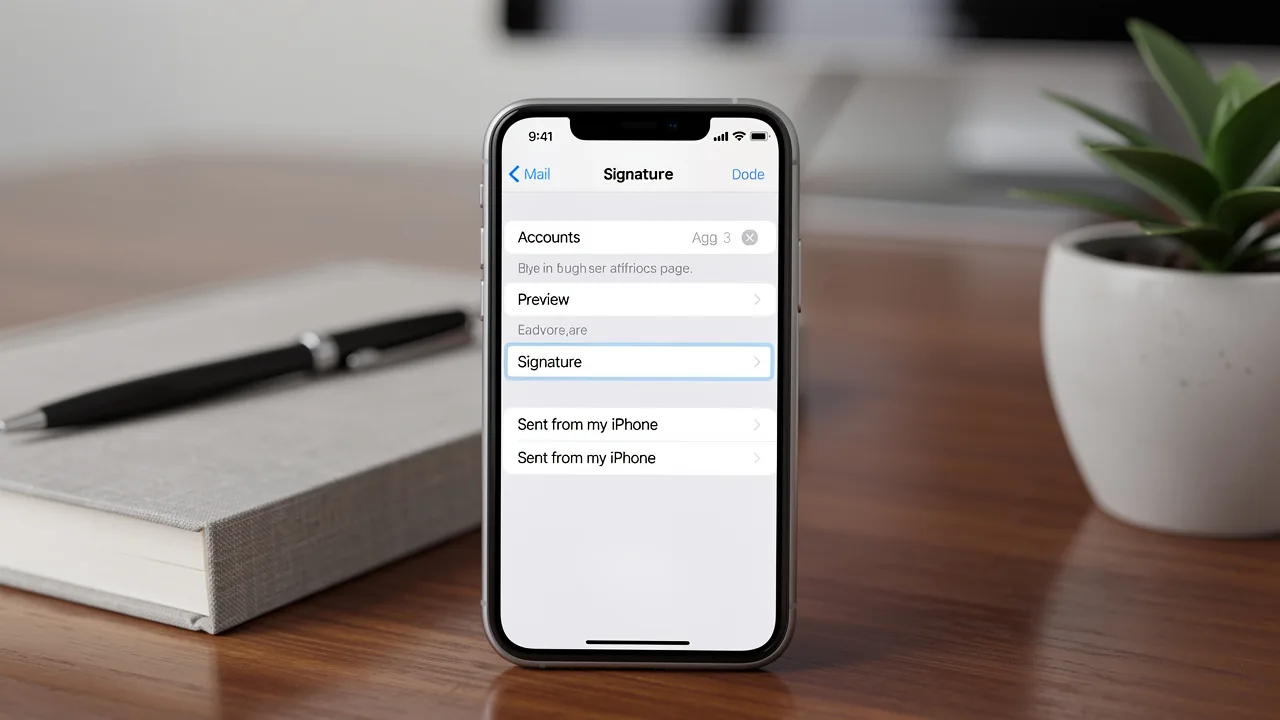
It is essential for effective communication in today's business environment to know how to make an email signature on iPhone. To create your email signature, follow these steps:
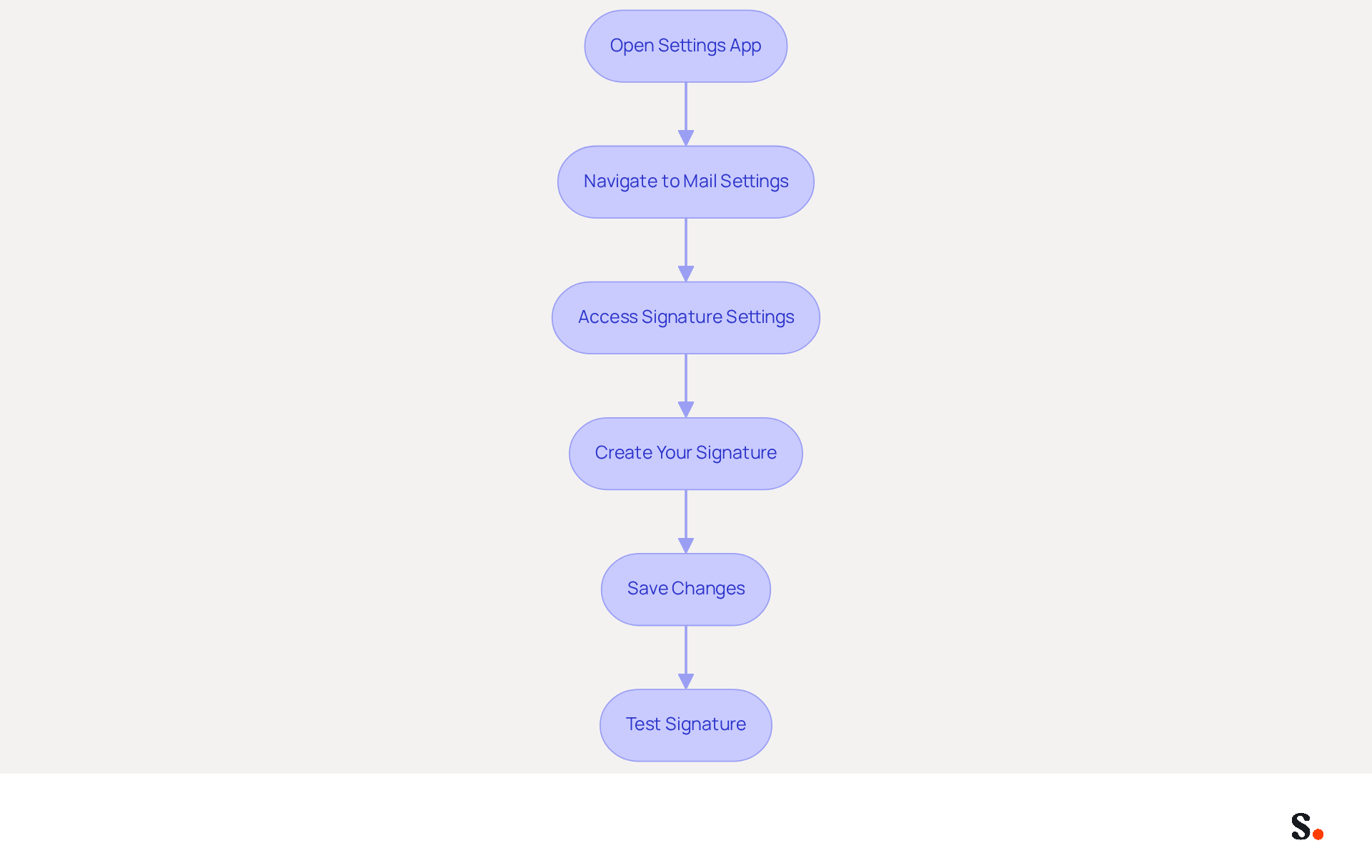
- Open the Settings App: Locate the Settings icon on your home screen and tap to open it.
- Navigate to Mail Settings: Scroll down and select 'Mail' from the list of options.
- Access Signature Settings: Scroll to the bottom of the Mail settings and tap on 'Signature'.
- Create Your Signature: In the text box, type your desired email closing. Include essential elements such as your full name, job title, company name, and contact information. For a polished appearance, use a simple format that aligns with your identity. Keep in mind that you should update your credentials when your role changes, your company rebrands, or for time-sensitive campaigns. With Scribe, any modifications made in your Aircall configuration will automatically sync to your communication identifiers, ensuring brand consistency across all interactions.
- Save Changes: Once satisfied with your mark, tap 'Mail' in the upper left corner to save your changes. Now, your new sign-off will automatically appear in all your outgoing messages.
In 2026, maintaining a professional communication footer is crucial, as 52% of professionals believe it is key for effective interaction with clients. According to industry research, messages with branded identifiers can boost response rates by over 22%, making it a crucial tool for improving brand visibility and trust in business communications. Be aware that creating a professional email signature can be challenging due to potential formatting and compatibility issues across different messaging clients, so testing it across various messaging clients is advisable. Scribe's SOC 2 Type II compliance guarantees secure data management, providing you with peace of mind as you handle your digital identifiers. With Scribe, you can confidently manage your email signatures, ensuring that your communications reflect your professional identity and brand integrity.
Customize Your Signature with Branding Elements
It is essential for establishing a professional brand presence to know how to make email signature on iphone.
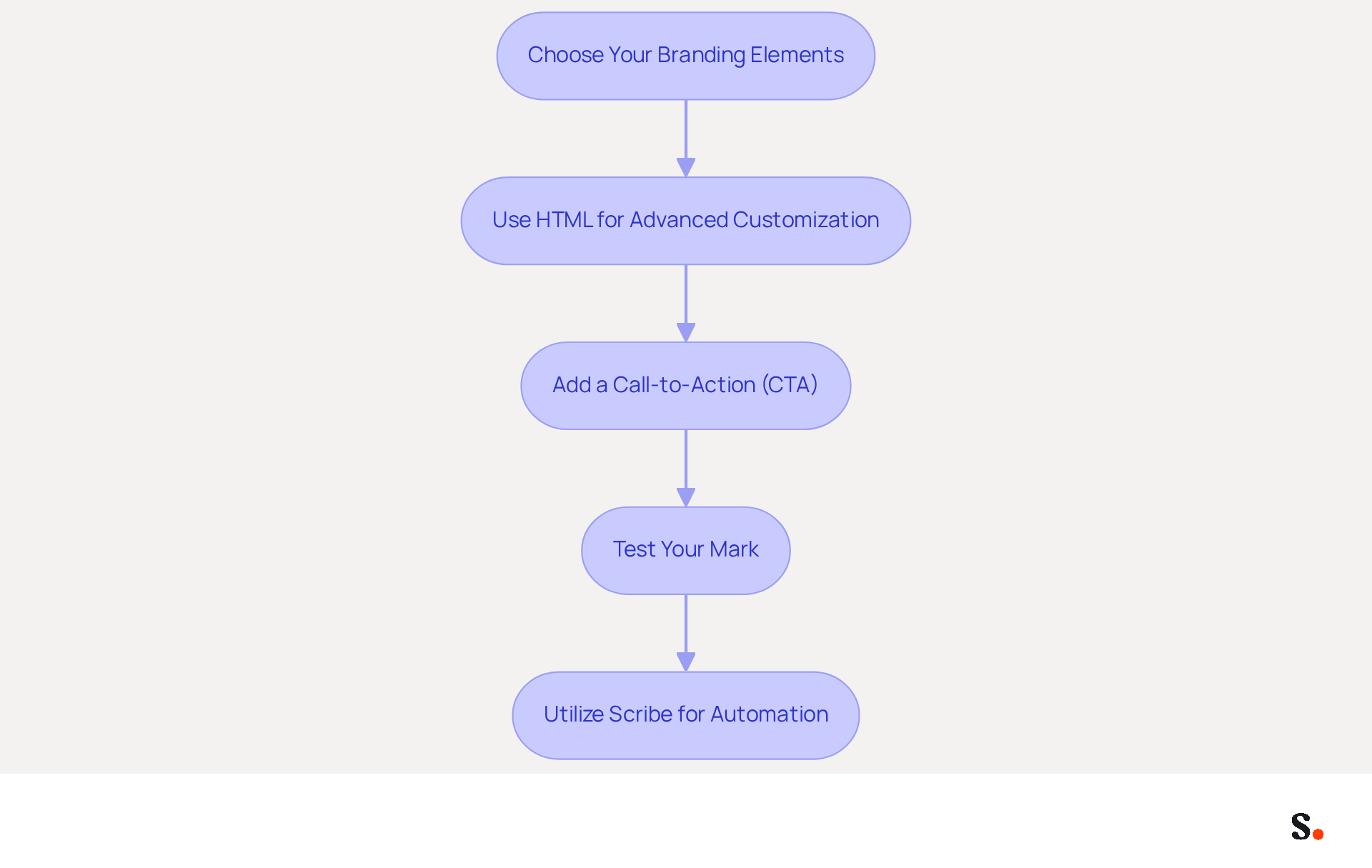
- Choose Your Branding Elements: Select key components that reflect your identity, such as your company logo, colors, and fonts. Consistent use of these elements can enhance brand recognition and credibility, as 76% of recipients state that branded identifiers increase their trust in the sender.
- Use HTML for Advanced Customization: For more intricate designs, consider using HTML. Create your personal mark in an HTML editor, allowing for images and specific formatting, then copy and paste it into the field for how to make email signature on iphone. This method can enhance the visual appeal of your signature, helping you make a strong impression.
- Add a Call-to-Action (CTA): Incorporate a CTA in your email footer, such as a link to your website or a promotional banner. This can drive traffic and engagement, with studies showing that dynamic banners can increase click rates by 22%.
- Test Your Mark: Send a test message to yourself to check how the mark appears on different devices. Ensuring your email signature looks professional across devices can be challenging. Adjust as necessary to ensure it functions well. Regular testing is vital; after all, 85% of buyers say that colors boost recognition, which can influence their buying decisions.
- Utilize Scribe for Automation: Think about using Scribe to help manage your team's email signatures more effectively. This ensures consistency and simplifies updates, reinforcing your brand identity. Organizations that standardize their communication formats experience a 22% rise in response rates, emphasizing the effectiveness of a cohesive approach to branding.
Ultimately, a well-crafted email signature can significantly influence how recipients perceive your brand.
Manage and Troubleshoot Your Email Signature
To effectively manage and troubleshoot your email signature on iPhone and iPad, consider the following guidelines:
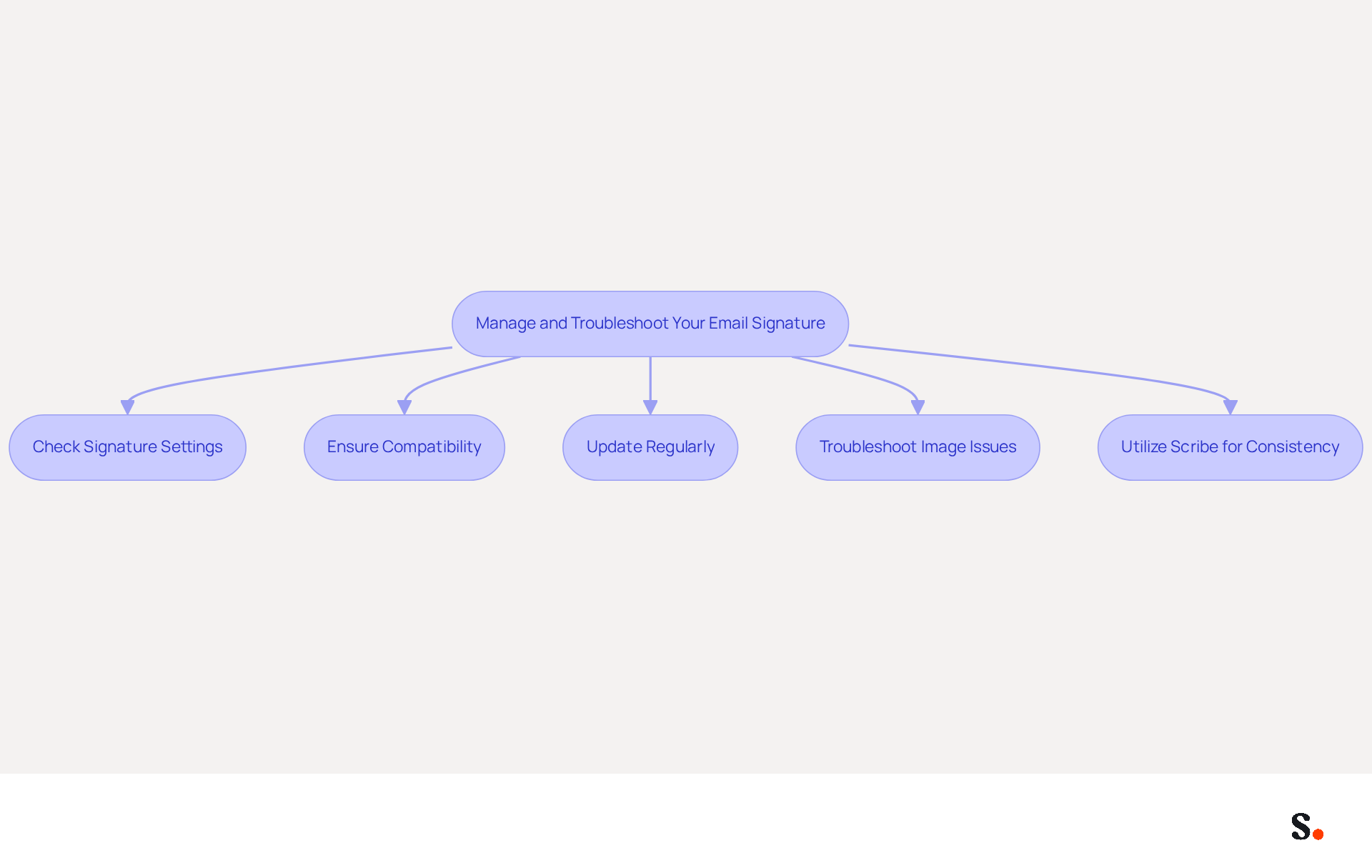
- Check Signature Settings: If your sign-off is missing, check the Mail settings. To understand how to make email signature on iPhone, navigate to Settings > Mail > Signature and ensure your sign-off is correctly entered.
- Ensure Compatibility: Different messaging clients may not support certain formatting or images. Test your personal mark by sending emails to various accounts (e.g., Gmail, Outlook) to observe how it displays.
- Update Regularly: Make sure to update your sign-off whenever your contact information changes, preventing the dissemination of outdated details.
- Troubleshoot Image Issues: Many users encounter issues with images not displaying in their email footers, leading to potential miscommunication. Ensure your images are hosted online and accessible. You may need to re-upload them or adjust the HTML code to ensure proper visibility.
- Utilize Scribe for Consistency: Leverage Scribe to manage your correspondence identifiers across multiple devices and users, ensuring that any updates are automatically reflected in all outgoing messages. By ensuring consistency, you enhance your brand's professionalism and increase engagement with your audience.
Leverage Automation for Efficient Signature Management
To leverage automation for efficient signature management, follow these steps:
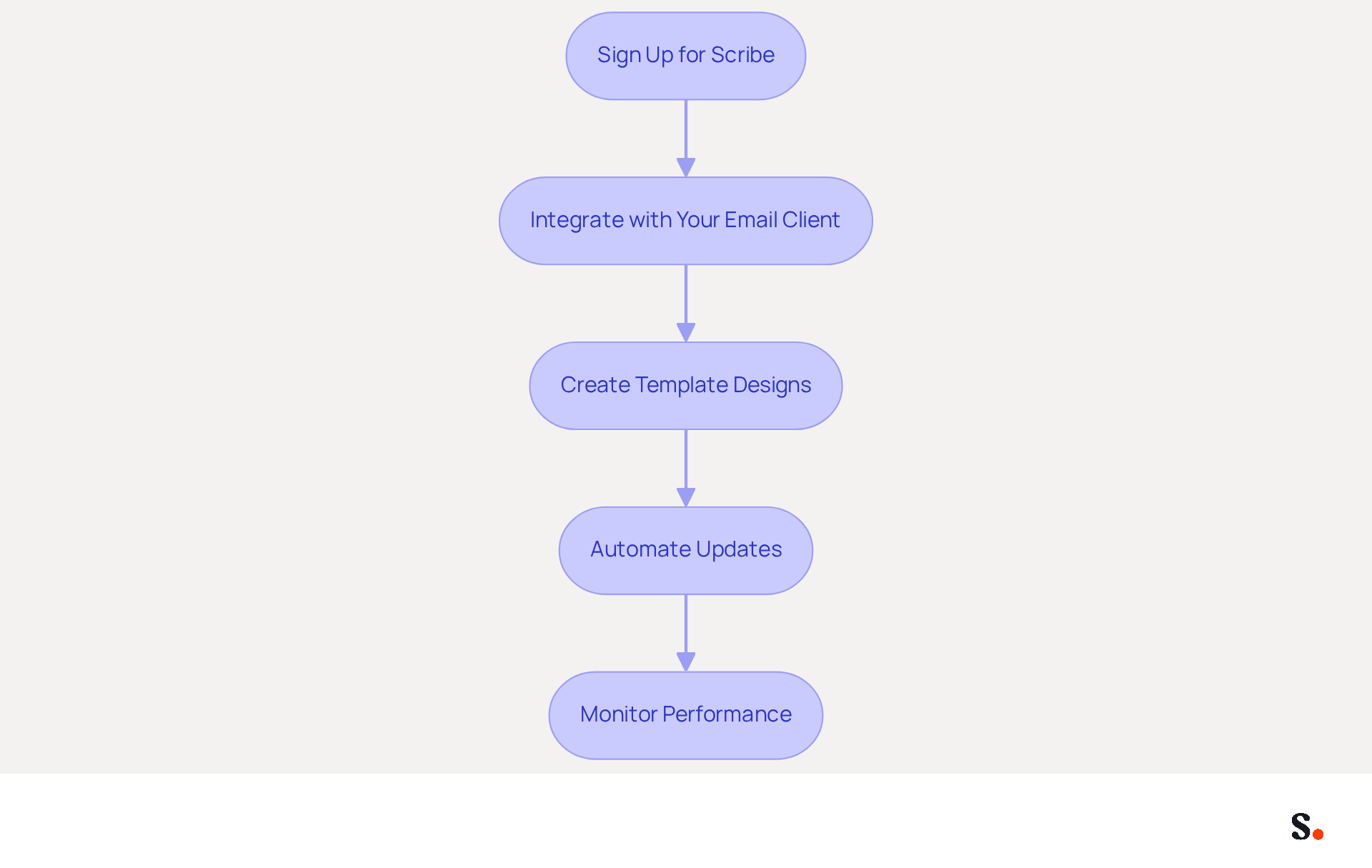
- Sign Up for Scribe: If you haven’t done so yet, create an account with Scribe to access its comprehensive management features for messages.
- Integrate with Your Email Client: Connect Scribe with your email application (e.g., Google Workspace, Microsoft 365) to enable seamless management of email signatures across your organization.
- Create Template Designs: Utilize Scribe to create on-brand template designs that can be easily customized for different team members or marketing campaigns, ensuring visual consistency.
- Automate Updates: Set up Scribe to automatically refresh identifiers across your organization whenever changes are made, ensuring consistency and saving time. Automatic updates can save IT teams about two hours each year for every employee, boosting operational efficiency. This automation enhances team collaboration by enabling Marketing to manage their digital identifiers independently after the initial IT setup.
- Monitor Performance: You can use Scribe’s analytics features to keep an eye on how well your digital identifiers are performing. Regular analysis of key performance indicators, such as click-through rates-which can reach an engagement rate of 40%, compared to just 3% for traditional campaigns-and engagement metrics allows for data-driven decisions that can enhance future marketing campaigns.
By implementing these steps, organizations can discover how to make email signature on iPhone into effective marketing tools while ensuring brand integrity and compliance. Case studies, such as those highlighting the operational drain of manual email signature management, demonstrate that companies adopting automated email signature management have improved their efficiency and reduced the burden on IT teams, allowing them to focus on higher-priority projects. Additionally, automated systems ensure compliance with regulatory standards, further supporting brand integrity.
Conclusion
Creating a professional email signature on an iPhone can be a daunting task for many professionals. Users can create a signature that reflects their professional identity by following these straightforward steps, ensuring consistency in all communications. Utilizing Scribe not only simplifies this process but also empowers marketing teams to manage their email signatures independently, reinforcing brand integrity.
This guide highlights three key insights:
- Incorporate branding elements
- Test for compatibility
- Leverage automation for efficient management
With Scribe's capabilities, organizations can create visually appealing signatures that drive engagement and maintain compliance with industry standards, such as SOC 2 Type II and GDPR. The ability to automate updates and monitor performance metrics further enhances the effectiveness of email signatures as marketing tools.
First impressions are crucial, and a well-crafted email signature can shape how recipients view your brand. Embracing tools like Scribe not only streamlines the signature creation process but also positions organizations to maximize their marketing ROI. By taking action today to implement these strategies, businesses can ensure their communications are not only professional but also impactful, ultimately driving better engagement and fostering trust with clients and partners.
Frequently Asked Questions
Why is it important to create an email signature on iPhone?
Creating an email signature is essential for effective communication in today's business environment, as it helps maintain a professional appearance and provides key information to recipients.
How do I create an email signature on my iPhone?
To create an email signature on your iPhone, follow these steps: 1. Open the Settings app. 2. Navigate to 'Mail' settings. 3. Scroll to the bottom and tap on 'Signature'. 4. Type your desired email closing, including your full name, job title, company name, and contact information. 5. Tap 'Mail' in the upper left corner to save your changes.
What elements should I include in my email signature?
Your email signature should include essential elements such as your full name, job title, company name, and contact information. It's also advisable to use a simple format that aligns with your identity.
How often should I update my email signature?
You should update your email signature when your role changes, your company rebrands, or for time-sensitive campaigns to ensure it reflects your current information.
What are the benefits of having a branded email signature?
Branded email signatures can boost response rates by over 22% and improve brand visibility and trust in business communications.
Are there any challenges in creating an email signature?
Yes, creating a professional email signature can be challenging due to potential formatting and compatibility issues across different messaging clients. It is advisable to test your signature across various clients.
How does Scribe help with managing email signatures?
Scribe ensures that any modifications made in your Aircall configuration automatically sync to your communication identifiers, maintaining brand consistency across all interactions. Additionally, Scribe's SOC 2 Type II compliance guarantees secure data management.
List of Sources
- Create Your Email Signature on iPhone
- 40+ Email Signature Statistics for 2026 (Data + Insights) (https://wavecnct.com/blogs/email-signature-statistics)
- Email signature statistics: Why every business should optimize their email signatures — Stripo.email (https://stripo.email/blog/email-signature-statistics-why-every-business-should-optimize-their-email-signatures)
- How to Create an iPhone Email Signature and Boost Your Personal Brand + FREE Templates (https://mysignature.io/blog/iphone-email-signature)
- How to Set Up Email Signature on iPhone: A Step-by-Step Guide (https://scribe-mail.com/en-US/blog/how-to-set-up-email-signature-on-iphone-a-step-by-step-guide)
- Email Signature Statistics: A Closer Look at Email Signatures in 2026 (https://mysignature.io/blog/email-signature-statistics)
- Customize Your Signature with Branding Elements
- The impact of email signatures on your branding (https://signitic.com/en/resources/the-impact-of-email-signatures-on-your-branding)
- Email Signature Branding: Consistency and Impact | Crossware365 (https://crossware365.com/blog/mastering-email-signature-branding-market-presence)
- The benefits of a branded email signature (https://bybrand.io/blog/branded-email-signature)
- 50+ Branding Statistics for 2026 That Explain Brand Loyalty (https://wearetenet.com/blog/branding-statistics)
- Elevate Your Brand with Professional Email Signatures (https://holickycorporation.com/blog/elevate-your-brand-with-professional-email-signatures)
- Manage and Troubleshoot Your Email Signature
- Email signature statistics: Why every business should optimize their email signatures — Stripo.email (https://stripo.email/blog/email-signature-statistics-why-every-business-should-optimize-their-email-signatures)
- Email Signature Troubleshooting - Problems & Solutions - Gimmio (https://blog.gimm.io/email-signature-troubleshooting)
- How to solve problems with email signatures in Microsoft 365? (https://mail-signatures.com/articles/problems-email-signatures-office-365)
- Email signature problems on iPhone since Office 365 migration - Microsoft Q&A (https://learn.microsoft.com/en-au/answers/questions/5010816/email-signature-problems-on-iphone-since-office-36)
- Leverage Automation for Efficient Signature Management
- The impact of email signatures on your branding (https://signitic.com/en/resources/the-impact-of-email-signatures-on-your-branding)
- Automating Email Signatures: How IT Teams Streamline Processes & Reduce Risk (https://exclaimer.com/blog/streamlining-it-processes-automated-email-signatures)
- Master Automatic Email Signatures: Boost Branding and Efficiency (https://scribe-mail.com/en-US/blog/master-automatic-email-signatures-boost-branding-and-efficiency)
- Company-Wide Email Signature Management | CloudM (https://cloudm.io/blog/optimize-your-process-with-company-wide-email-signature-management)
Get started with Scribe
Create your signature in minutes
Free 14-day trial — no credit card.