How to Properly End an Email: 4 Steps for Professional Sign-Offs
In a professional setting, the choice of email sign-off can significantly impact the recipient's perception of the message. Understanding how to properly end
Sophie Grant
Email Signature Specialist, Scribe
Introduction
In a professional setting, the choice of email sign-off can significantly impact the recipient's perception of the message. Understanding how to properly end an email not only enhances clarity but also fosters stronger relationships with recipients. With numerous sign-off options available, many professionals struggle to choose the most appropriate one.
How can you ensure your email conclusion is both professional and effective? This guide will explore the essential elements of a polished email ending, providing actionable steps to enhance your communication and steer clear of common mistakes.
Understand the Components of a Professional Email Ending
To conclude an email effectively, it is essential to grasp its key components:
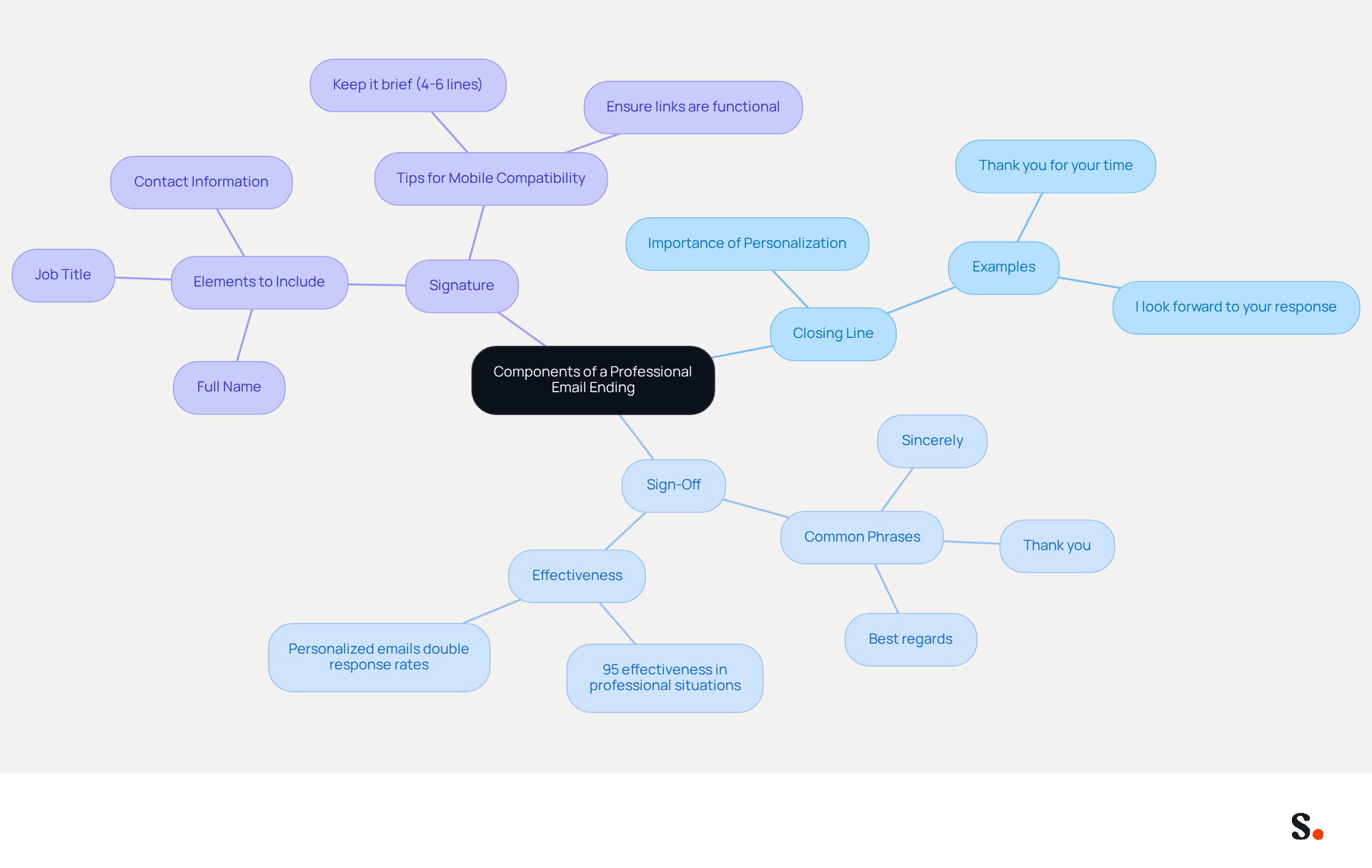
- Closing Line: This brief statement summarizes the message's purpose or expresses gratitude. For instance, saying, "Thank you for your time" or "I look forward to your response" reinforces appreciation and clarity. Research shows that personalized sales messages can double response rates, underscoring the importance of a thoughtful closing.
- Sign-Off: This phrase comes before your name and varies based on the message's formality. Common options include "Sincerely," "Best regards," and "Thank you." Notably, "Best regards" is effective in approximately 95% of professional situations, making it a reliable choice for most communications. Choosing the right sign-off can be challenging, as it requires careful consideration of the message's tone, showing respect and attentiveness to the recipient's style.
- Signature: This includes your full name, job title, and contact information. A professional mark can also incorporate your company logo and social media links, enhancing brand visibility. Keeping your message footer brief-ideally 4-6 lines-ensures mobile compatibility, as 64% of professionals check correspondence primarily on mobile devices. Utilizing Scribe's automated signature management not only ensures compliance but also boosts the security of your communications.
Mastering these components teaches you how to properly end an email, helping you wrap up your messages professionally and make a lasting impression on your recipient. Ultimately, a well-crafted email conclusion can significantly influence the recipient's response and engagement.
Choose an Appropriate Sign-Off for Your Audience
Choosing the appropriate sign-off is essential for effective communication and understanding how to properly end an email to build relationships. Here are steps to guide your choice:
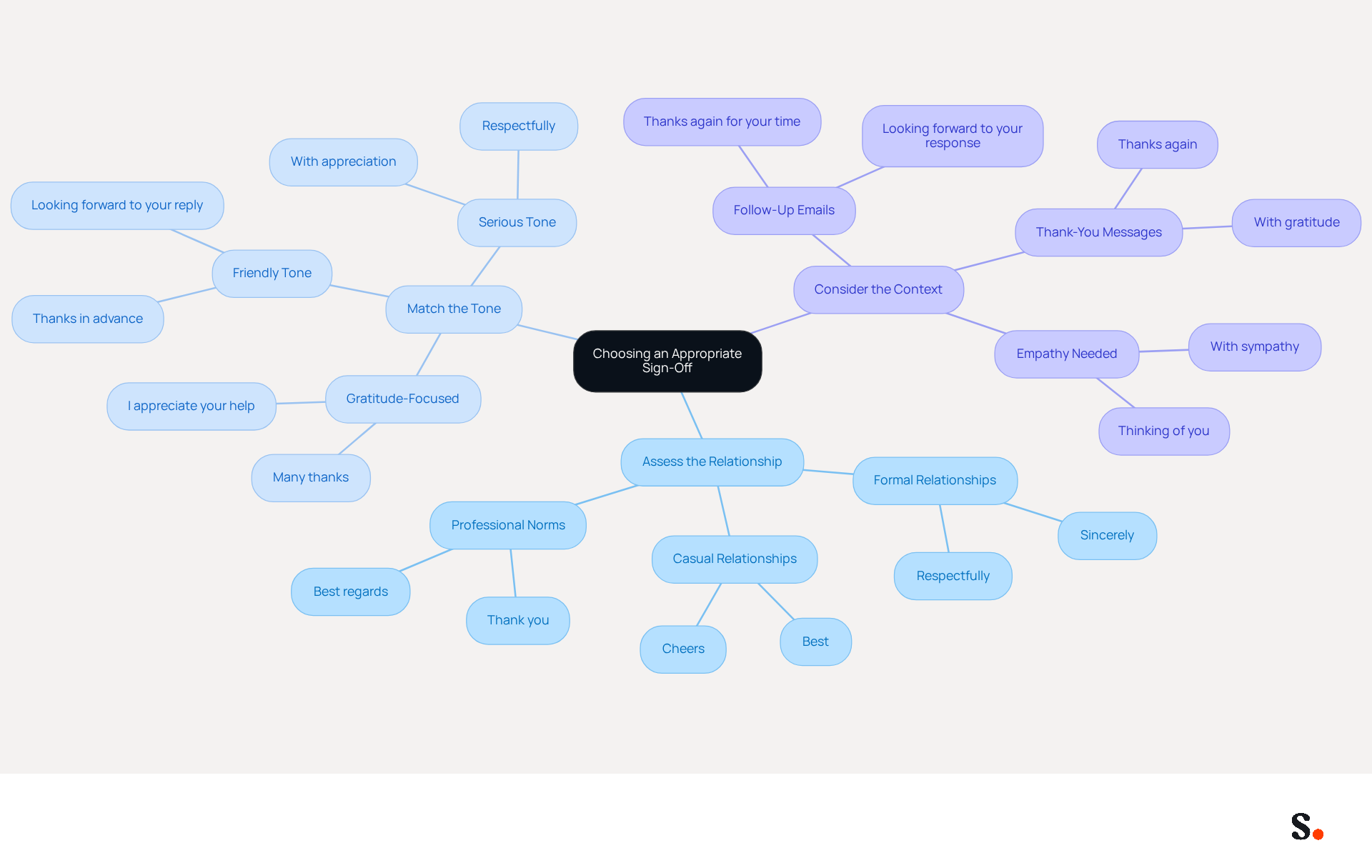
- Assess the Relationship: Consider your relationship with the recipient. For formal communications, use sign-offs like "Sincerely" or "Respectfully." For more casual interactions, options like "Best" or "Cheers" may be appropriate. Studies show that "Best regards" is suitable for 95% of professional communications.
- Match the Tone: Align your sign-off with the tone of your message. If your message is friendly and informal, a casual sign-off works well. Conversely, if the message is serious or business-related, opt for a more formal closing. Gratitude-focused sign-offs, such as "Thanks in advance," have been shown to yield the highest response rates. Emails that conclude with expressions of gratitude, including "Best regards," "Thanks in advance," and "I appreciate your help," tend to achieve the highest response rates.
- Consider the Context: If you’re following up on a previous conversation, a sign-off like "Looking forward to your reply" can encourage engagement. For thank-you messages, use 'Thank you' or 'Thanks again.' In contexts where empathy is needed, such as condolences, sign-offs like "With sympathy" convey understanding and care. Remember, messages without sign-offs seem incomplete and can appear rude or careless.
By carefully choosing your sign-off and ensuring it is accompanied by a professional mark, you can learn how to properly end an email to enhance the effectiveness of your communication and foster positive relationships. A well-chosen sign-off not only completes your message but also strengthens your professional relationships.
Incorporate a Professional Signature and Call-to-Action
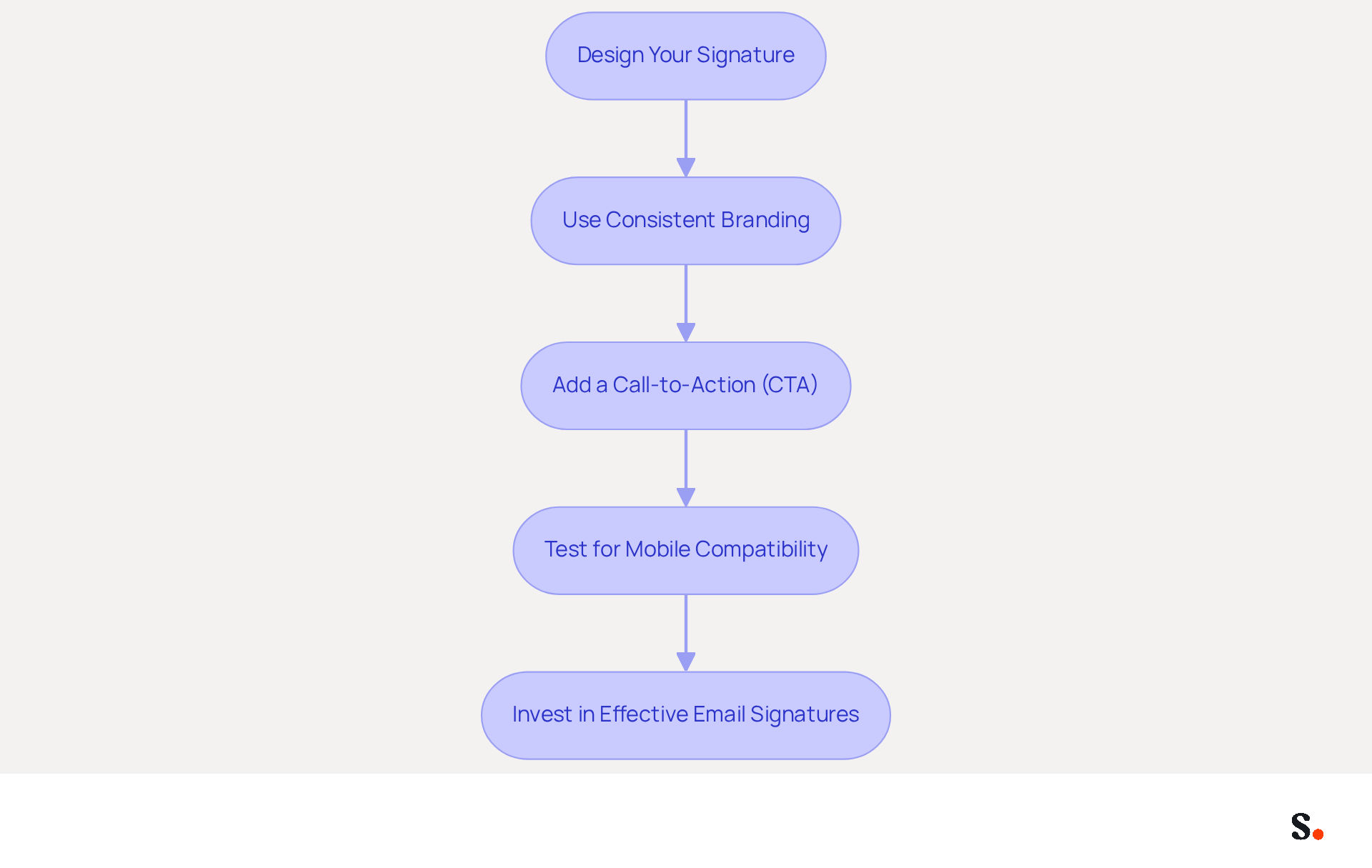
Creating a well-designed electronic identifier is essential for enhancing your professional image and leveraging marketing opportunities. Here’s how to create one:
- Design Your Signature: Include your full name, job title, company name, and contact information. Adding your company logo and social media links can significantly enhance brand visibility, making your emails more recognizable. Scribe automates the design process for sign-offs, ensuring consistent application of all elements across your organization.
- Use Consistent Branding: Ensure that your mark aligns with Scribe’s branding guidelines, including colors and fonts. Consistent visual elements strengthen brand recognition and help recipients quickly identify your organization, leading to a more favorable perception. As noted by Signitic, "By maintaining a constant use of your graphic elements, you facilitate brand recognition and stay in the minds of your customers." Scribe's automated management of digital signatures ensures that any updates to branding are reflected in real-time, maintaining consistency effortlessly.
- Add a Call-to-Action (CTA): Incorporate a clear CTA in your email footer, such as 'Schedule a Meeting' or 'Visit Our Website.' This encourages recipients to engage further with your brand, transforming routine emails into strategic marketing opportunities. Studies indicate that effective CTAs can achieve click-through rates of 5% to 7% in optimal campaigns, underscoring their importance in driving engagement. With the tool, you can monitor the effectiveness of these CTAs, connecting engagement to quantifiable marketing ROI. Notably, Scribe boasts an average click-through rate of 12% on custom banners, enhancing your marketing strategy.
- Test for Mobile Compatibility: Ensure that your identification displays correctly on mobile devices, as over 41% of messages are opened on smartphones. A mobile-friendly sign-off enhances accessibility and professionalism, ensuring that your message is conveyed effectively regardless of the device used. Without regular audits and training, organizations risk compromising their signature security, as highlighted by recent research on email marketing effectiveness. Scribe's SOC 2 Type II compliance ensures that your data stays secure while enabling seamless synchronization across devices. To enable one-click synchronization, you must grant Scribe permission to connect with your service provider, requiring Super Admin access.
Investing in effective email signatures enhances your brand's visibility and fosters deeper connections with your audience. Incorporating elements like clickable banners and calls to action can further amplify the marketing potential of your signatures, making them a strategic investment for your organization.
Avoid Common Mistakes in Email Closings
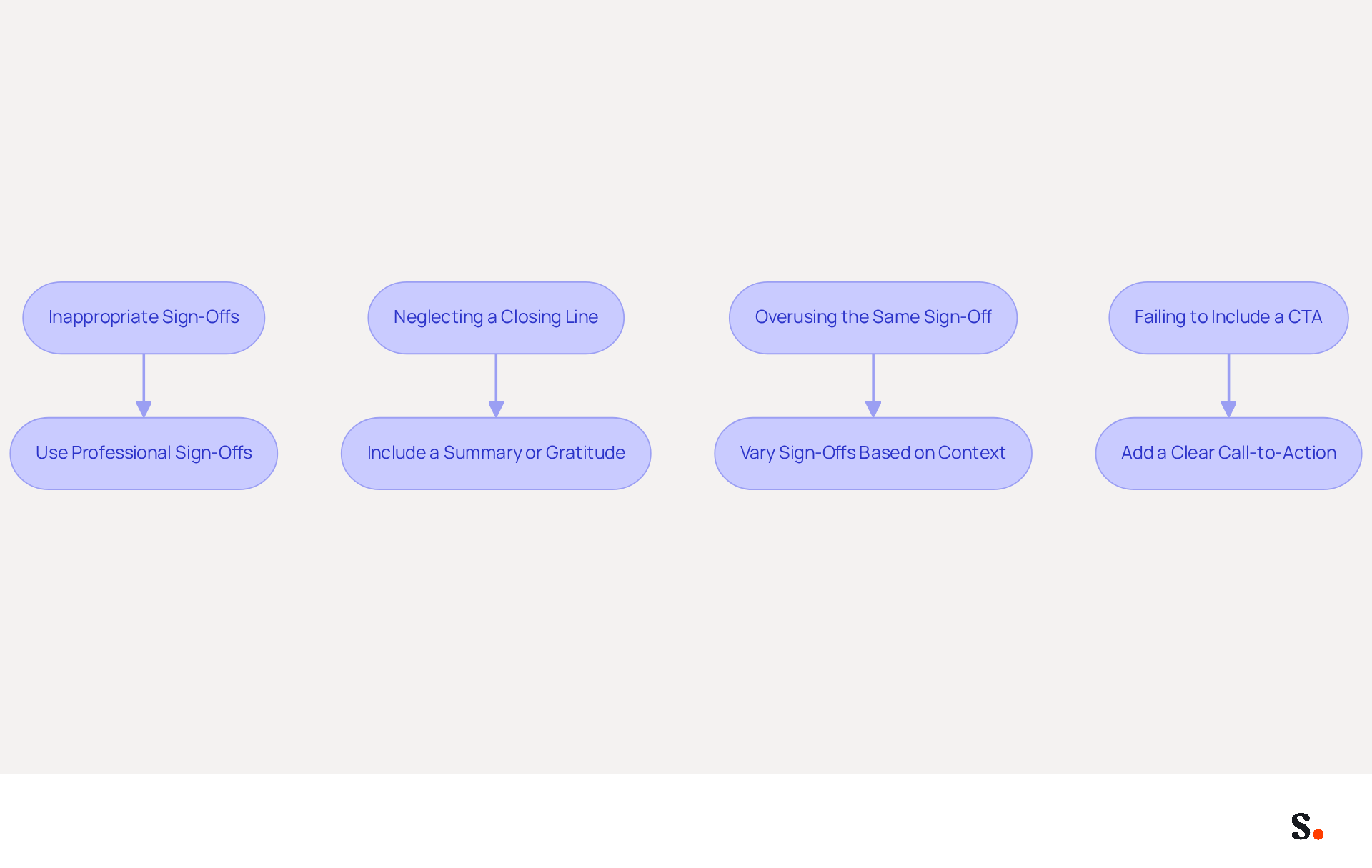
To maintain professionalism in your email closings, it is essential to recognize and avoid common pitfalls that can undermine your communication:
- Using Inappropriate Sign-Offs: Avoid overly casual or emotional sign-offs, such as 'Love' or 'Cheers,' in formal correspondence. Instead, choose professional options that align with the context of your message. Research indicates that using formal sign-offs like 'Sincerely' in initial interactions establishes respect, while casual closings are more suitable for established colleagues. Using overly casual sign-offs in formal contexts diminishes professionalism and can lead to misunderstandings.
- Neglecting a Closing Line: Always include a closing line that summarizes your message or expresses gratitude. This oversight can create confusion and weaken your professional image. Understanding how to properly end an email can enhance clarity and strengthen professional relationships. Gratitude-based closings, such as 'Thanks' or 'Thank you,' yield higher response rates compared to neutral alternatives, reinforcing the importance of expressing appreciation.
- Overusing the Same Sign-Off: Repeating the same sign-off can come across as insincere. Vary your sign-offs based on the recipient and context to keep your communication fresh. Tailoring your closing to reflect your brand's voice can foster a stronger connection with recipients. Incorporating branding elements into your digital correspondences can also enhance brand identity and increase recognition. With Scribe, you can effortlessly manage your identifiers, ensuring that any updates in your Google Workspace are automatically reflected. Furthermore, Scribe's attribute feature enables the automatic filling of identification details, conserving your time and improving consistency throughout interactions.
- Failing to Include a CTA: If your message requires a response or action, ensure you include a clear call-to-action. This guides the recipient on what to do next and encourages engagement. Strategic use of calls-to-action in sign-offs can drive traffic and generate leads. Moreover, with Scribe's smooth integration with Calendly, any modifications made to your scheduling setup will automatically sync with your identifiers, ensuring that your interactions remain professional and current. The platform also complies with SOC 2 Type II standards, ensuring secure data management and reinforcing trust in your interactions.
Ultimately, understanding how to properly end an email can significantly impact your professional relationships and communication effectiveness. Remember, with 83% of the workforce viewing email as essential for success, effective email communication strategies are crucial.
Conclusion
Concluding an email effectively is crucial for successful professional communication. An effective email conclusion conveys professionalism and increases the chances of a favorable reply. By understanding the key components - closing lines, appropriate sign-offs, and professional signatures - professionals can enhance their email etiquette and build stronger connections.
Throughout this guide, the importance of tailoring sign-offs to the audience and context has been emphasized. Choosing the right closing line and incorporating a professional signature can elevate the overall impression of your correspondence. Additionally, avoiding common mistakes, such as using inappropriate sign-offs or neglecting to include a call-to-action, is crucial for maintaining professionalism and clarity in communication.
Given that email is a fundamental aspect of business communication, honing these skills is not just beneficial but necessary. By implementing the strategies outlined, professionals can ensure their emails leave a lasting impact, driving engagement and reinforcing their brand identity. By mastering these techniques, professionals can transform their email interactions into opportunities for meaningful engagement.
Frequently Asked Questions
What are the key components of a professional email ending?
The key components of a professional email ending include a closing line, a sign-off, and a signature.
What is the purpose of a closing line in an email?
The closing line summarizes the message's purpose or expresses gratitude, reinforcing appreciation and clarity. For example, phrases like 'Thank you for your time' or 'I look forward to your response' are effective.
How can a thoughtful closing line impact response rates?
Research shows that personalized sales messages can double response rates, highlighting the importance of a thoughtful closing.
What are some common sign-offs used in professional emails?
Common sign-offs include 'Sincerely,' 'Best regards,' and 'Thank you.' 'Best regards' is particularly effective in about 95% of professional situations.
Why is choosing the right sign-off important?
Choosing the right sign-off is important because it reflects the message's tone and shows respect and attentiveness to the recipient's style.
What should be included in an email signature?
An email signature should include your full name, job title, and contact information. It can also incorporate your company logo and social media links for enhanced brand visibility.
How long should an email signature be for mobile compatibility?
An email signature should ideally be brief, around 4-6 lines, to ensure mobile compatibility, as 64% of professionals check correspondence primarily on mobile devices.
How can Scribe assist with email signatures?
Scribe's automated signature management ensures compliance and boosts the security of your communications.
Why is mastering email components important?
Mastering these components helps you end emails professionally, making a lasting impression on your recipient and significantly influencing their response and engagement.
List of Sources
- Understand the Components of a Professional Email Ending
- How to end an email: 70+ professional sign-offs & examples (https://blog.superhuman.com/how-to-end-an-email)
- How to end an email: Best sign-offs for every business situation | Proton (https://proton.me/business/blog/how-to-end-an-email)
- How to End an Email Professionally (With Examples) (https://iconnect.isenberg.umass.edu/blog/2024/07/10/how-to-end-an-email-professionally-with-examples)
- How to End Any Professional Email (Plus a List of Sign-Offs for When You’re Tired of Saying “Best”) (https://careerservices.upenn.edu/blog/2021/01/08/how-to-end-any-professional-email-plus-a-list-of-sign-offs-for-when-youre-tired-of-saying-best)
- Choose an Appropriate Sign-Off for Your Audience
- Best Email Sign-Offs for Any Correspondence (https://wisestamp.com/examples/email-sign-offs)
- How to end an email: 70+ professional sign-offs & examples (https://blog.superhuman.com/how-to-end-an-email)
- 80+ Professional Email Sign-Offs for Every Situation, Role, and Industry (https://syncsignature.com/blog/email-sign-offs)
- Email Sign Offs for Every Industry and Situation | Mailchimp (https://mailchimp.com/resources/email-sign-offs)
- Incorporate a Professional Signature and Call-to-Action
- The impact of email signatures on your branding (https://signitic.com/en/resources/the-impact-of-email-signatures-on-your-branding)
- The benefits of a branded email signature (https://bybrand.io/blog/branded-email-signature)
- Top 10 Benefits Of Email Signatures | Rocketseed (https://rocketseed.com/blog/benefits-of-using-email-signatures)
- How to Write an Email Signature That Boosts Your Brand (https://scribe-mail.com/en-US/blog/how-to-write-an-email-signature-that-boosts-your-brand)
- 12 email signature marketing examples that drive clicks (2026) (https://signitic.com/en/resources/12-email-signature-marketing-examples-that-actually-drive-clicks)
- Avoid Common Mistakes in Email Closings
- Master Business Sign-Off Emails: Best Practices for Impactful Communication (https://scribe-mail.com/en-US/blog/master-business-sign-off-emails-best-practices-for-impactful-communication)
- Home - Oklahoma Bar Association (https://okbar.org/cm_articles/avoid-these-common-email-mistakes)
- The 2 biggest mistakes people make in work emails—and how to avoid them (https://cnbc.com/2024/04/10/the-biggest-mistakes-people-make-over-email-and-how-to-avoid-them.html)
- 10 Common Email Mistakes - Mindtools Membership (https://mindtools.com/at253lr/10-common-email-mistakes)
- 11 Common Email Mistakes Everyone Makes (https://linkedin.com/pulse/11-common-email-mistakes-everyone-makes-betty-liu)
Get started with Scribe
Build a professional email signature
Free 14-day trial — no credit card.