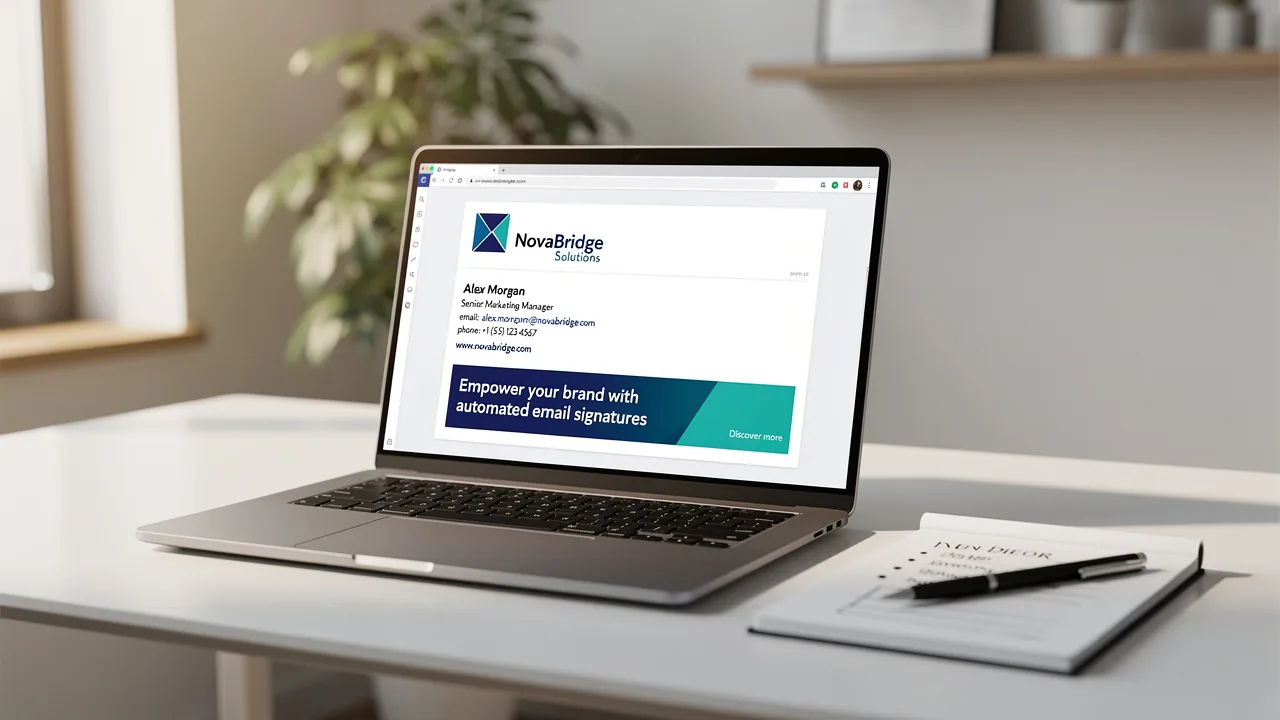
Master Managing Email Signatures in Office 365: A Step-by-Step Guide
While often overlooked, effective email signature management in Office 365 presents significant challenges that can undermine brand consistency and
Sophie Grant
Email Signature Specialist, Scribe

Introduction
While often overlooked, effective email signature management in Office 365 presents significant challenges that can undermine brand consistency and professional communication. Organizations can leverage this vital component to enhance their marketing strategies and ensure compliance with legal standards. Despite its importance, many organizations struggle to maintain uniformity and fully leverage the promotional potential of their email signatures. By addressing these challenges, businesses can unlock the full potential of their email signatures, transforming them into strategic assets that enhance engagement and solidify brand identity.
Understand Email Signature Management in Office 365
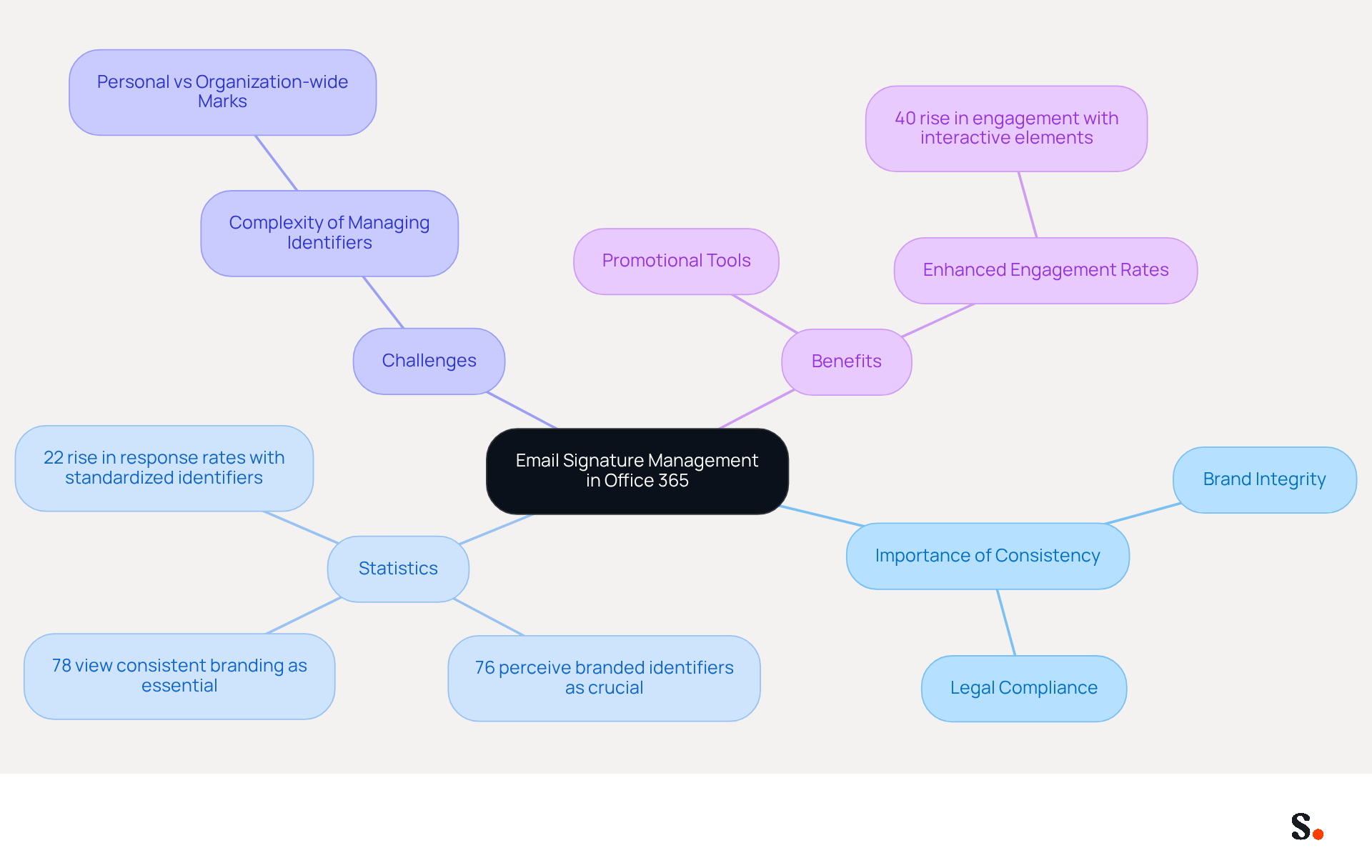
Effective management of digital footers in Office 365 is not just a necessity; it is a strategic imperative for organizations seeking to uphold brand integrity and legal compliance. By using the Exchange Admin Center, organizations can centrally create, deploy, and manage identifiers across all outgoing communications. This centralized approach streamlines the process and ensures every employee adheres to the same format, strengthening Scribe's branding.
A recent study found that:
- 78% of participants view consistent branding as essential to digital branding.
- 76% perceive branded online identifiers as crucial for a business's identity.
- Organizations that adopt standardized digital identifiers have reported a 22% rise in response rates, highlighting the effectiveness of this approach.
Without clarity on the distinction between personal and organization-wide marks, managing digital identifiers can become a complex challenge. This clarity not only simplifies management but also enhances the effectiveness of branding efforts, ensuring that all communications reflect the company's values and professionalism.
More and more, businesses are recognizing that electronic identifiers can serve as powerful promotional tools, not just simple sign-offs. Incorporating interactive elements such as banners and calls-to-action can significantly enhance engagement, with studies showing that companies leveraging digital identifiers as marketing tools have experienced a 40% rise in engagement rates.
Case studies emphasize the achievements of organizations that have implemented centralized control of their electronic identifiers. For example, businesses employing automated solutions have optimized their document handling processes, enabling immediate updates and adherence to legal standards. This not only improves operational efficiency but also enhances brand visibility and trust among recipients.
By embracing centralized management and innovative trends, organizations can turn every email into a strategic asset that amplifies their brand message.
Create and Customize Your Email Signatures
Managing email signatures in Office 365 is essential for maintaining professional communication. To achieve this, follow these steps:
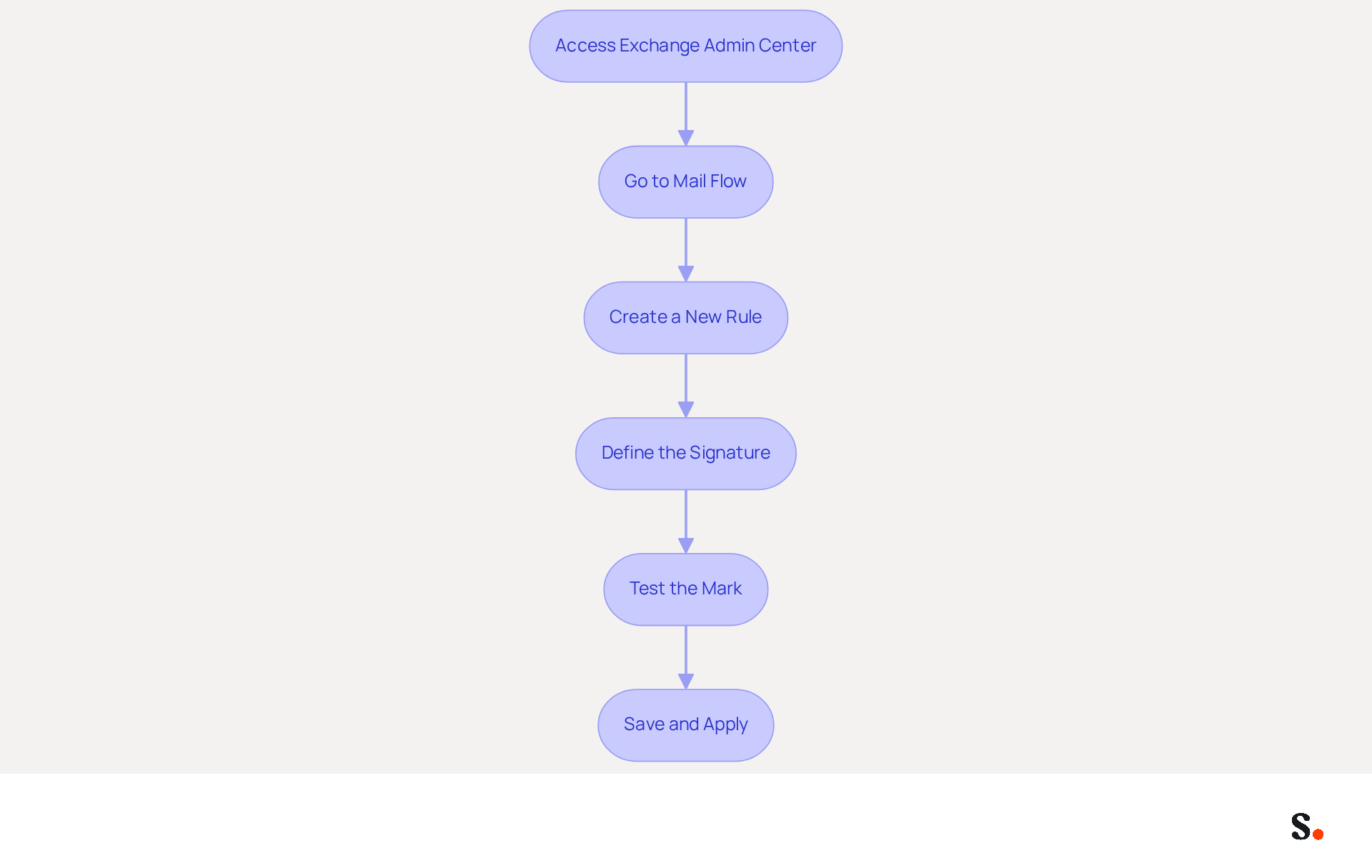
- Access the Exchange Admin Center: Sign in to your Office 365 account and navigate to the Exchange Admin Center.
- Go to Mail Flow: In the left navigation pane, select 'Mail flow' and then click on 'Rules'.
- Create a New Rule: Click on the '+' icon to create a new rule. Select 'Apply disclaimers' to configure your email footer.
- Define the Signature: In the rule settings, specify the content of your identifier. Use HTML to format the closing, including your name, title, company logo, and any legal disclaimers. An effective branding element can enhance your brand's visibility; 80% of businesses consider a branded footer essential for building trust.
- Test the Mark: Before finalizing, send a test message to ensure the mark appears correctly across different messaging clients. Regular testing is crucial because many users update their contact details infrequently, leading to potential miscommunication.
- Save and Apply: Once satisfied, save the rule. The sign-off will now be automatically added to all outgoing messages based on the conditions you established. Centralized management helps maintain branding standards and lightens the IT team's workload, potentially saving two hours per employee each year.
By following these steps for managing email signatures in Office 365, you can create a professional communication footer that enhances your brand's visibility and ensures consistency across all interactions. Furthermore, to enable one-click synchronization with Scribe, you must grant permission as a Super Admin of your service provider. This integration enables effortless management of digital identifiers, ensuring that any modifications in your Google Workspace are automatically reflected in Scribe. Remember, investing in effective digital identifiers not only enhances your brand's visibility but also significantly boosts engagement with your audience. Scribe's SOC 2 Type II certification further ensures the security of your data while enhancing your branding efforts.
Leverage Email Signatures for Marketing Opportunities
Maximizing the effectiveness of email identifiers can significantly enhance your marketing strategy. Here’s how to do it:
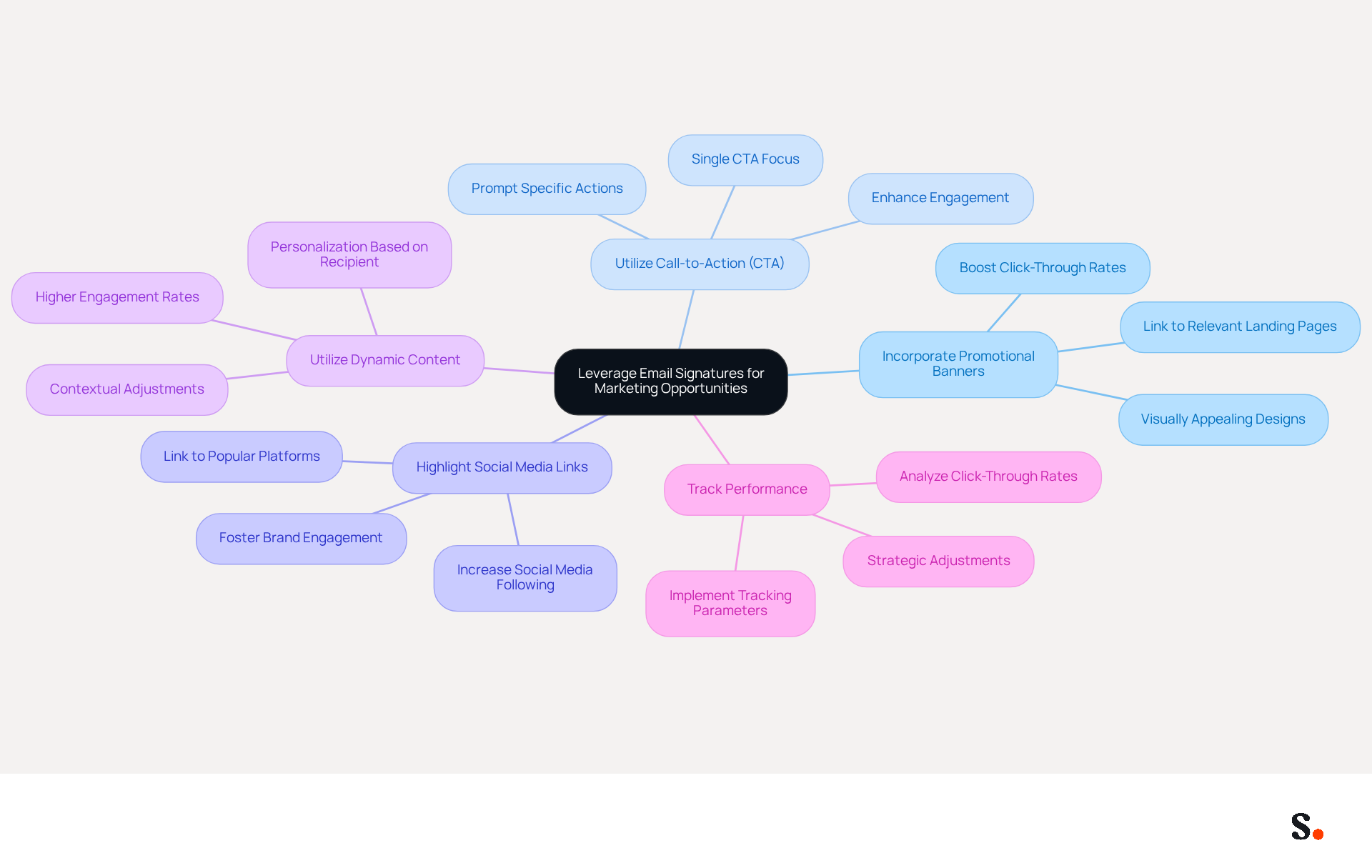
- Incorporate Promotional Banners: Integrate visually appealing banners into your correspondence to promote current offers, events, or new products. Ensure these banners link to relevant landing pages to drive traffic.
- Utilize Call-to-Action (CTA): Embed CTAs in your email footers to prompt recipients to take specific actions, such as visiting your website or signing up for newsletters. This can significantly enhance engagement.
- Highlight Social Media Links: Include icons that link to your company’s social media profiles. This not only boosts your social media following but also fosters greater brand engagement.
- Utilize Dynamic Content: If your management tool supports it, use dynamic content that adjusts based on the recipient or context of the message. Personalization can lead to higher engagement rates.
- Track Performance: Implement tracking parameters in your links to evaluate the effectiveness of your correspondence campaigns. Analyzing click-through rates allows for strategic adjustments to improve outcomes.
By implementing these strategies, this approach not only elevates your marketing efforts but also solidifies your brand's presence in a competitive landscape.
As we move into 2026, businesses are recognizing the critical role of managing email signatures in Office 365 for promotion, which highlights the need to tackle common challenges. Organizations struggle with maintaining consistent branding and often miss promotional opportunities due to the challenges of managing email signatures in Office 365. Scribe’s automated solutions streamline this process, ensuring brand consistency and maximizing marketing potential. With Scribe, communication identifiers are automatically synchronized with your business phone system, including Aircall, ensuring that any modifications are reflected in real-time without requiring action from your teammates. This integration not only improves brand consistency but also reinforces Scribe's dedication to data security through SOC 2 Type II compliance. Significantly, Scribe allows Marketing teams to manage their branding elements independently after the initial IT setup, offering enhanced control over brand identity.
Expert views highlight that electronic correspondence identifiers should not be regarded simply as fixed contact blocks. Instead, they are strategic promotional assets that can reinforce brand identity and support core business objectives. Case studies show that companies utilizing digital footers effectively have experienced substantial increases in engagement metrics, with some reporting an ROI of up to 34,000% from their digital footer promotional efforts. Scribe boasts an average click-through rate of 12% on branded banners, further demonstrating the effectiveness of this promotional channel.
In conclusion, this approach not only elevates your marketing efforts but also solidifies your brand's presence in a competitive landscape.
Troubleshoot Common Email Signature Issues
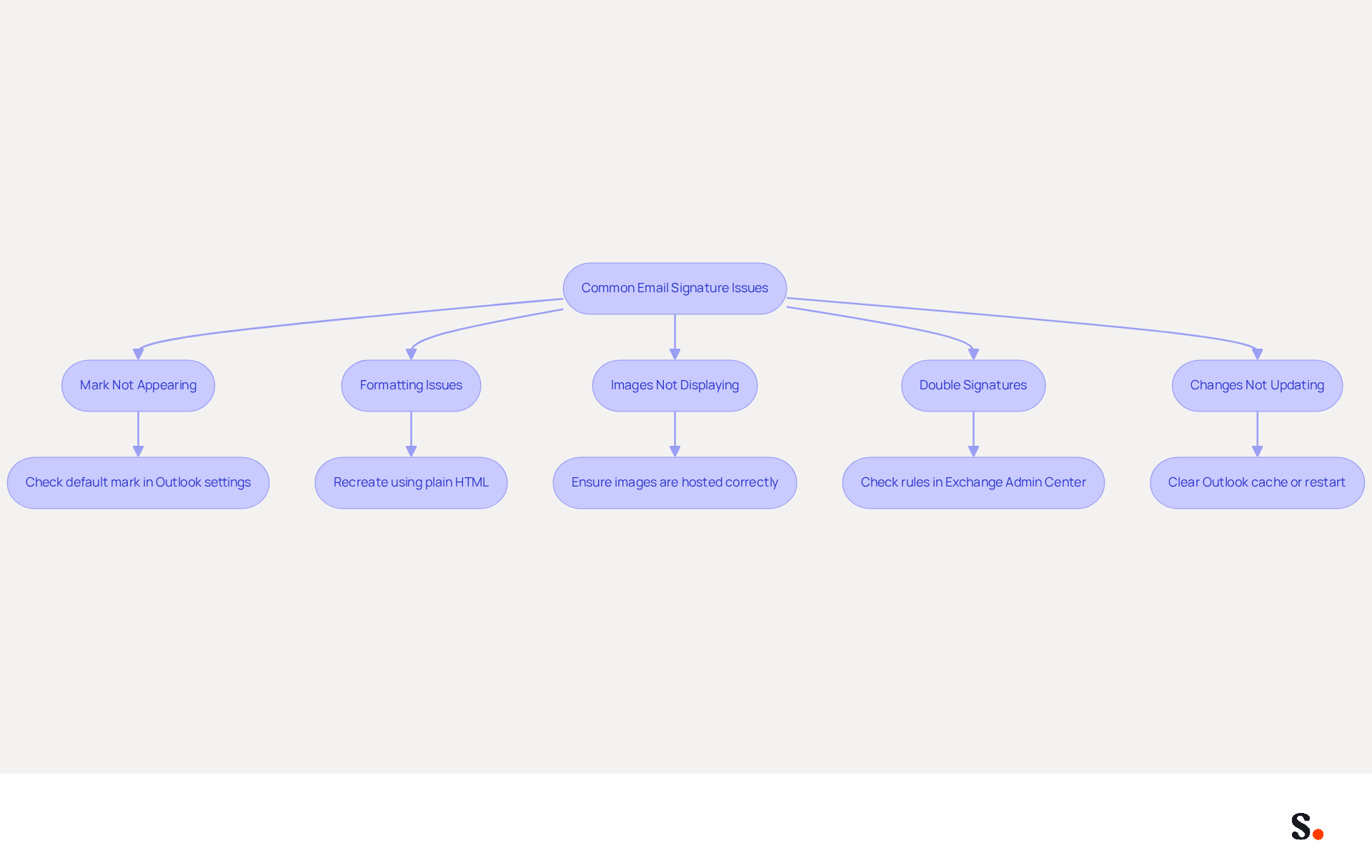
Even with careful preparation, problems with message formatting can occur, affecting the clarity of your communications. Here are some common problems and how to troubleshoot them:
- Mark Not Appearing: If your mark is not showing up in emails, check if it is set as the default mark in Outlook settings. Navigate to 'File' > 'Options' > 'Mail' > 'Signatures' and ensure the correct label is selected. This issue is widespread, with 80% of IT teams depending on manual methods to manage their documents, resulting in frequent discrepancies.
- Formatting Issues: If the mark appears with incorrect formatting, recreate it using plain HTML. Complex formatting may not render correctly across different email clients, causing layout problems. A case study revealed that users often encounter formatting inconsistencies when marks are copied from incompatible sources, emphasizing the need for proper HTML coding.
- Images Not Displaying: Ensure that images used in the email footer are hosted on a reliable server and that the links are correct. Test the format by sending messages to different clients to observe how it appears. Statistics indicate that 44.4% of professionals refresh their contact details 2-4 times annually, underscoring the importance of regular assessments on image visibility.
- Double Signatures: If recipients receive emails with two endorsements, check your rules in the Exchange Admin Center. Ensure that the rule regarding sign-offs does not conflict with personal markings set in Outlook. This can lead to confusion for recipients, as they may not know which signature is the correct one.
- Changes Not Updating: If modifications to the sign-off are not reflected, it may be due to caching issues. Instruct users to clear their Outlook cache or restart the application to see the updates. Many users find they need to re-save their marks daily for them to show up correctly, highlighting the need for better management practices.
By following these troubleshooting steps, you can effectively resolve common issues, ensuring your digital identifiers function properly and present a professional image. Furthermore, integrating Scribe with your Google Workspace enables streamlined one-click synchronization, ensuring that any modifications made in your messaging provider are automatically reflected in Scribe. This not only saves time but also enhances your branding consistency and security compliance, as Scribe is SOC 2 Type II compliant. Managing email signatures in Office 365 can lead to clearer communication and a more professional image, ultimately influencing how your brand is perceived.
Conclusion
Inconsistent email signatures can undermine a brand's professional image and hinder effective communication. Mastering email signature management in Office 365 is essential for organizations aiming to enhance their brand visibility and maintain professional communication. Centralizing email signature creation and deployment helps businesses maintain consistency in their outgoing messages, which reinforces brand identity and boosts recipient engagement.
Throughout this guide, key strategies have been outlined, including:
- The importance of using the Exchange Admin Center for streamlined management
- The incorporation of promotional elements like banners and CTAs
- Troubleshooting common issues that may arise
Recognizing email signatures as powerful marketing tools can transform how organizations communicate, allowing them to drive traffic and engagement, ultimately leading to measurable marketing ROI.
In today's competitive market, managing email signatures effectively is crucial for standing out. By adopting Scribe's solutions, organizations can achieve 100% brand consistency while empowering marketing teams to take control of their digital identifiers post-IT setup. This approach not only enhances brand integrity but also positions businesses to capitalize on every email as a potential marketing asset. Organizations that overlook email signature management may miss out on significant opportunities for brand enhancement and audience engagement.
Frequently Asked Questions
Why is email signature management important in Office 365?
Effective email signature management in Office 365 is crucial for maintaining brand integrity and legal compliance. It ensures that all outgoing communications adhere to a consistent format, strengthening Scribe's branding.
How can organizations manage email signatures in Office 365?
Organizations can manage email signatures in Office 365 using the Exchange Admin Center, which allows for the centralized creation, deployment, and management of digital identifiers across all communications.
What are the benefits of consistent branding in email signatures?
Consistent branding is viewed as essential by 78% of participants in a study, and 76% believe that branded online identifiers are crucial for a business's identity. Standardized digital identifiers can lead to a 22% increase in response rates.
What challenges arise from unclear distinctions between personal and organization-wide email signatures?
Without clarity on the distinction between personal and organization-wide marks, managing digital identifiers can become complex, complicating branding efforts and potentially undermining professionalism.
How can electronic identifiers serve as promotional tools?
Electronic identifiers can be powerful promotional tools by incorporating interactive elements like banners and calls-to-action, which can enhance engagement. Companies using these strategies have seen a 40% increase in engagement rates.
What are the operational benefits of centralized control over email signatures?
Centralized control allows for optimized document handling processes, immediate updates, and adherence to legal standards, improving operational efficiency and enhancing brand visibility and trust among recipients.
How can organizations turn emails into strategic assets?
By embracing centralized management and innovative trends in email signature design, organizations can transform every email into a strategic asset that amplifies their brand message.
List of Sources
- Understand Email Signature Management in Office 365
- Microsoft 365 email signature software | CodeTwo (https://codetwo.com/email-signatures)
- Master Company-Wide Email Signature Management for Brand Consistency (https://scribe-mail.com/en-US/blog/master-company-wide-email-signature-management-for-brand-consistency)
- Why Email Signatures Must Be In Your 2026 Marketing Plan | Rocketseed (https://rocketseed.com/blog/2026-marketing-plan-email-signatures)
- Master Microsoft 365 Signature Management for Brand Consistency (https://scribe-mail.com/en-US/blog/master-microsoft-365-signature-management-for-brand-consistency)
- Research Recap: Branded Email Signatures Increase Company Recognition, Trust - Demand Gen Report (https://demandgenreport.com/industry-news/research-recap-branded-email-signatures-increase-company-recognition-trust/47252)
- Create and Customize Your Email Signatures
- 40+ Email Signature Statistics for 2026 (Data + Insights) (https://wavecnct.com/blogs/email-signature-statistics)
- Email Signature Statistics: A Closer Look at Email Signatures in 2026 (https://mysignature.io/blog/email-signature-statistics)
- The impact of email signatures on your branding (https://signitic.com/en/resources/the-impact-of-email-signatures-on-your-branding)
- Email signature statistics: Why every business should optimize their email signatures — Stripo.email (https://stripo.email/blog/email-signature-statistics-why-every-business-should-optimize-their-email-signatures)
- Cost effective email signature marketing | Rocketseed (https://rocketseed.com/blog/email-signature-marketing-cost-effectiveness)
- Leverage Email Signatures for Marketing Opportunities
- Why Email Signatures Must Be In Your 2026 Marketing Plan | Rocketseed (https://rocketseed.com/blog/2026-marketing-plan-email-signatures)
- Email Signature Marketing: A Guide to Drive Sales (https://smartrmail.com/blog/email-signature-marketing)
- 10 ideas for marketing campaigns in email signatures (https://signitic.com/en/resources/10-ideas-for-marketing-campaigns-in-email-signatures)
- The Ultimate Guide to Email Signature Marketing for Small to Medium Businesses | Black Pearl Mail (https://blackpearlmail.com/blog/the-ultimate-guide-to-email-signature-marketing-for-small-to-medium-businesses)
- 2026 Marketing Trends: Email Signatures as a Marketing Tool (https://bluechiptt.com/blog/5-marketing-trends-for-2026-and-how-your-email-signature-fits-in)
- Troubleshoot Common Email Signature Issues
- How to solve problems with email signatures in Microsoft 365? (https://mail-signatures.com/articles/problems-email-signatures-office-365)
- Email Signature Troubleshooting - Problems & Solutions - Gimmio (https://blog.gimm.io/email-signature-troubleshooting)
- 40+ Email Signature Statistics for 2026 (Data + Insights) (https://wavecnct.com/blogs/email-signature-statistics)
- Solving the Email Signature Problem for Exchange Mailbox Users (https://practical365.com/email-signatures-for-exchange-mailbox-users)
- Outlook Signature Not Working in Office 365: Causes & Fixes (https://exclaimer.com/email-signature-handbook/outlook-signature-not-working-in-office-365)
Get started with Scribe
Manage signatures across your whole team
Free 14-day trial — no credit card.