Master Outlook Delayed Send Email for Effective Marketing Strategies
Strategic timing is essential for successful email marketing, and the delayed send feature in Outlook can significantly enhance engagement when used
Sophie Grant
Email Signature Specialist, Scribe
Introduction
Strategic timing is essential for successful email marketing, and the delayed send feature in Outlook can significantly enhance engagement when used effectively. Marketers often struggle to implement the delayed send feature effectively, leading to missed opportunities for engagement. By mastering this feature, marketers can not only boost open rates but also create more meaningful connections with their audience.
Understand the Purpose of Delayed Send in Outlook
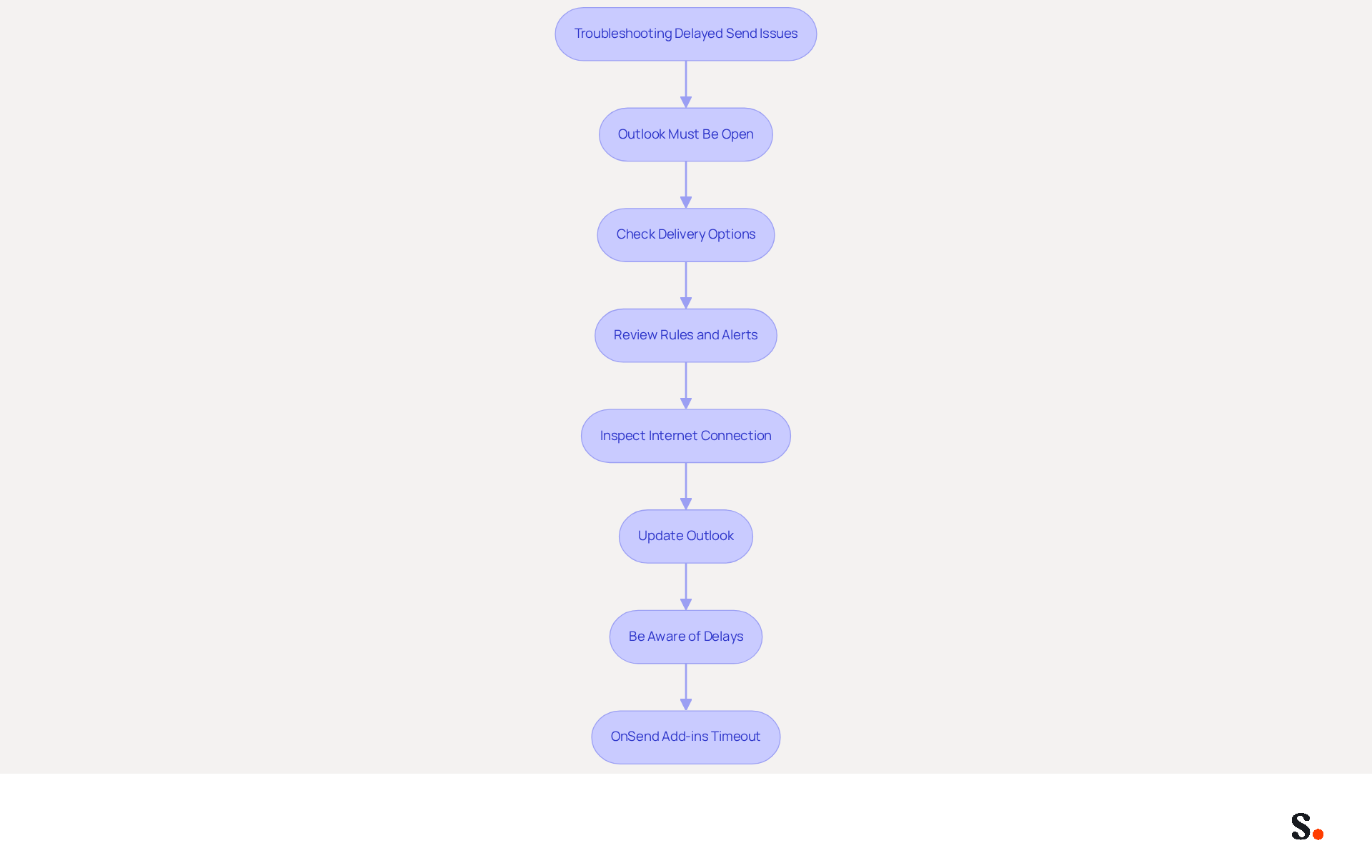
The outlook delayed send email feature provides marketers with a strategic advantage by enabling the scheduling of messages, which can significantly enhance engagement rates. Data indicates that the highest open rates for messages occur between 9 AM and 10 AM, particularly on Wednesdays and Fridays. Additionally, emails sent during peak hours, such as between 10 AM and 2 PM, can lead to higher open rates.
This feature allows marketers to time their communications strategically and plan ahead, reducing the stress of last-minute sends. Data indicates that Friday at 6 PM is a prime time for engagement, with higher open and click rates, making it ideal for impactful campaigns. Furthermore, the capability to schedule messages aids in maintaining a consistent communication rhythm with clients and prospects, reinforcing brand presence and enhancing audience expectations.
However, marketers should also be aware of common pitfalls associated with scheduling messages, such as time zone discrepancies and ineffective subject lines. Case studies illustrate the efficiency of the outlook delayed send email feature. For instance, organizations that adopted scheduling strategies reported significant improvements in interaction metrics, highlighting the importance of timing in communication. Furthermore, specialists emphasize that mastering the delayed messaging option can lead to more thoughtful and refined communication, ultimately driving better outcomes in email marketing efforts. By understanding and utilizing this capability, marketers can optimize their strategies and enhance overall productivity.
Implement Delayed Send: Step-by-Step Guide
Marketers often struggle with timing their email campaigns effectively, but the outlook delayed send email feature provides a solution. To effectively implement this feature, follow these detailed steps:
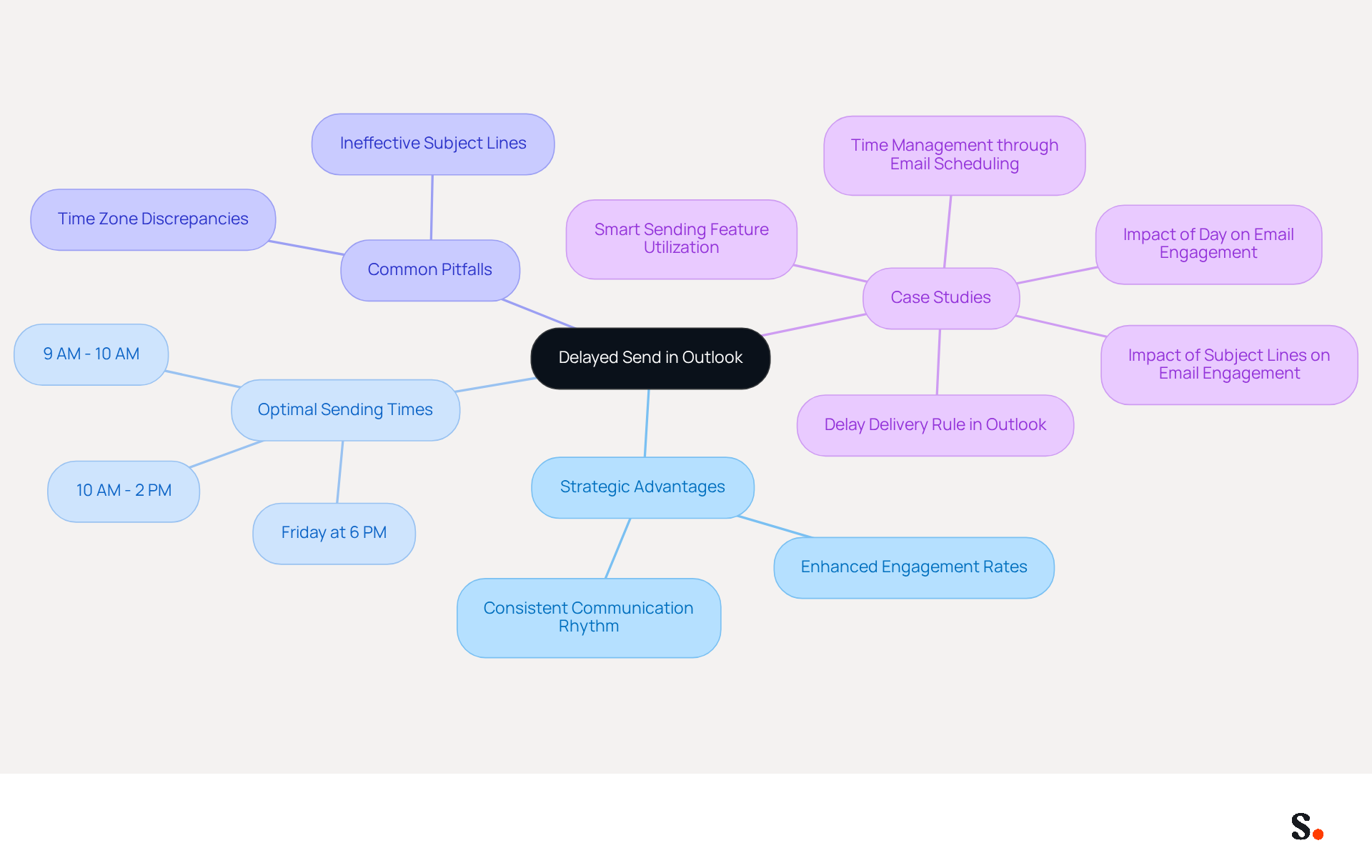
- Compose Your Message: Launch Outlook and create a new message as you typically would.
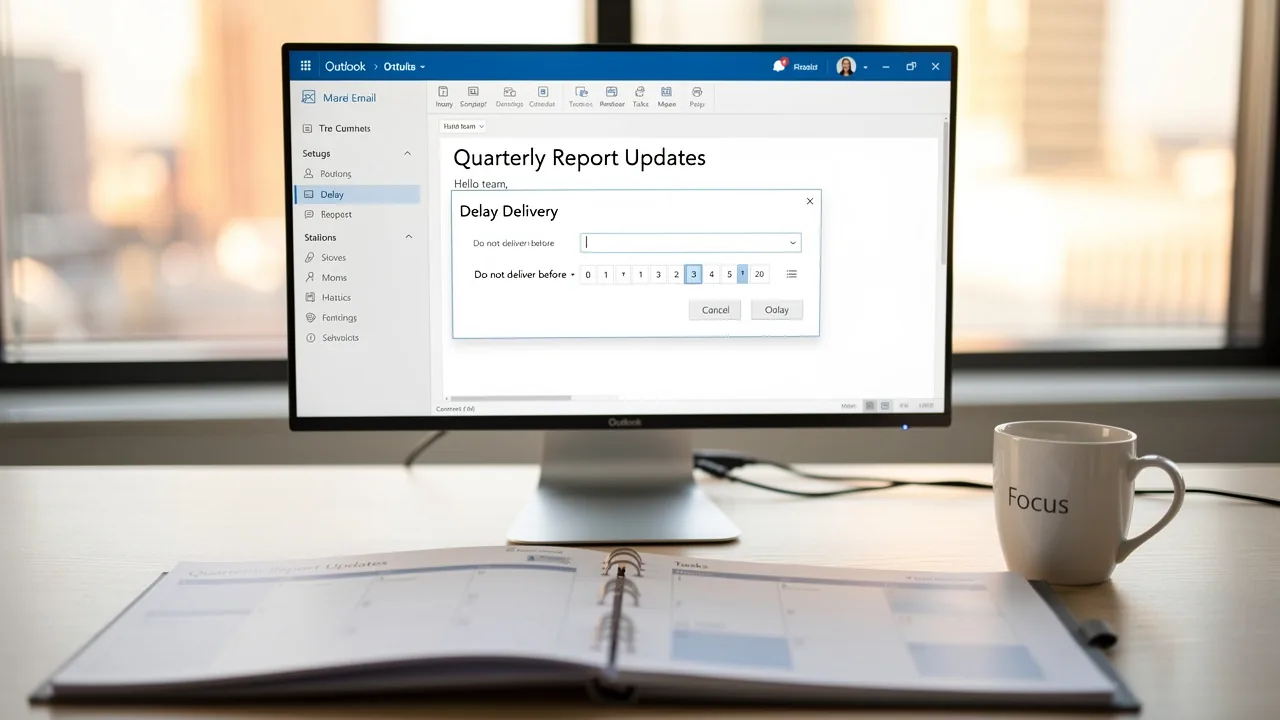
- Access Delay Delivery Options: Navigate to the 'Options' tab within the message window. In the 'More Options' group, select 'Delay Delivery'.
- Set Delivery Schedule: In the 'Delivery options' section, check the box labeled 'Do not deliver before' and select the preferred date and moment for your message to be sent.
- Send Your Email: After configuring the delay, click 'Send'. Your message will remain in the Outbox until the specified time arrives.
- Verify Scheduled Messages: Check your Outbox to confirm that the message is scheduled correctly. If adjustments are necessary, simply open the message from the Outbox and modify the settings as needed.
Following these steps can help marketers make the most of the outlook delayed send email feature, enhancing their campaigns. Studies indicate that emails sent at the right times tend to get more attention, highlighting why this feature is so valuable. However, be aware that for local accounts, Outlook must be open for the scheduled messages to be sent. Furthermore, checking the scheduled messages in the Outbox can assist in preventing any possible issues with delivery. Understanding the nuances of this feature can lead to more strategic communication and improved campaign outcomes.
Customize Delay Settings for Targeted Marketing
Customizing delay settings is crucial for maximizing the impact of your marketing campaigns. Here are some strategies to consider:
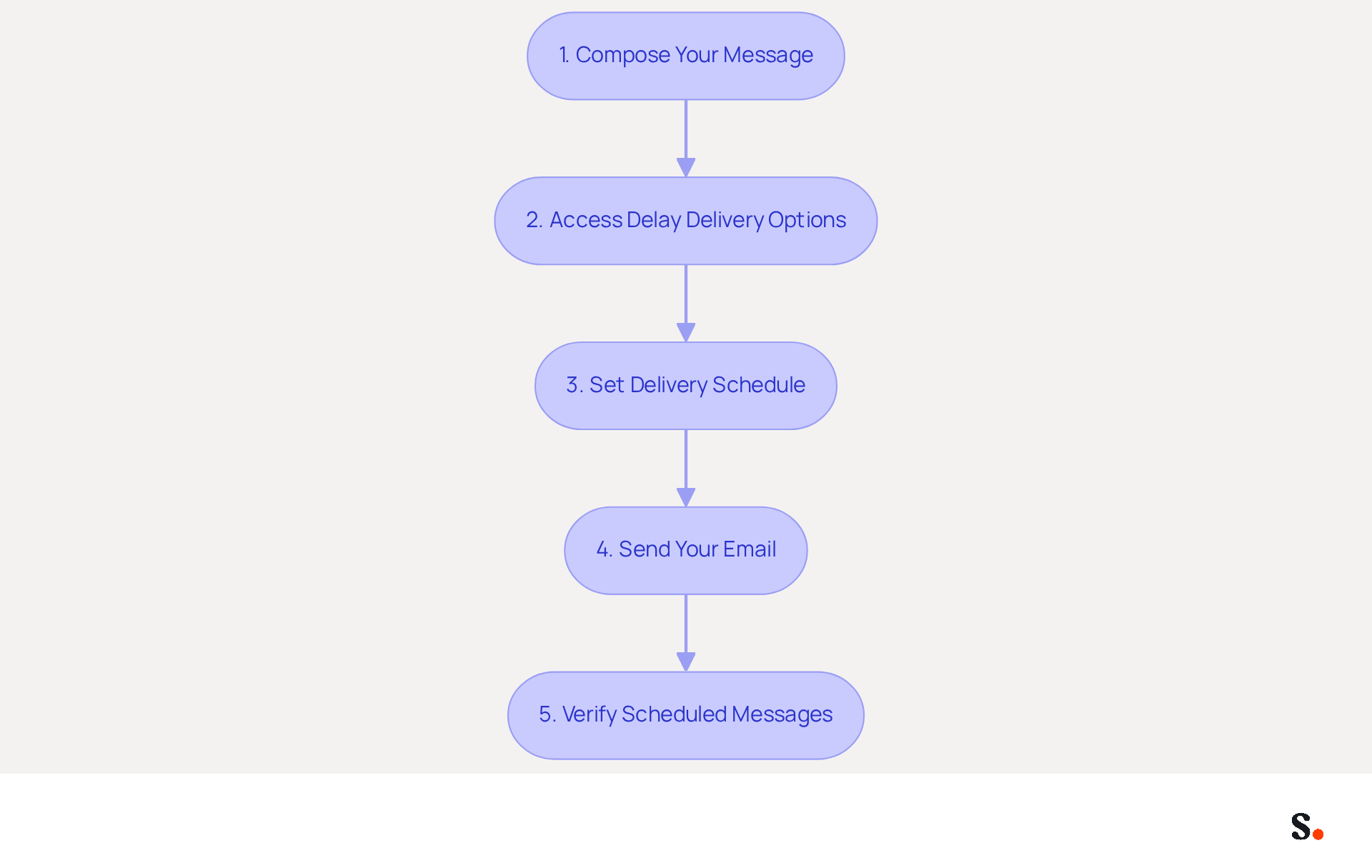
- Analyze Audience Behavior: Utilize analytics tools to identify when your audience is most active. Studies indicate that sending messages on Tuesday, Wednesday, and Thursday often yields the best results, with ideal sending periods between 10 AM and 2 PM. For example, if data indicates that your recipients are more inclined to open messages in the late morning, schedule your communications to be sent just prior to that period.
- Segment Your Audience: Different segments of your audience may respond better to varying timings. For a worldwide audience, consider the time zones of your recipients and adjust your correspondence schedules accordingly. Ignoring time zones can lead to missed opportunities for engagement, as messages may arrive at inconvenient moments for subscribers.
- Test and Optimize: Conduct A/B testing with different send times to determine which yields the best engagement rates. Use the insights gained to refine your scheduling strategy. Consistently assessing engagement metrics such as open rates and click-through rates is crucial for modifying scheduling processes to achieve optimal outcomes.
- Leverage Marketing Campaigns: Align your message sends with other marketing activities, such as social media posts or promotions, to create a cohesive message during your campaigns. This alignment can significantly boost your campaign's impact.
By customizing your delay settings, you help make your messages timely and relevant, which can boost engagement and conversion rates. Additionally, be mindful of common timing errors, such as sending during peak hours, which can lead to inbox saturation and reduced engagement.
Troubleshoot Common Delayed Send Issues
While the outlook delayed send email feature offers significant scheduling advantages, users frequently face challenges that impede its successful use. Here are some troubleshooting tips to help resolve these challenges:
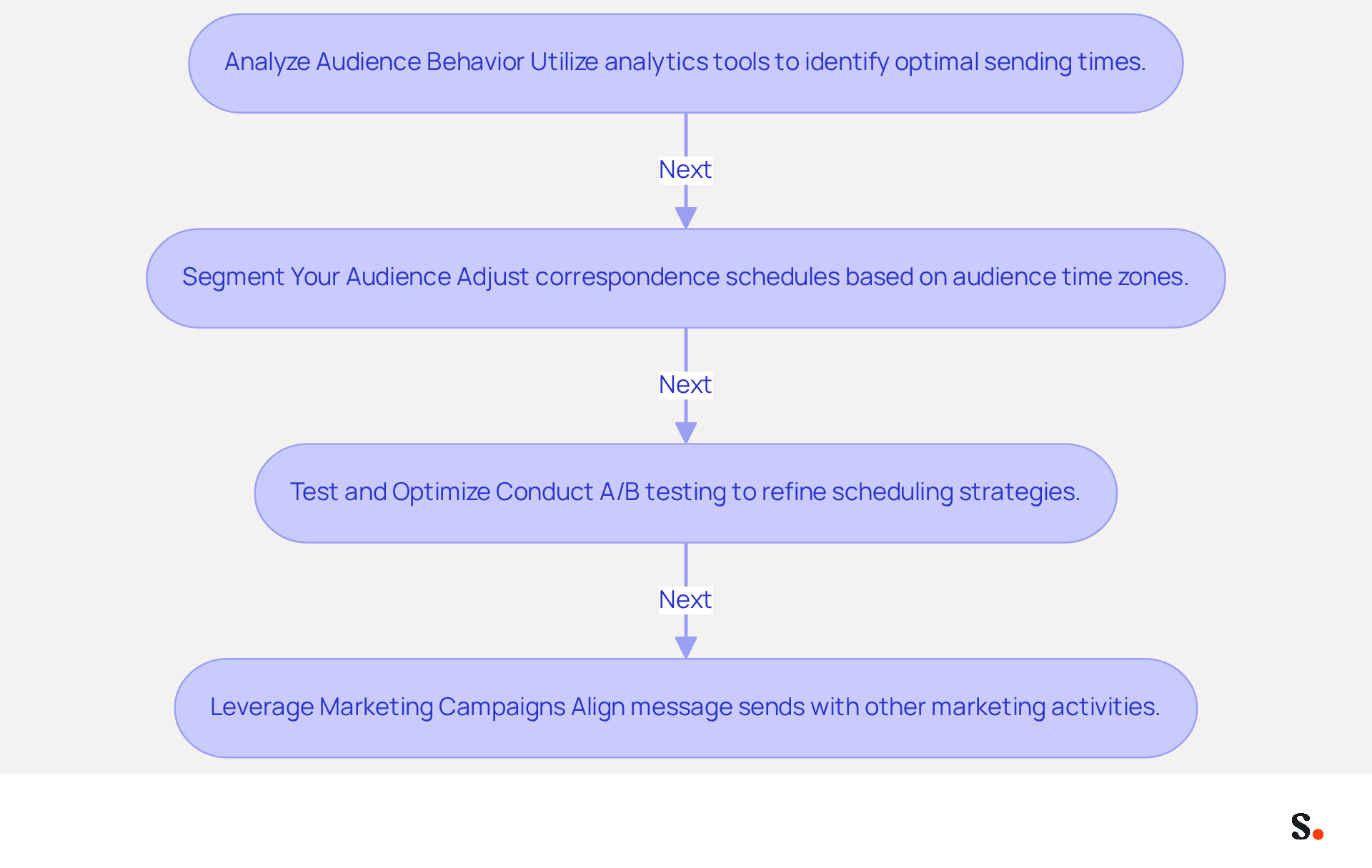
- Outlook Must Be Open: Ensure that Outlook is running at the scheduled delivery time. If Outlook isn't running, the scheduled message won't be sent. For users of the new Outlook, consider utilizing the 'Schedule Send' option, which allows messages to be dispatched even when the application is not open.
- Check Delivery Options: Verify that the 'Do not deliver before' option is set correctly. If the designated date and time are in the past, the message will not be sent.
- Review Rules and Alerts: Examine any rules that may conflict with the delayed send feature. Modify these guidelines as needed to ensure they do not disrupt scheduled messages.
- Inspect Internet Connection: A stable internet connection is essential for sending messages. Confirm that your connection is active and reliable to avoid delays.
- Update Outlook: Keeping your Outlook application up to date is essential, as updates can resolve bugs or issues related to the delayed sending feature.
- Be Aware of Delays: Note that message transmission delays can range from 30 minutes to 4 hours when a web add-in is working on the request. If you experience significant delays, consider reverting Outlook to a prior build (Version 2403) to verify any issues.
- OnSend Add-ins Timeout: Remember that OnSend add-ins timeout after 5 minutes, which may prevent messages from being sent as scheduled. If you encounter this issue, check for any conflicting add-ins that may be causing delays.
Addressing these challenges not only ensures the outlook delayed send email feature functions effectively but also significantly improves email communication strategies.
Conclusion
The delayed send feature in Outlook offers marketers a strategic advantage in optimizing their email marketing efforts. This capability alleviates last-minute pressure and allows marketers to time their communications for peak audience activity, enhancing visibility and interaction rates.
Throughout the article, key insights were shared on how to effectively implement and customize the delayed send feature. From understanding the best times to send emails to troubleshooting common issues, marketers can leverage this tool to refine their communication strategies. The importance of analyzing audience behavior, segmenting recipients, and aligning email sends with broader marketing campaigns was emphasized as essential for maximizing engagement and conversion rates.
Effective communication is crucial for successful marketing. By mastering the delayed send feature in Outlook, marketers can significantly enhance their engagement rates and overall communication effectiveness. Embracing these best practices not only enhances email marketing efforts but also positions brands for greater success in their outreach initiatives.
Frequently Asked Questions
What is the purpose of the delayed send feature in Outlook?
The delayed send feature in Outlook allows marketers to schedule messages, enhancing engagement rates by timing communications strategically.
When are the highest open rates for emails typically observed?
The highest open rates for emails typically occur between 9 AM and 10 AM, especially on Wednesdays and Fridays.
What are the benefits of scheduling emails during peak hours?
Scheduling emails during peak hours, such as between 10 AM and 2 PM, can lead to higher open rates and increased engagement.
What is considered a prime time for sending impactful campaigns?
Friday at 6 PM is considered a prime time for sending impactful campaigns due to higher open and click rates.
How does the delayed send feature help marketers?
The delayed send feature helps marketers plan ahead, reducing the stress of last-minute sends and maintaining a consistent communication rhythm with clients and prospects.
What common pitfalls should marketers be aware of when scheduling messages?
Marketers should be aware of common pitfalls such as time zone discrepancies and ineffective subject lines when scheduling messages.
What do case studies indicate about the effectiveness of the delayed send feature?
Case studies indicate that organizations using scheduling strategies reported significant improvements in interaction metrics, highlighting the importance of timing in communication.
How can mastering the delayed messaging option benefit marketers?
Mastering the delayed messaging option can lead to more thoughtful and refined communication, ultimately driving better outcomes in email marketing efforts.
List of Sources
- Understand the Purpose of Delayed Send in Outlook
- Master Sending Email Later in Outlook: Best Practices for Marketers (https://scribe-mail.com/en-US/blog/master-sending-email-later-in-outlook-best-practices-for-marketers)
- The Best Time to Send Email in 2026 (Statistical Analysis) - MailerLite (https://mailerlite.com/blog/best-time-to-send-email)
- Email Scheduling Best Practices: Maximize Open Rates (https://xobee.com/2025/05/email-scheduling-best-practices-maximize-open-rates-and-engagement)
- 3 Reasons To Use Delay Delivery Feature Of Outlook (https://linkedin.com/pulse/3-reasons-use-delay-delivery-feature-outlook-arti-mishra-hhkff)
- Implement Delayed Send: Step-by-Step Guide
- Fix Delayed Email Delivery in Outlook | Louisville Geek IT Solutions (https://louisvillegeek.com/news/how-to-delay-email-delivery-in-microsoft-outlook-without-outlook-open)
- How to delay delivery in Outlook in 2026 | Boomerang (https://boomerangoutlook.com/l/outlook-delay-delivery)
- Schedule an Email in Outlook: How to Send Emails Later (https://absentify.com/blog/schedule-outlook-email)
- Use Microsoft Viva Insights in Outlook | Microsoft Support (https://support.microsoft.com/en-us/viva/insights/use-microsoft-viva-insights-in-outlook)
- Business News (https://m.economictimes.com/news/international/us/step-by-step-guide-on-how-to-schedule-email-in-outlook/amp_articleshow/97065304.cms)
- Customize Delay Settings for Targeted Marketing
- The Best Time To Send Marketing Emails (2026) (https://salesforce.com/marketing/email/best-time-to-send-emails)
- What Is the Best Time to Send an Email Blast? | Mailchimp (https://mailchimp.com/resources/insights-from-mailchimps-send-time-optimization-system)
- Email Scheduling Best Practices: Maximize Open Rates (https://xobee.com/2025/05/email-scheduling-best-practices-maximize-open-rates-and-engagement)
- Best Time to Send Marketing Emails: A Complete Guide (https://business.adobe.com/blog/basics/the-best-time-to-send-emails)
- The best time to send marketing emails for maximum customer engagement (https://braze.com/resources/articles/best-time-to-send-marketing-emails)
- Troubleshoot Common Delayed Send Issues
- What to do when Microsoft Outlook delayed delivery isn’t working | Crossware365 (https://crossware365.com/blog/delayed-delivery-isnt-working)
- Recent Outlook Issues in Microsoft 365: Causes, Fixes, and Best Practices (https://windowsforum.com/threads/recent-outlook-issues-in-microsoft-365-causes-fixes-and-best-practices.364028)
- Outlook email is delayed while a web add-in is working on the send request | Microsoft Support (https://support.microsoft.com/en-us/support/known-issues/outlook-email-is-delayed-while-a-web-add-in-is-working-on-the-send-request)
- Microsoft fixes Outlook email issues (https://cnbc.com/amp/2026/01/22/microsoft-outlook-outage-email-issues.html)
Get started with Scribe
Create your signature in minutes
Free 14-day trial — no credit card.