Master Signature Templates for Outlook: Boost Brand Consistency and Engagement
Many organizations overlook a critical aspect of their branding strategy: the email signature. Establishing a strong brand presence in every communication is
Sophie Grant
Email Signature Specialist, Scribe
Introduction
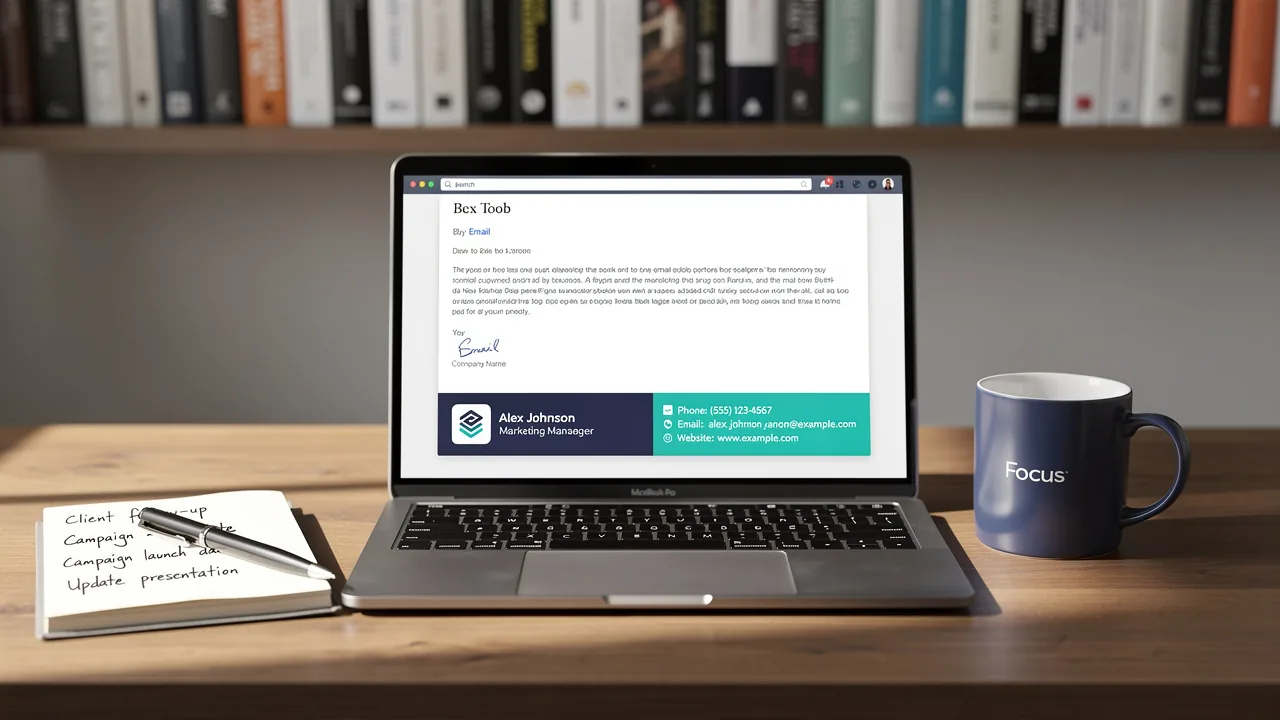
Many organizations overlook a critical aspect of their branding strategy: the email signature. Establishing a strong brand presence in every communication is essential for organizations striving for recognition and trust. Email signatures, often overlooked, serve as a powerful tool for reinforcing brand consistency and engaging recipients.
So, how can companies create impactful email signatures that resonate with their audience? Let’s explore best practices for crafting email signatures that not only unify your brand image but also boost marketing efforts and engagement.
Establish Brand Consistency in Signature Design
To ensure effective communication, establishing brand consistency in email signature design is crucial:
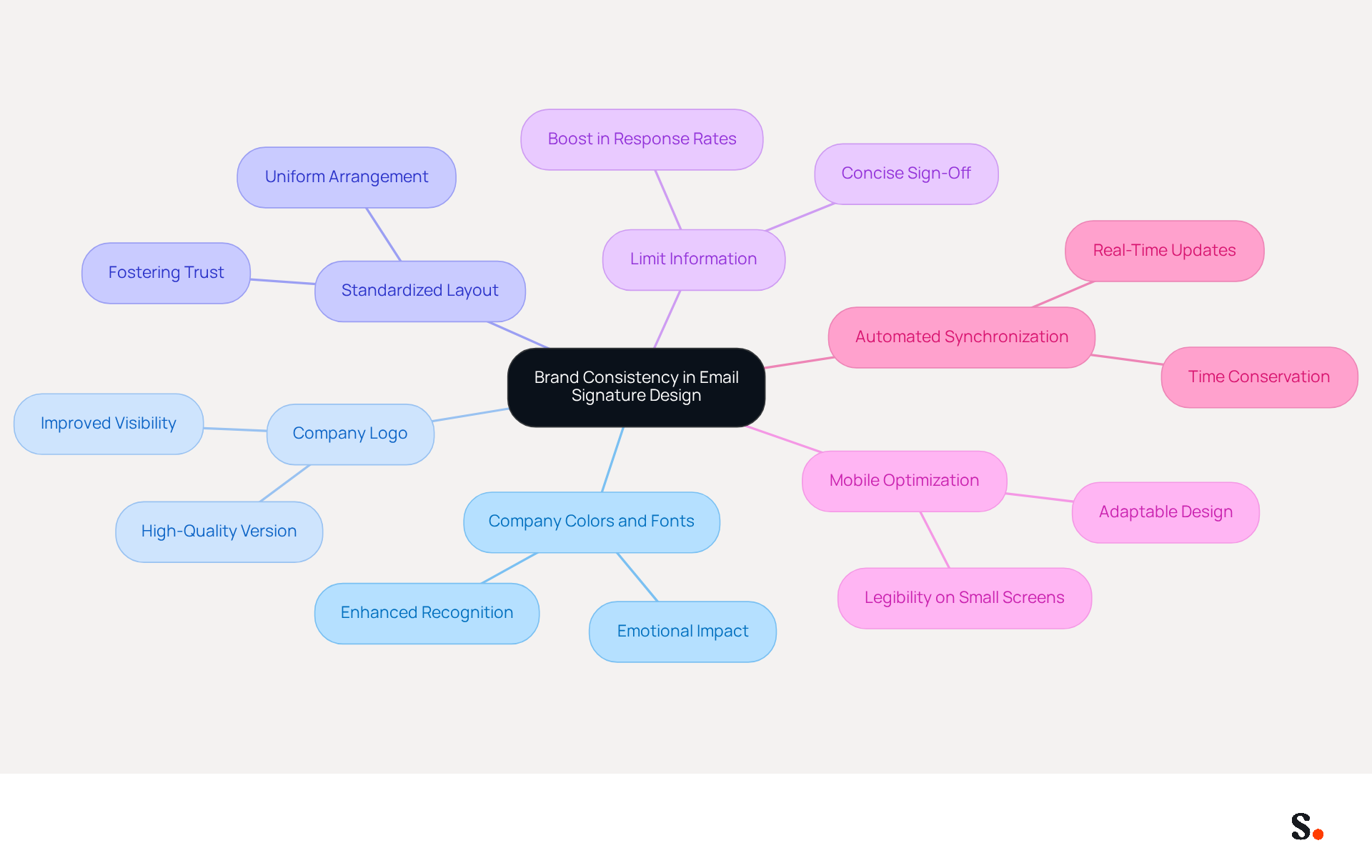
- Incorporate your company's official colors and fonts into the design. Thoughtful use of colors can evoke emotions and enhance recognition, ensuring your communications leave a lasting impression.
- Include the Company Logo: Always include a high-quality version of your company logo. This assists recipients in promptly identifying the sender's affiliation and improves visibility. A high-quality digital identifier acts as a virtual business card, making it easier for recipients to recognize your brand.
- Standardize Layout: Create a uniform arrangement for all endorsements within the organization. This includes consistent placement of elements such as the name, title, contact information, and logo. A consistent layout ensures that employees present a unified brand image, fostering trust and recognition among recipients, which is vital as 80% of businesses consider branded digital identifiers essential for branding.
- Limit Information: Keep the sign-off concise by including only essential details. This prevents clutter and ensures that the key details stand out, making it easier for recipients to find contact information. A streamlined sign-off can result in a 22% boost in response rates, as it improves professionalism and clarity. In contrast, a cluttered signature can confuse recipients, leading to lower engagement and response rates.
- Mobile Optimization: Ensure that the email footer is mobile-friendly. Numerous messages are viewed on mobile devices, so the design should be adaptable and easily legible on smaller screens. It's important to regularly check and update your email signatures to keep them aligned with your brand and any legal requirements, further enhancing their effectiveness.
- Automated Synchronization: Utilize Scribe's one-click synchronization feature to automatically refresh communication identifiers across your organization. By granting Scribe permission to connect with your provider, you can ensure that any changes made in your directory are reflected in real-time. This not only conserves time but also improves consistency, as all identifiers will be updated simultaneously.
By implementing these practices, organizations can create email footers with signature templates for Outlook that not only appear professional but also reinforce their brand identity in every communication, ultimately driving engagement and trust among recipients. Ultimately, a well-optimized email signature not only enhances brand identity but also fosters stronger connections with recipients. As noted, 'A well-optimized identifier can also include strategic elements, such as calls to action or specific campaigns, thus increasing its marketing potential.' Furthermore, Scribe's SOC 2 Type II compliance guarantees that your data stays secure while handling these documents.
Implement Effective Signature Templates in Outlook
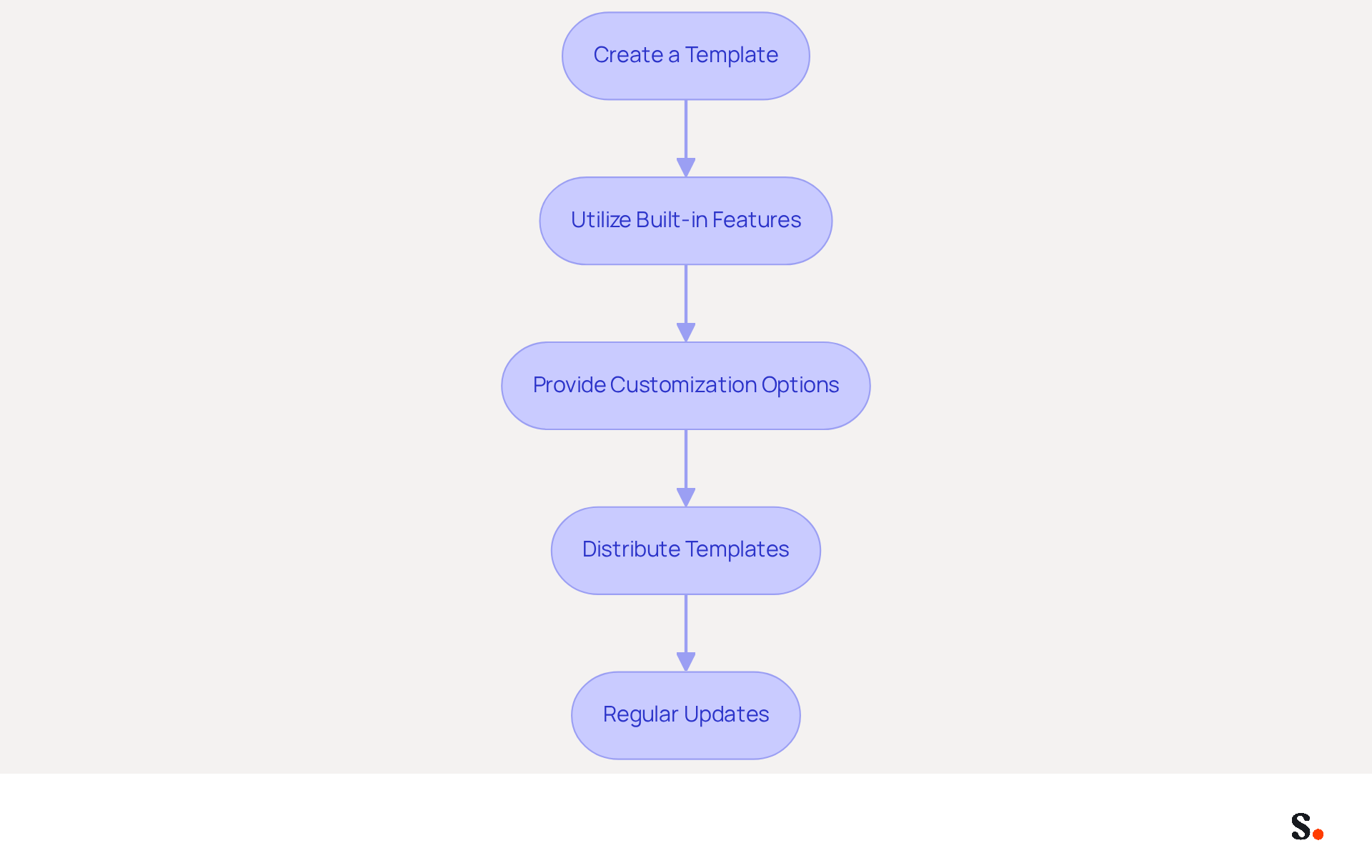
Implementing effective signature templates for Outlook is crucial for maintaining a professional brand image across all communications. To achieve this, follow these essential steps:
- Create a Template: Design a personalized template that includes key elements such as your name, title, contact information, and company logo. Utilize Outlook's settings for formatting to create a professional template.
- Utilize Built-in Features: Access Outlook's management of email identifiers by navigating to 'File' > 'Options' > 'Mail' > 'Signatures'. Here, you can create new identifiers and designate default ones for various email accounts, ensuring ease of use.
- Provide Customization Options: Providing customization options enables employees to personalize their identifiers while ensuring a cohesive brand image. This balance fosters professionalism and individual expression. Additionally, consider including a call-to-action (CTA) in the closing, as 52.6% of users incorporate CTAs, which can enhance engagement.
- Distribute Templates: Share the template with all employees, accompanied by clear instructions on how to integrate it into their Outlook accounts. It might be helpful to create a step-by-step guide or even a video tutorial to make the process easier for everyone.
- Regular Updates: Schedule periodic reviews of the template designs to ensure they reflect any branding updates or new marketing initiatives. Without regular updates, organizations risk losing brand coherence and professionalism in their communications. By syncing your Google Workspace with Scribe, any changes made-such as moving teammates or updating their information-will automatically be reflected in Scribe, saving time and ensuring accuracy. This proactive strategy helps maintain consistency of the identity over time while adhering to Scribe's SOC 2 Type II compliance and GDPR/CCPA standards.
By following these steps, organizations can effectively implement signature templates for Outlook, ensuring that all employees convey a unified brand image in their communications. Ultimately, neglecting to manage email signatures can lead to diminished brand perception and missed opportunities for engagement.
Leverage Signatures for Marketing and Engagement
To maximize the impact of email signatures, organizations must adopt strategic approaches that enhance marketing and engagement:
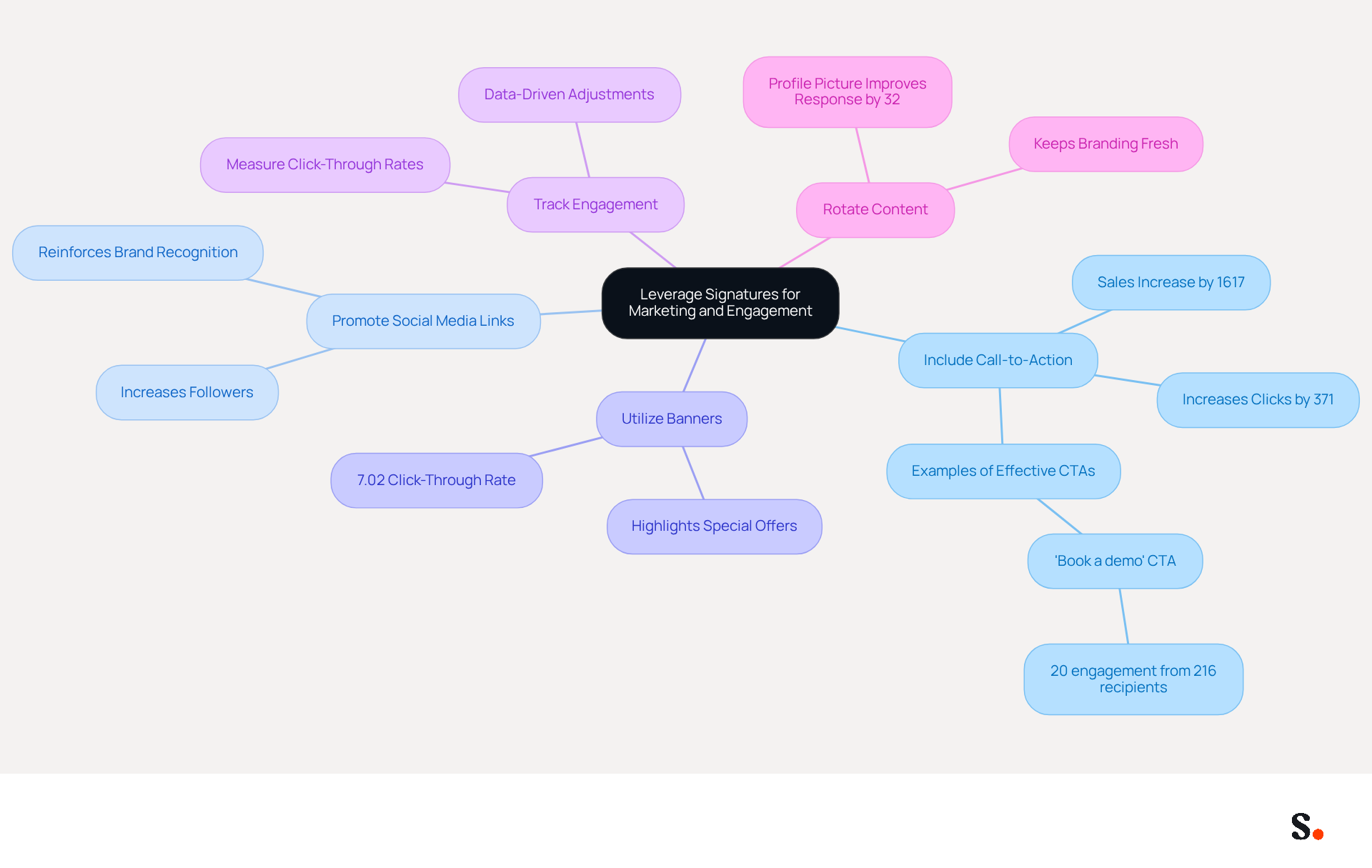
- Include Call-to-Action (CTA): Integrate a clear and compelling CTA in your signature, such as a link to a current promotion, newsletter signup, or upcoming event. This encourages recipients to take action and engage with your brand. Studies indicate that including a CTA can increase clicks by 371% and sales by 1617% (source: WordStream), highlighting the importance of a well-placed CTA. As Ostap, a Marketing Manager, states, 'Your email footer is a perfect addition to your marketing efforts.'
- Promote Social Media Links: Incorporate icons linking to your company's social media profiles. This not only increases followers but also provides recipients with additional channels to engage with your brand. Consistent branding across these platforms reinforces recognition and trust.
- Utilize Banners: Adding a promotional banner to your email can effectively highlight special offers or important announcements. Visual elements like banners capture attention and can drive traffic to your website or landing pages. A promotional banner achieved a click-through rate of 7.02% (source: Newoldstamp), demonstrating its effectiveness.
- Track Engagement: Use tracking links in your CTAs to measure engagement and effectiveness. Examining click-through rates can offer insights into what connects with your audience, enabling data-driven adjustments to future promotional strategies. This approach ensures that your email signatures serve as active marketing tools.
- Rotate Content: Regularly update the content in your email footers to reflect current campaigns or seasonal promotions. This keeps the branding fresh and relevant, encouraging recipients to engage with new offers. Additionally, including a clear, positive profile picture can improve response rates by up to 32%. By reviewing and updating approvals, organizations can maintain alignment with promotional objectives and enhance overall effectiveness.
Ultimately, the effectiveness of email signatures lies in their ability to adapt and resonate with the audience.
Automate Signature Management for Efficiency
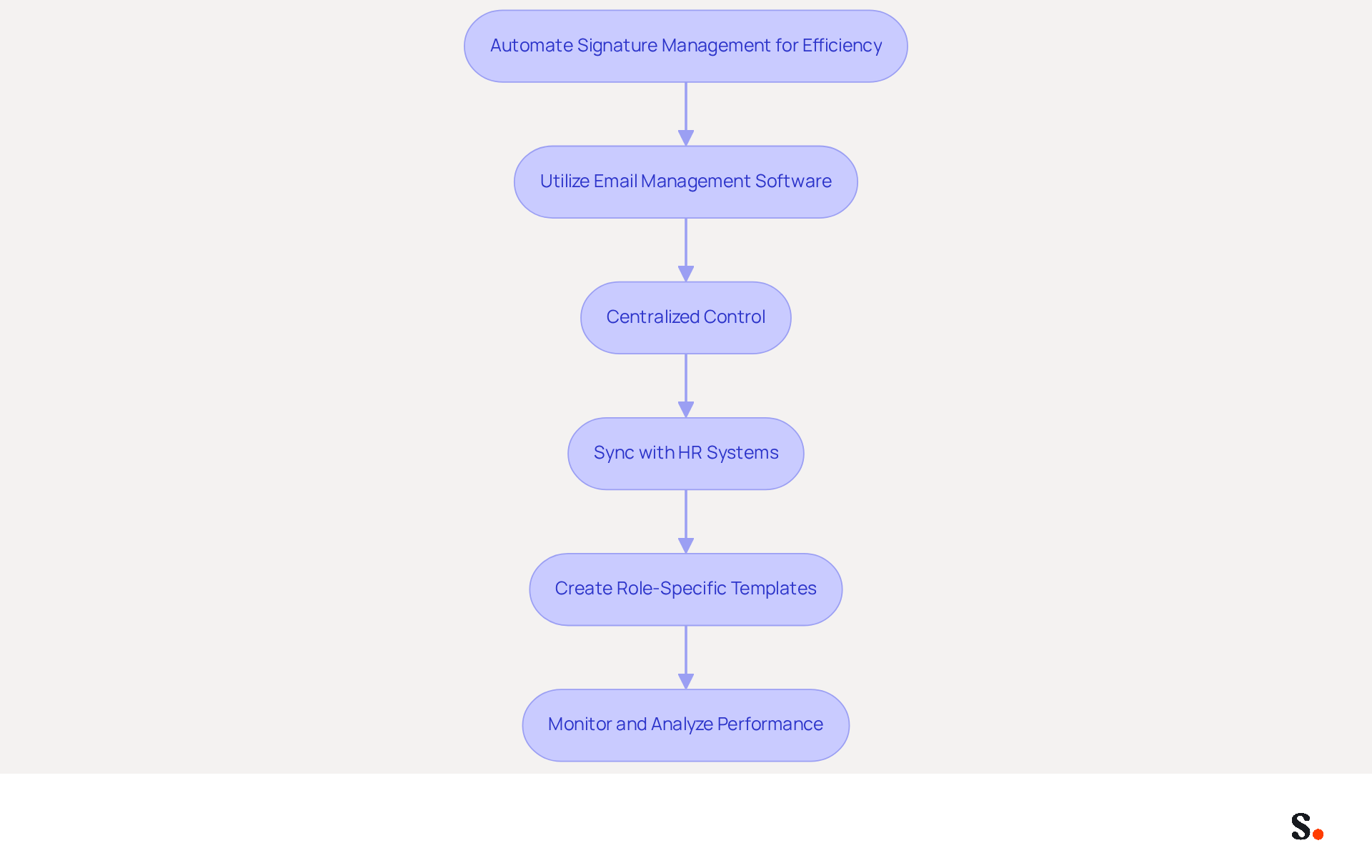
Managing email signatures can be a complex task, but using signature templates for Outlook offers a streamlined solution. To enhance efficiency in signature management, consider the following best practices:
- Utilize Email Management Software: Invest in a dedicated email management tool that integrates seamlessly with Outlook. This software takes care of deploying signature templates for Outlook across the organization, ensuring everyone stays consistent with branding guidelines.
- Centralized Control: Implement a centralized system where IT or marketing teams can manage and update identifiers for all employees. This approach eliminates the need for individual updates, ensuring that everyone uses the latest version and maintains brand integrity.
- Sync with HR Systems: Integrate the management tool with HR systems to automatically update when employee information changes, such as job titles or contact details. This ensures that the signatures are consistently precise and current, minimizing the chance of obsolete information.
- Create Role-Specific Templates: Develop customized templates tailored to different roles within the organization. This allows for customization while maintaining overall brand consistency, ensuring that each department's unique identity is reflected appropriately.
- Monitor and Analyze Performance: Regularly assess the performance of email branding in terms of engagement and effectiveness. Utilize analytics to evaluate how effectively these elements operate as marketing tools, making adjustments as needed to enhance their impact.
Ultimately, embracing automation in signature management by utilizing signature templates for Outlook can transform how organizations present themselves to clients and partners.
Conclusion
Establishing brand consistency through effective email signature templates is crucial for organizations seeking to enhance their professional image and engagement. Implementing well-designed templates ensures that every communication reflects the brand identity, building trust and recognition among recipients.
Key strategies include:
- Using official colors and logos to maintain brand consistency
- Standardizing layouts
- Optimizing for mobile devices
Additionally, utilizing Scribe's automated synchronization feature allows for real-time updates across the organization, ensuring that all signatures remain current and compliant with security standards such as SOC 2 Type II, GDPR, and CCPA. Incorporating call-to-action elements and promotional banners turns email signatures into effective marketing tools, driving engagement and increasing click-through rates.
In a competitive landscape, organizations must recognize the potential of email signatures as a vital component of their branding and marketing strategies. By adopting best practices for signature management and leveraging tools like Scribe, businesses can not only maintain brand consistency but also enhance their overall marketing ROI. Ultimately, these strategies will enable organizations to leverage email signatures as a strategic asset in their branding and marketing efforts.
Frequently Asked Questions
Why is brand consistency important in email signature design?
Brand consistency in email signature design is crucial for effective communication, as it helps evoke emotions, enhance recognition, and ensure that communications leave a lasting impression.
What elements should be included in an email signature for brand consistency?
An email signature should incorporate the company's official colors and fonts, include a high-quality version of the company logo, and standardize the layout for all endorsements within the organization.
How does including a company logo benefit email signatures?
Including a high-quality company logo helps recipients promptly identify the sender's affiliation and improves visibility, acting as a virtual business card for easier brand recognition.
What is the significance of standardizing the layout in email signatures?
Standardizing the layout ensures a uniform arrangement of elements such as name, title, contact information, and logo, fostering trust and recognition among recipients.
How can limiting information in an email signature improve response rates?
Keeping the sign-off concise by including only essential details prevents clutter, making key information stand out and potentially resulting in a 22% boost in response rates.
Why is mobile optimization important for email signatures?
Mobile optimization is important because many messages are viewed on mobile devices; the design should be adaptable and easily legible on smaller screens.
How can Scribe help with email signature management?
Scribe offers a one-click synchronization feature that automatically refreshes communication identifiers across the organization, ensuring real-time updates and improved consistency.
What additional features can be included in a well-optimized email signature?
A well-optimized email signature can include strategic elements such as calls to action or specific campaigns, increasing its marketing potential.
How does Scribe ensure data security in email signature management?
Scribe's SOC 2 Type II compliance guarantees that your data remains secure while handling email signatures and related documents.
List of Sources
- Establish Brand Consistency in Signature Design
- Why Email Signatures Must Be In Your 2026 Marketing Plan | Rocketseed (https://rocketseed.com/blog/what-are-the-biggest-email-trends-for-2026)
- The impact of email signatures on your branding (https://signitic.com/en/resources/the-impact-of-email-signatures-on-your-branding)
- Why Are Email Signatures Key to Brand Awareness? | QuickMail (https://quickmail.com/role-of-email-signatures-in-brand-awareness)
- "Email Signature Trends for 2026: What's In, What's Out" | Crossware posted on the topic | LinkedIn (https://linkedin.com/posts/crossware-ltd_new-year-new-trends-even-for-your-email-activity-7394554686046908416-vD_O)
- Implement Effective Signature Templates in Outlook
- The impact of email signatures on your branding (https://signitic.com/en/resources/the-impact-of-email-signatures-on-your-branding)
- 40+ Email Signature Statistics for 2026 (Data + Insights) (https://wavecnct.com/blogs/email-signature-statistics)
- Microsoft Updates Outlook Web Email Signature Management | Tobias Asböck posted on the topic | LinkedIn (https://linkedin.com/posts/tobiasasboeck_new-email-signature-management-and-editor-activity-7418365340369211392-RK9i)
- Microsoft’s Cloud Email Signatures Solve a Problem for Outlook | Microsoft Community Hub (https://techcommunity.microsoft.com/discussions/exchange_general/microsoft’s-cloud-email-signatures-solve-a-problem-for-outlook/3684035)
- Leverage Signatures for Marketing and Engagement
- Why and how to add an effective CTA to your email signature? (https://signitic.com/en/resources/why-and-how-to-add-an-effective-cta-to-your-email-signature)
- Why Email Signatures Must Be In Your 2026 Marketing Plan | Rocketseed (https://rocketseed.com/blog/2026-marketing-plan-email-signatures)
- How to Create Effective CTA Email Signatures That Drive Conversions? - RoundPie (https://theroundpie.com/blog.html/2021/09/27/how-to-create-effective-cta-email-signatures-that-drive-conversions)
- The Ultimate Guide to Email Signature Call-to-Action - NEWOLDSTAMP (https://newoldstamp.com/blog/the-ultimate-guide-to-email-signature-call-to-action)
- Create Effective CTA Email Signatures (Examples & Templates) (https://wisestamp.com/examples/cta-email-signature)
- Automate Signature Management for Efficiency
- Automating Email Signatures: How IT Teams Streamline Processes & Reduce Risk (https://exclaimer.com/blog/streamlining-it-processes-automated-email-signatures)
- Email Signature Trends 2026: Centralized Control & Automation | SIGNandGO posted on the topic | LinkedIn (https://linkedin.com/posts/signngo_email-signature-trends-to-watch-in-2026-activity-7401523471786217473-zAVL)
- 40+ Email Signature Statistics for 2026 (Data + Insights) (https://wavecnct.com/blogs/email-signature-statistics)
- Company-Wide Email Signature Management | CloudM (https://cloudm.io/blog/optimize-your-process-with-company-wide-email-signature-management)
- Email Signature Statistics: A Closer Look at Email Signatures in 2026 (https://mysignature.io/blog/email-signature-statistics)
Get started with Scribe
Build a professional email signature
Free 14-day trial — no credit card.