Maximize Engagement: Use the Cell Phone Symbol for Email Signature
As communication evolves, the role of a cell phone symbol in email signatures becomes increasingly significant for professionalism and clarity. By effectively
Sophie Grant
Email Signature Specialist, Scribe
On this page
- Introduction
- Understand the Importance of the Cell Phone Symbol in Email Signatures
- Implement Effective Strategies for Using the Cell Phone Symbol
- Explore the Benefits of Maximizing Engagement with the Cell Phone Symbol
- Measure the Impact of the Cell Phone Symbol on Engagement
- Conclusion
- Frequently Asked Questions
- List of Sources
Introduction
As communication evolves, the role of a cell phone symbol in email signatures becomes increasingly significant for professionalism and clarity. By effectively utilizing this simple icon, organizations can significantly boost engagement and accessibility, making it easier for clients and colleagues to connect. Many organizations hesitate to adopt the cell phone symbol due to uncertainty about its impact on communication. Understanding the advantages of this simple addition can transform communication strategies and enhance professional relationships.
Understand the Importance of the Cell Phone Symbol in Email Signatures
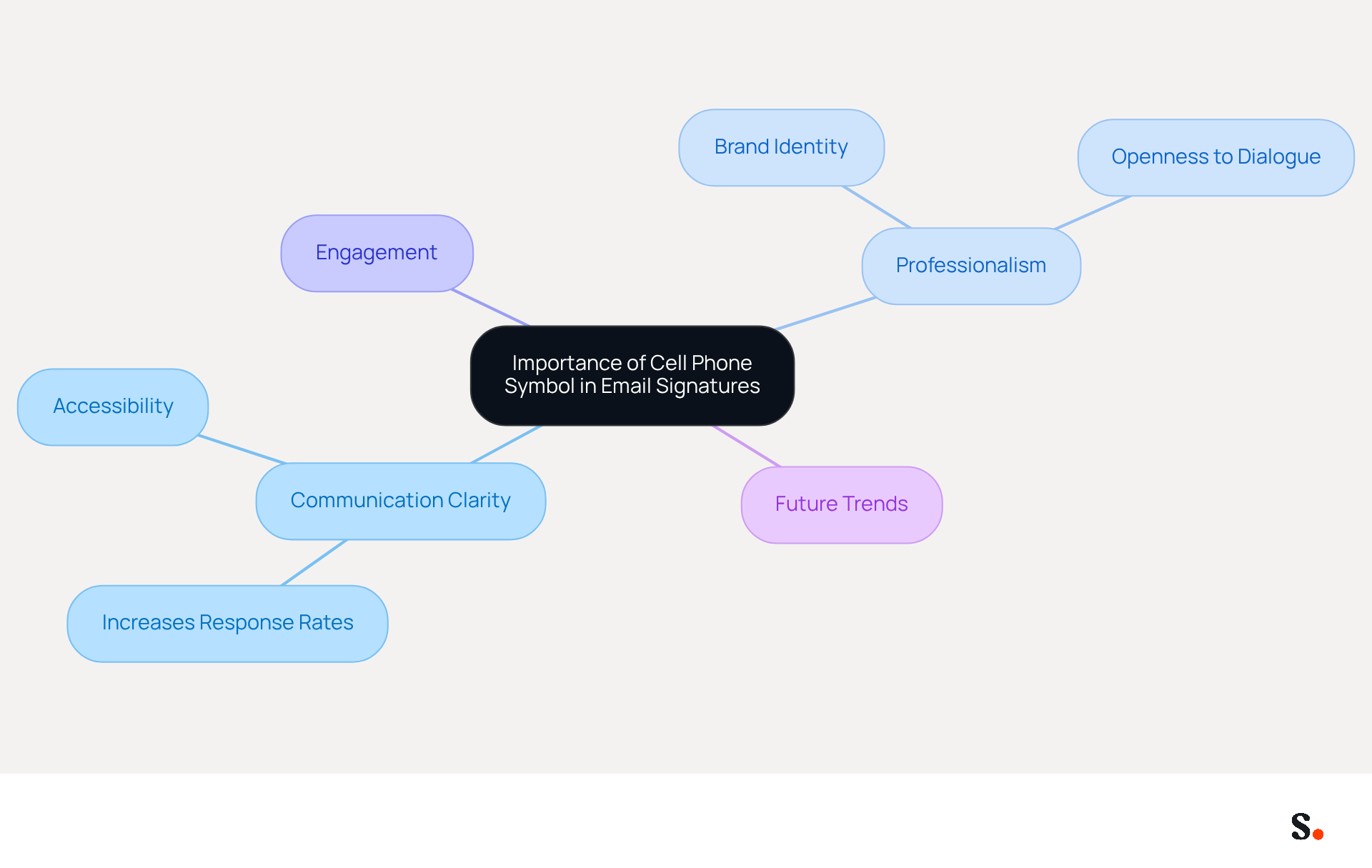
The inclusion of a cell phone symbol for email signature is essential for enhancing communication clarity and professionalism. In today's mobile communication landscape, incorporating a cell phone symbol for email signature enhances your signature's professionalism and clarifies how to contact you. Studies show that messages with clear contact details, such as telephone icons, can increase response rates by up to 30%. By incorporating the cell phone symbol for email signature, you convey accessibility and openness to dialogue, which can significantly enhance engagement levels. Additionally, Scribe's seamless integration with Aircall ensures that any updates to your contact details, including the mobile icon, are automatically reflected in your emails.
As Yuliia Savchuk observes, 'a message footer plays a crucial role in upholding a brand and generating leads.' In 2026, the cell phone symbol for email signature will be indispensable for fostering effective communication and strengthening brand identity.
Implement Effective Strategies for Using the Cell Phone Symbol
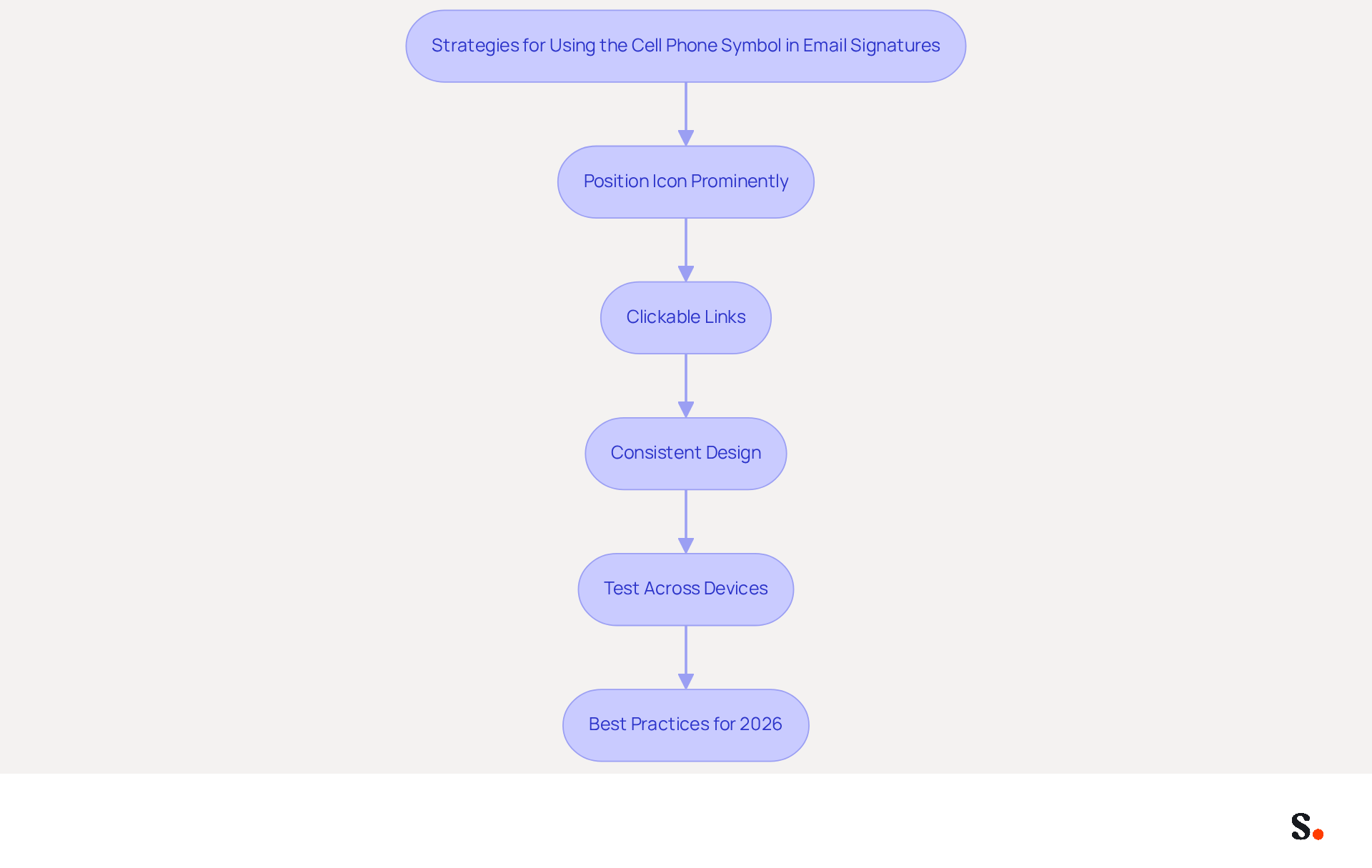
To effectively incorporate the cell phone symbol in your email signature, consider the following strategies:
- Position the cell icon prominently near your name and job title. This ensures it captures immediate attention, making your contact information easily accessible.
- Clickable Links: Enhance usability by making the contact number clickable using the
tel:HTML code. This feature allows recipients to initiate a call directly from their mobile devices, streamlining communication. - Consistent Design: Ensure that the mobile icon aligns with the overall layout of your correspondence. Choose a professional icon that reflects your brand's visual identity, maintaining a cohesive look.
- Test Across Devices: Before finalizing your Scribe, conduct tests on various devices to confirm that the cell phone symbol and clickable link function correctly. This step ensures a seamless experience for all recipients, regardless of their access method.
- Best Practices for 2026: Keep your correspondence footer concise, ideally no longer than seven lines, and limit the use of colors to two or three for clarity. Utilize Web Safe fonts for readability and ensure that your email is mobile-friendly, as mobile internet searches have surpassed desktop usage since 2016.
Implementing these strategies will enhance your communication footer, making it a powerful tool for engagement. Moreover, syncing your Google Workspace with Scribe can save time by automatically updating your teammates' details, ensuring that your correspondence identifiers are always precise and current. For example, a marketing manager who applied these tactics experienced a notable rise in response rates, illustrating the effect of a well-crafted digital identifier. Be mindful of common pitfalls; overcrowding your email signature can lead to confusion and reduce its effectiveness.
Explore the Benefits of Maximizing Engagement with the Cell Phone Symbol
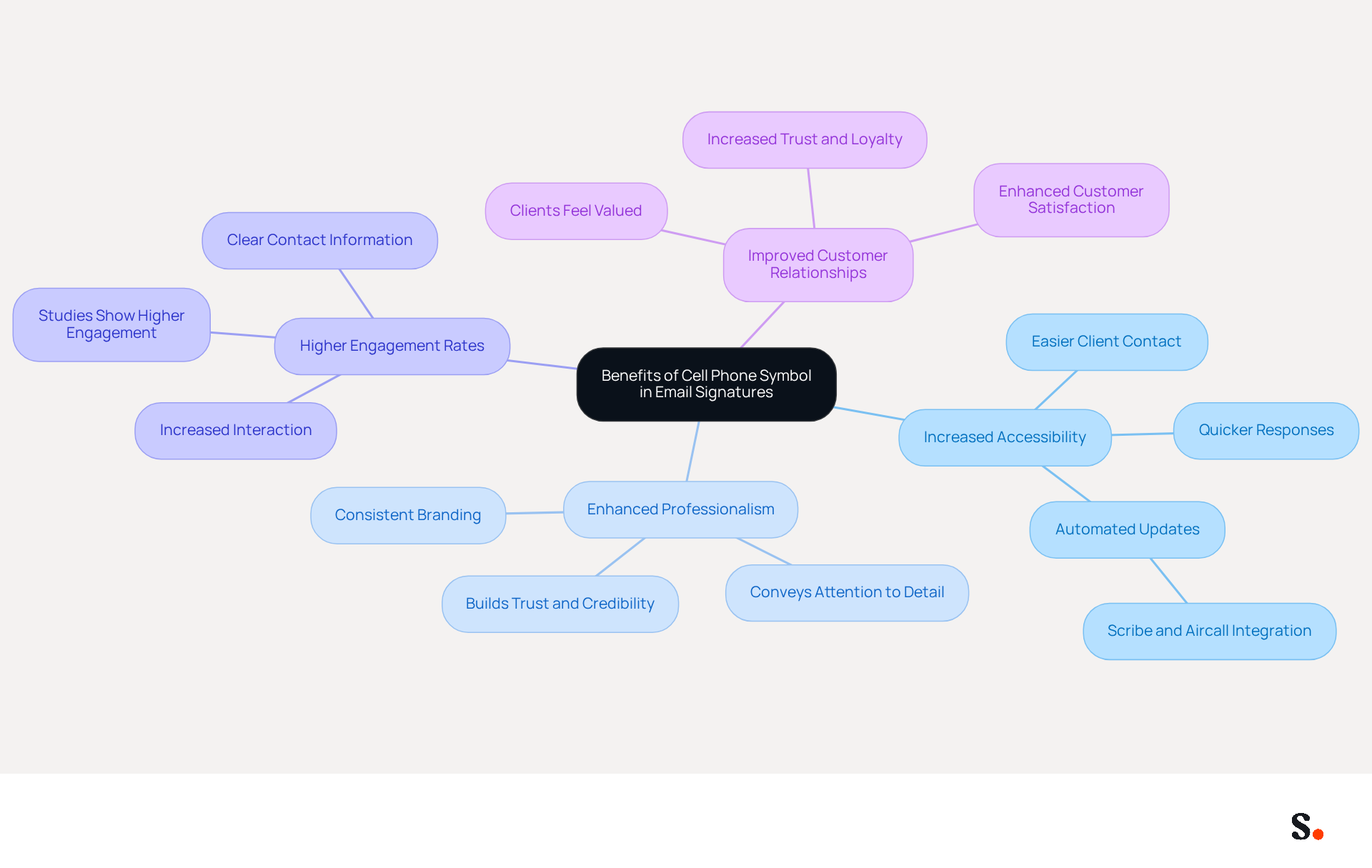
Incorporating a cell phone symbol into your email signature significantly enhances communication effectiveness, especially when combined with automated synchronization features like those offered by Scribe and Aircall:
- Increased Accessibility: Clearly displaying your contact number makes it easier for clients and colleagues to reach you. This leads to quicker responses and improved collaboration, essential for success. With Scribe's integration with Aircall, any modifications made to your contact information are automatically refreshed in your correspondence, ensuring that clients always have accurate details at their fingertips.
- Enhanced Professionalism: A well-crafted digital identifier that includes a cell phone symbol for email signature conveys professionalism and attention to detail. It enhances your personal brand and reflects positively on your organization, fostering a sense of trust and credibility among recipients. The automated synchronization guarantees that your mark remains consistent across all communications, reinforcing your professional image.
- Studies indicate that emails featuring clear contact information, including a cell phone symbol for email signature, experience higher engagement rates. Recipients are more likely to reach out when they see a direct line of communication, which can lead to increased interaction and opportunities. With Scribe's automated updates, you can maintain a consistent and engaging identity that encourages recipients to connect.
- Improved Customer Relationships: When clients can easily reach you, they feel valued and prioritized, which builds trust and loyalty. Organizations that have implemented clear contact indicators in their Scribe implementations, along with Scribe's synchronization features, report improved customer satisfaction and retention.
In regulated industries, including necessary disclaimers alongside your contact information can further build trust with recipients, ensuring compliance while enhancing your professional image. Ultimately, leveraging the cell icon in digital signatures not only streamlines communication but also strengthens your brand's presence.
Measure the Impact of the Cell Phone Symbol on Engagement
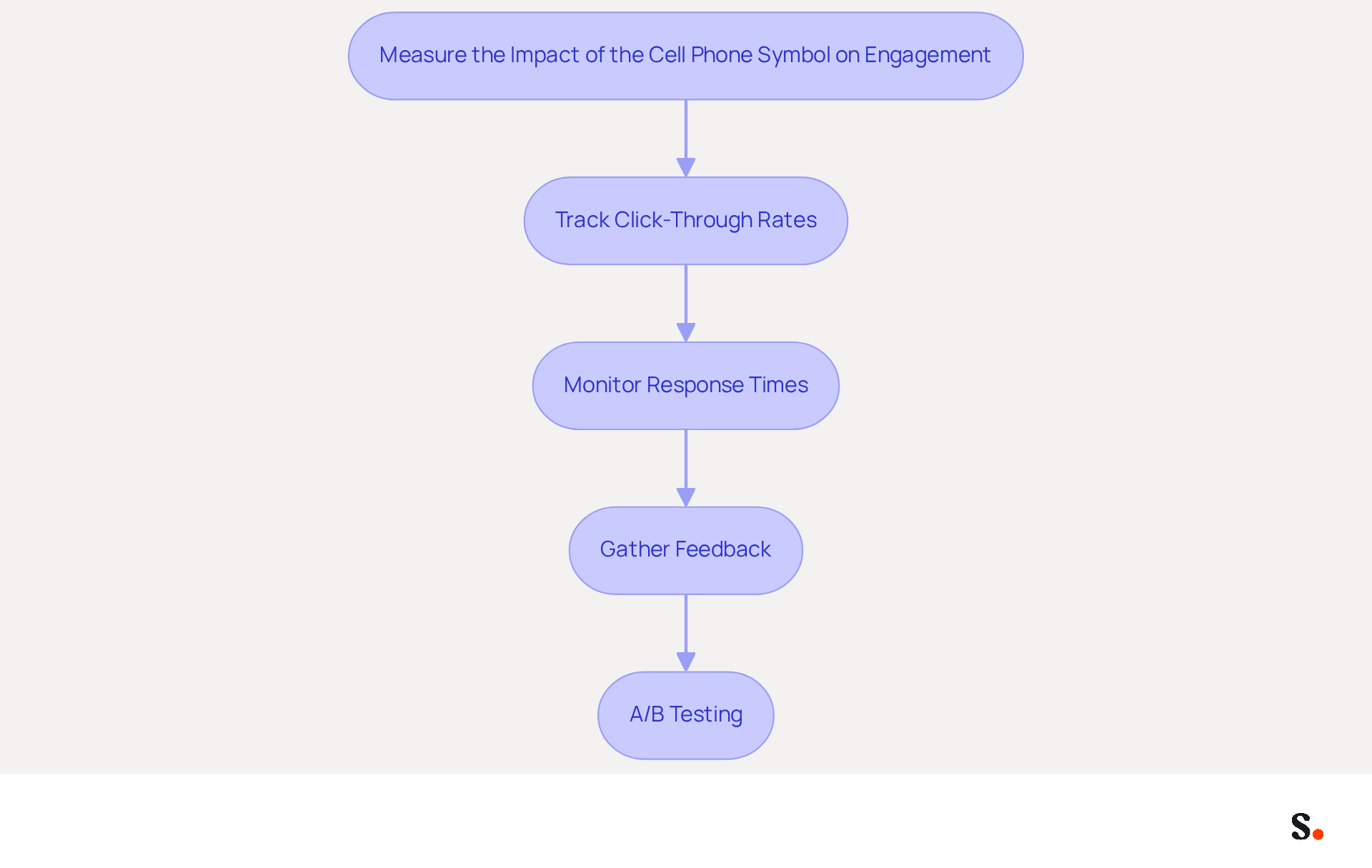
To accurately assess the influence of the cell phone symbol on email engagement, it is essential to adopt effective measurement strategies:
- Track Click-Through Rates: Utilize analytics tools to monitor how often your clickable contact number is clicked. This metric provides direct insight into how many recipients are reaching out, allowing you to gauge the effectiveness of this feature.
- Monitor Response Times: Compare the response durations of messages sent with the new design featuring the cell icon against those sent with earlier designs. A significant reduction in response time may suggest that the cell icon is enabling faster communication.
- Gather Feedback: Solicit input from clients and colleagues regarding the clarity and effectiveness of your contact information. Their viewpoints can provide valuable insights into how the mobile device is perceived and its effect on engagement.
- A/B Testing: Perform A/B experiments by sending messages with two different closing versions-one featuring the cell icon and the other without. Examining the engagement metrics from these tests will yield data-driven insights to enhance your messaging strategy.
By utilizing these techniques, you can achieve a clearer understanding of how the addition of a cell phone symbol in your correspondence affects engagement and communication effectiveness. Furthermore, integrating Scribe with Google Workspace not only streamlines email management but also ensures that your communications remain consistent and up-to-date.
Conclusion
Many organizations face challenges in ensuring their communication is clear and professional. Incorporating the cell phone symbol into email signatures addresses this issue, enhancing communication clarity and professionalism. By utilizing this simple yet effective icon, organizations can significantly improve engagement levels, making it easier for clients and colleagues to connect. The cell phone symbol conveys accessibility and reinforces a brand's commitment to open dialogue, ultimately fostering stronger relationships.
Key strategies for effectively using the cell phone symbol include:
- Positioning it prominently
- Ensuring clickable links for easy access
- Maintaining a consistent design that aligns with brand identity
Additionally, leveraging Scribe's integration capabilities with tools like Aircall ensures that contact information remains accurate and up-to-date, further enhancing the professionalism of email communications. This leads to stronger relationships and improved communication outcomes.
By measuring click-through rates, response times, and gathering feedback, organizations can gain valuable insights into the effectiveness of their communication strategies. By adopting this practice, organizations can not only enhance their communication but also solidify their brand's presence in a competitive landscape.
Frequently Asked Questions
Why is the cell phone symbol important in email signatures?
The cell phone symbol is essential for enhancing communication clarity and professionalism, making it easier for recipients to contact you.
How does including a cell phone symbol affect response rates?
Studies show that messages with clear contact details, such as telephone icons, can increase response rates by up to 30%.
What does the cell phone symbol convey to recipients?
It conveys accessibility and openness to dialogue, which can significantly enhance engagement levels.
How does Scribe integrate with Aircall regarding contact details?
Scribe's seamless integration with Aircall ensures that any updates to your contact details, including the mobile icon, are automatically reflected in your emails.
What role does a message footer play in branding and lead generation?
According to Yuliia Savchuk, a message footer plays a crucial role in upholding a brand and generating leads.
What is the future significance of the cell phone symbol in email signatures?
In 2026, the cell phone symbol for email signatures will be indispensable for fostering effective communication and strengthening brand identity.
List of Sources
- Understand the Importance of the Cell Phone Symbol in Email Signatures
- The ultimate guide to email signatures in 2026 (https://signitic.com/en/resources/email-signature)
- Email Signature Trends 2026: What Designers Are Actually Using (https://markaplugin.com/blog/email-signature-trends-2026)
- Email signature statistics: Why every business should optimize their email signatures — Stripo.email (https://stripo.email/blog/email-signature-statistics-why-every-business-should-optimize-their-email-signatures)
- Top 10+ best practices for email signatures design in 2026 (https://mysignature.io/blog/email-signature-best-practices)
- "Email Signature Trends for 2026: What's In, What's Out" | Crossware posted on the topic | LinkedIn (https://linkedin.com/posts/crossware-ltd_new-year-new-trends-even-for-your-email-activity-7394554686046908416-vD_O)
- Implement Effective Strategies for Using the Cell Phone Symbol
- How to Add a Phone Number to Gmail Signature (https://wisestamp.com/guides/how-to-add-phone-number-to-gmail-signature)
- Email Signature Best Practices - NEWOLDSTAMP (https://newoldstamp.com/blog/email-signature-best-practices)
- How to make your phone number clickable in your email signature (Click-to-Call) (https://support.ringover.com/hc/en-us/articles/14488625639953-How-to-make-your-phone-number-clickable-in-your-email-signature-Click-to-Call)
- Explore the Benefits of Maximizing Engagement with the Cell Phone Symbol
- 40+ Email Signature Statistics for 2026 (Data + Insights) (https://wavecnct.com/blogs/email-signature-statistics)
- The impact of email signatures on your branding (https://signitic.com/en/resources/the-impact-of-email-signatures-on-your-branding)
- The Importance Of Email Signatures | Email Marketing Blog | Mail Blaze (https://mailblaze.com/thinking/email-signatures-in-email-marketing)
- The Path to Email Engagement 2024: Key Takeaways | Mailjet (https://mailjet.com/blog/email-best-practices/key-takeaways-email-engagement-2024)
- Tips for Improving Email Engagement Strategies (https://linkedin.com/top-content/marketing/email-outreach-improvement/tips-for-improving-email-engagement-strategies)
- Measure the Impact of the Cell Phone Symbol on Engagement
- The 5 key metrics to analyze your email signatures (https://signitic.com/en/resources/the-5-key-metrics-to-analyze-your-email-signatures)
- Mais de 40 estatísticas sobre assinaturas de e-mail para 2026 (dados e insights) (https://wavecnct.com/pt/blog/email-signature-statistics)
- How to measure the performance of your email signatures? (https://letsignit.com/blog/email-signatures-measure-performance-2)
- How to Track Clicks & Impressions in Email Signature Marketing (https://linkedin.com/pulse/how-track-clicks-impressions-email-signature-marketing-mbhre)
- Research Recap: Branded Email Signatures Increase Company Recognition, Trust - Demand Gen Report (https://demandgenreport.com/industry-news/research-recap-branded-email-signatures-increase-company-recognition-trust/47252)
Get started with Scribe
See why teams switch to Scribe
Free 14-day trial — no credit card.