Maximize Engagement with Your Mac Mail Signature Creator
Crafting an effective email signature presents a unique challenge for many organizations, yet it holds the potential to be a powerful marketing tool that can
Sophie Grant
Email Signature Specialist, Scribe
Introduction
Crafting an effective email signature presents a unique challenge for many organizations, yet it holds the potential to be a powerful marketing tool that can significantly enhance brand engagement. With the right strategies, organizations can transform their email signatures into dynamic platforms for promoting campaigns, sharing vital information, and reinforcing brand identity. Despite the potential, many marketing teams find it challenging to utilize email signatures effectively.
How can they ensure their email signatures reflect their brand and drive measurable results? This article will provide actionable insights and strategies to maximize engagement through email signatures, offering insights that can elevate any marketing effort.
Get started with Scribe
Manage signatures across your whole team
Free 14-day trial — no credit card.
Create On-Brand Signature Templates
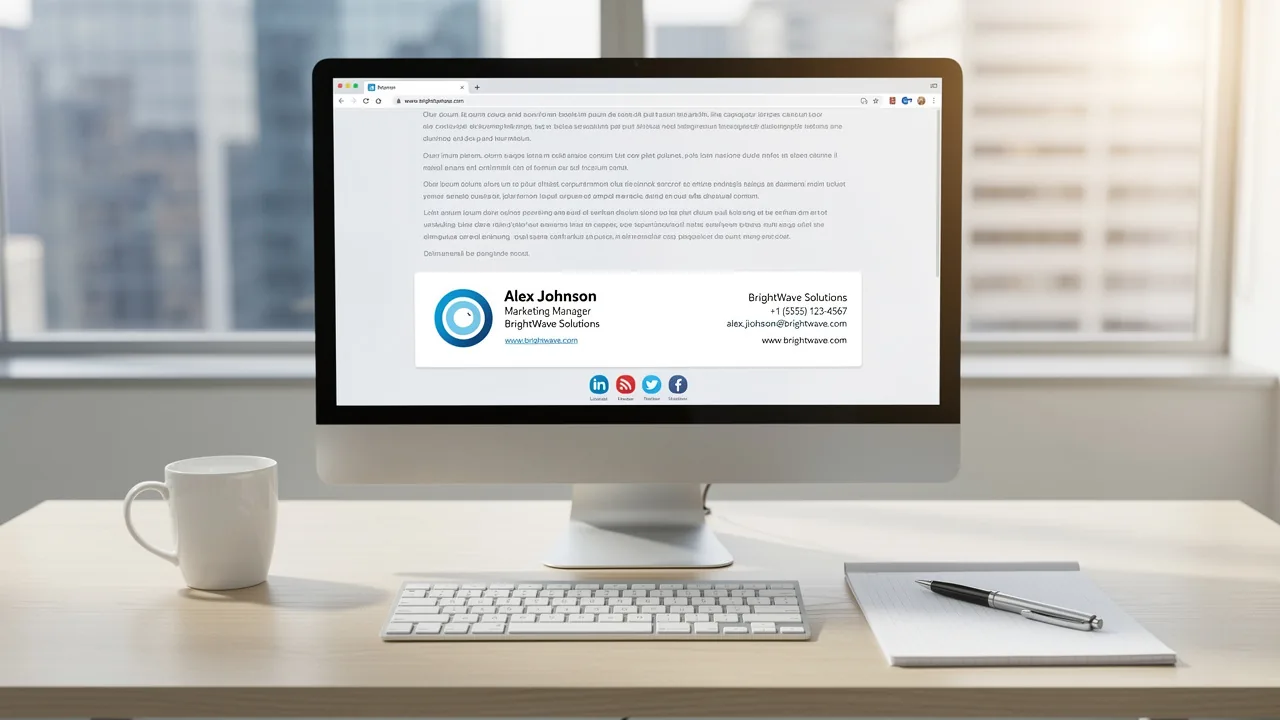
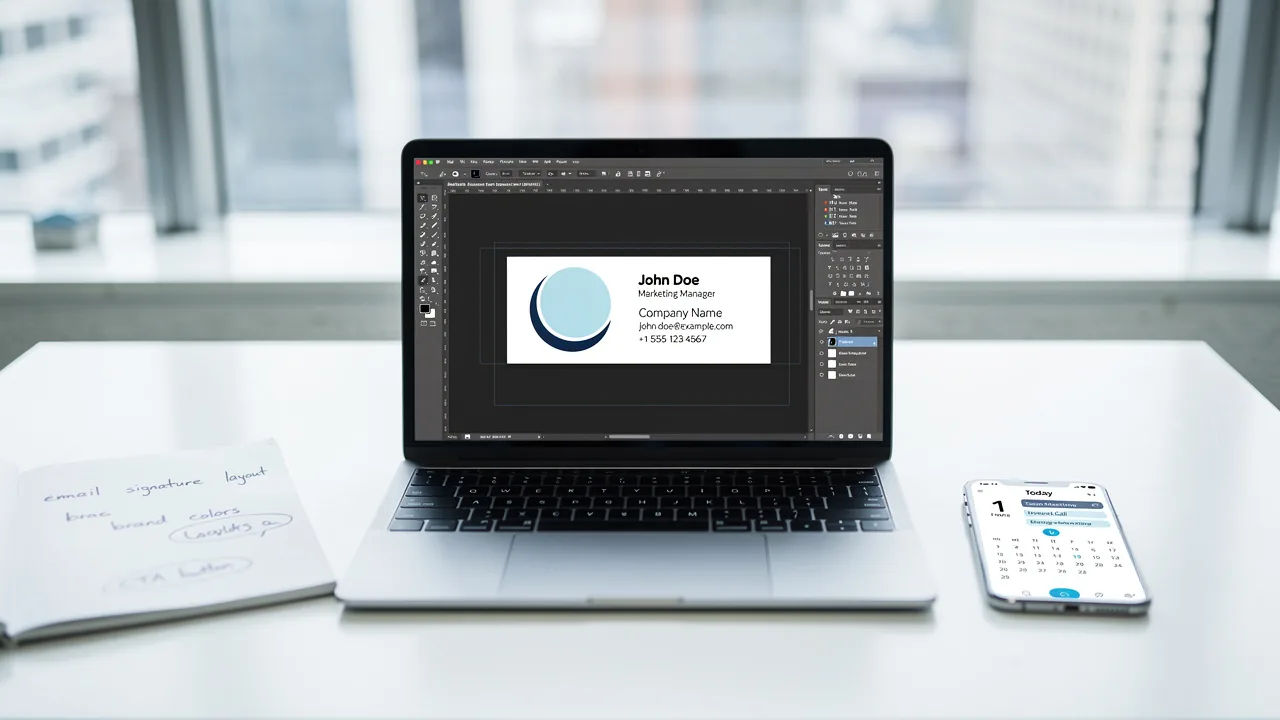
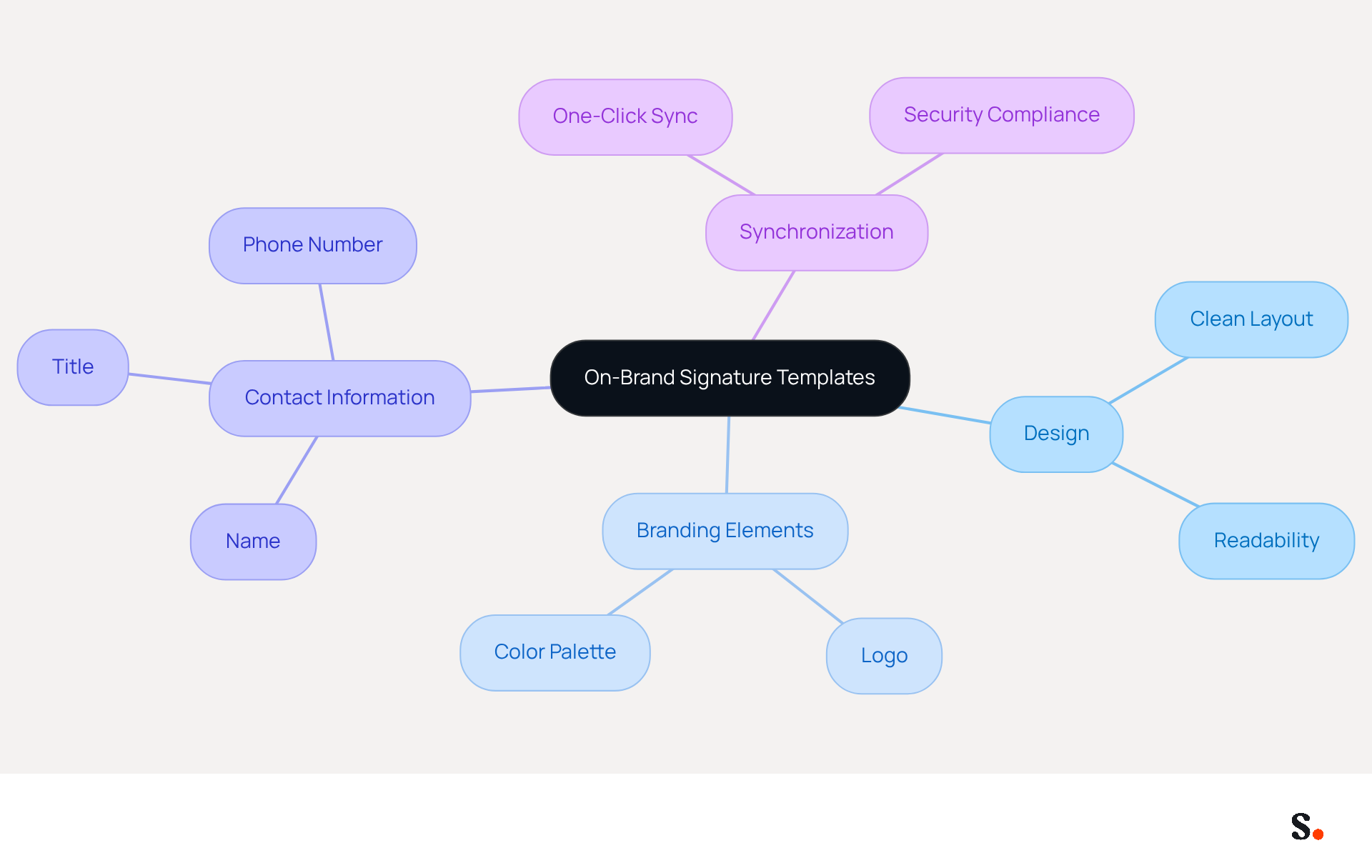
To create effective on-brand templates, it is essential to integrate key branding elements that resonate with your audience. A clean, professional design is vital; it should avoid clutter that distracts from key information. Use a clear font size and style to improve readability across different devices, ensuring that your mark is accessible to all recipients.
For instance, Scribe uses its logo and color palette to create easily recognizable identifiers. Additionally, include vital contact information such as name, title, and phone number to facilitate seamless communication. Consistently review and refresh these templates to incorporate any alterations in branding or promotional strategies, as consistent branding has been shown to increase response rates by 22% and enhance professionalism, elevating the average perception score from 6.2 to 8.5 out of 10.
By prioritizing these elements, businesses can transform their digital correspondences into powerful marketing tools that reinforce brand identity and drive engagement. To enable one-click synchronization with Scribe, ensure you grant the necessary permissions to connect with your service provider. This enables automatic updates to your identifiers whenever modifications are made in your contact directory.
Scribe's one-click synchronization not only ensures brand consistency across all communications but also enhances security compliance, as Scribe is SOC 2 Type II certified. Moreover, it facilitates adaptable workspace management, allowing centralized oversight over electronic correspondences across various clients and brands.
Schedule Marketing Campaigns in Signatures
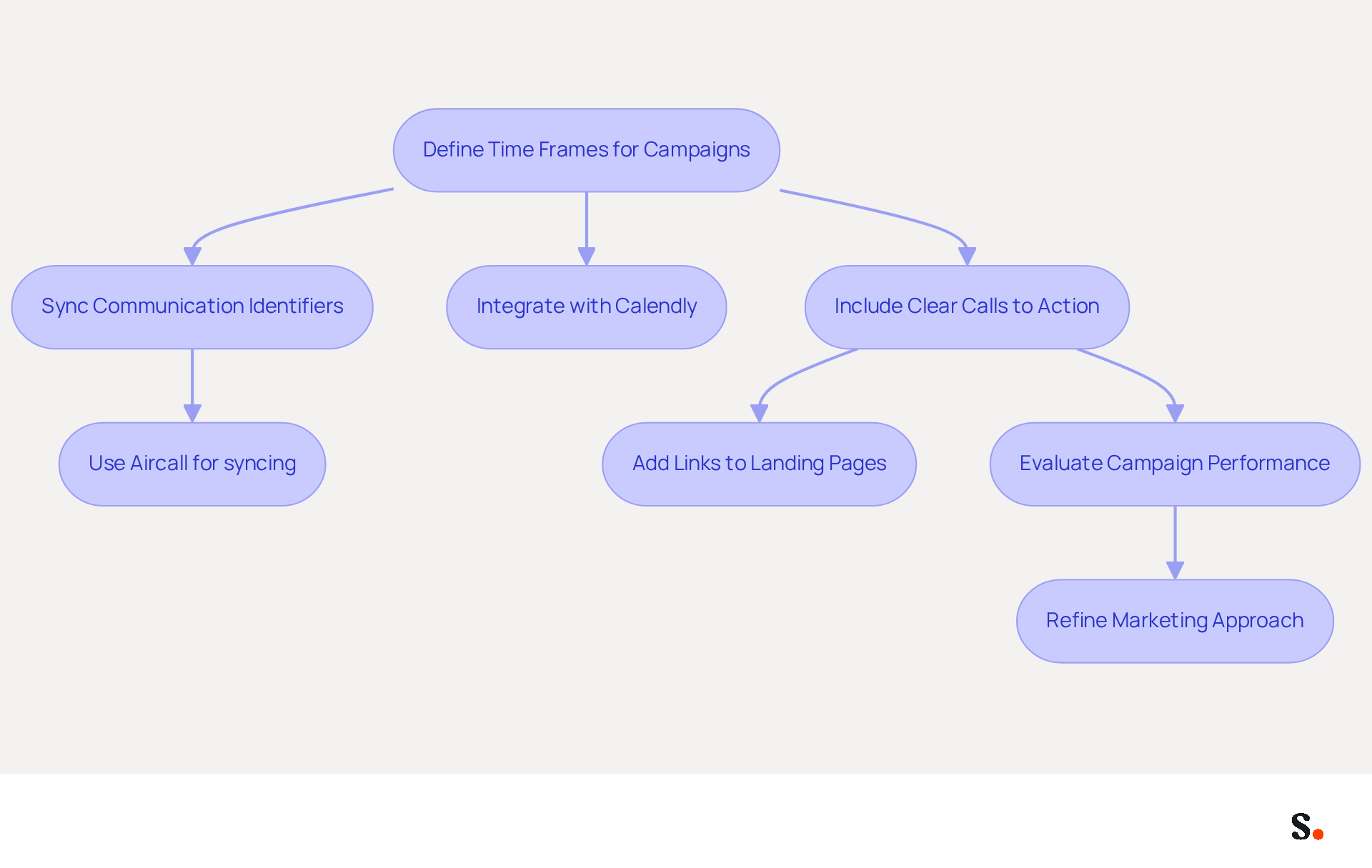
To enhance the effectiveness of your marketing campaigns, it is crucial to utilize tools that facilitate automated updates and precise scheduling. The platform empowers users to define specific time frames for promotional banners or messages, making it ideal for seasonal promotions or product launches. Scribe automatically syncs communication identifiers from your business phone system, like Aircall, ensuring your team's information stays current effortlessly. This guarantees that your brand maintains a consistent voice across all communications.
Furthermore, Scribe effortlessly connects with Calendly, enabling automatic updates to your messaging based on your scheduling requirements. As interactive elements and personalization in correspondence are anticipated to achieve nearly 100% adoption in 2026, integrating these features into your signatures is likely to enhance engagement rates significantly.
Many marketers struggle to find the right timing and frequency for their messages, which can hinder engagement. Including clear calls to action, such as links to landing pages or special offers, can drive engagement. Regular evaluation of campaign performance is essential; research indicates that organizations employing structured communication strategies can achieve a 43% higher ROI.
By refining your approach based on these insights, you position your marketing efforts for greater success and measurable outcomes while ensuring your data remains secure with Scribe's SOC 2 Type II compliance.
Integrate with Popular Tools for Efficiency
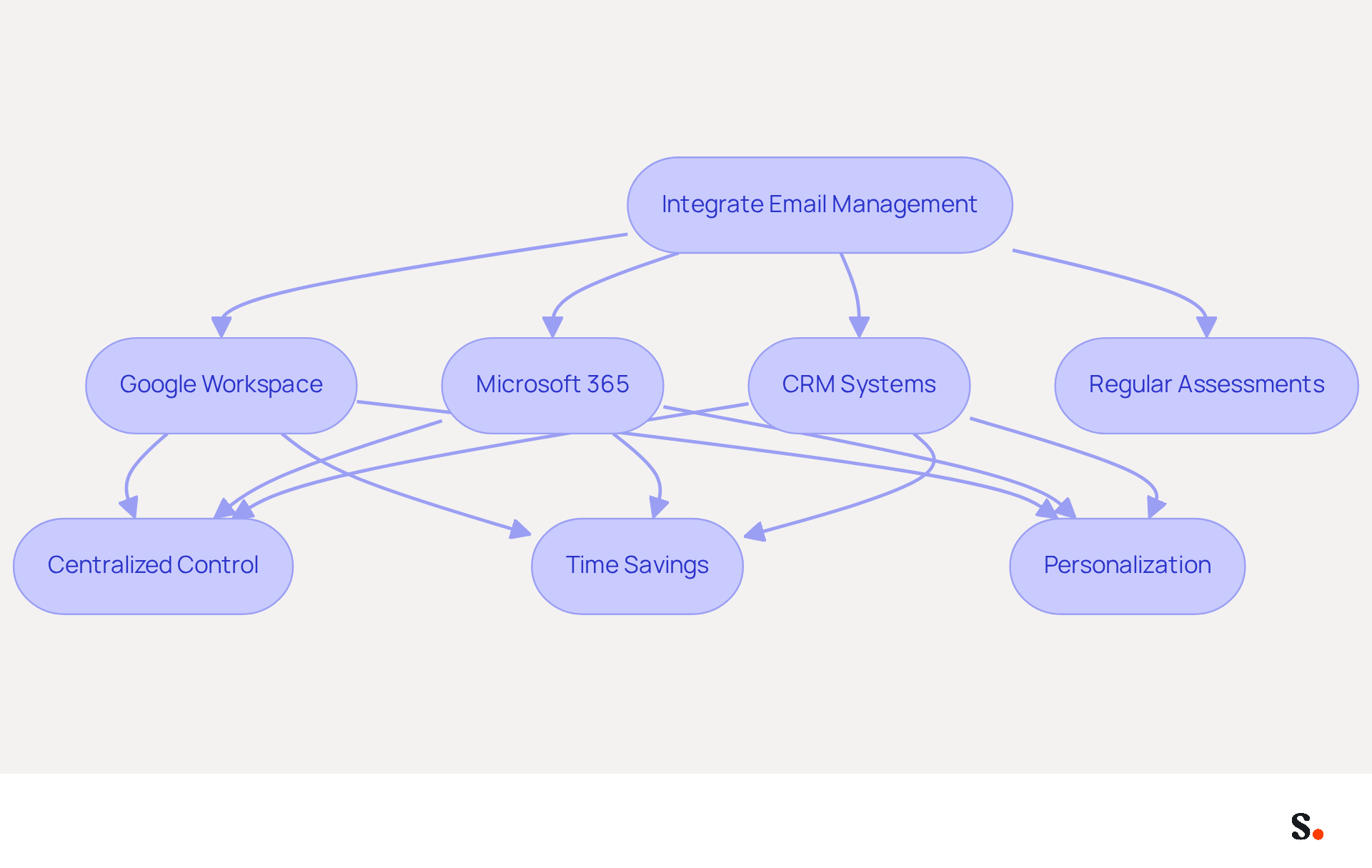
Integrating email management with tools like Google Workspace and Microsoft 365 is essential for maximizing operational efficiency. This integration enables centralized control over documents, ensuring that all team members utilize the most current versions. Syncing Google Workspace with Scribe saves time by automatically updating your teammates' data, which allows for seamless auto-filling of sign-off information. Scribe's platform synchronizes approvals with employee data from HR systems, reflecting any personnel changes in real-time. Additionally, linking message identifiers with CRM systems enables personalization based on customer interactions, leading to better engagement rates, as evidenced by recent studies.
Regular assessments of integration configurations are crucial; neglecting these assessments can lead to misalignment with promotional objectives, ultimately diminishing communication effectiveness. Furthermore, Scribe's adherence to SOC 2 Type II, GDPR, and CCPA guarantees that your management of correspondence complies with the highest security standards. Statistics indicate that consistent electronic identifiers can result in a 22% rise in response rates and a 40% engagement rate, emphasizing their effectiveness as a marketing tool. As Kadir Yuldashev observes, 'Every unmanaged mark is also a missed branding opportunity and a potential compliance gap.
Automate Data Synchronization for Consistency
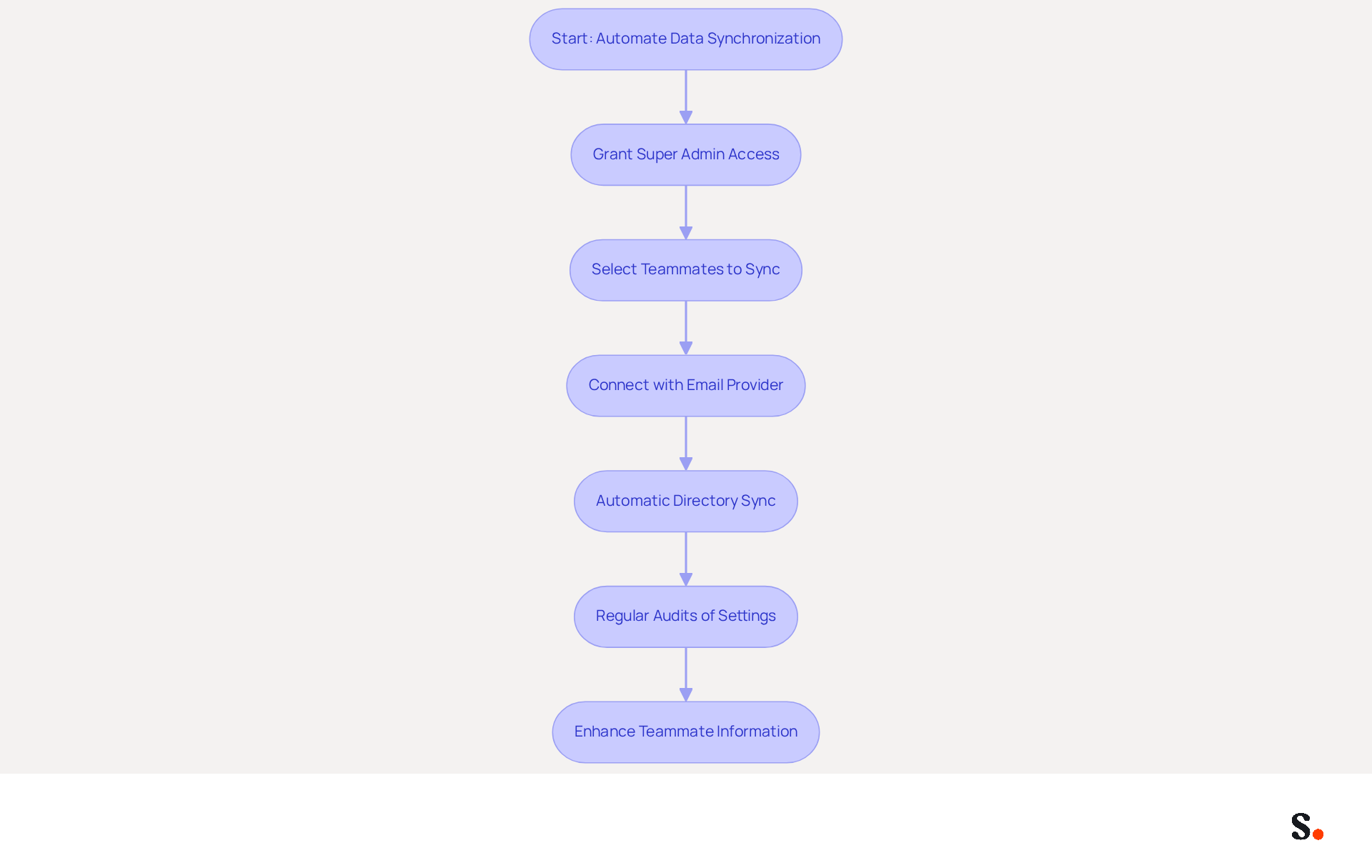
Automated data synchronization is crucial for maintaining accurate electronic correspondence identifiers. This approach enables real-time updates to signatures whenever there are changes in employee information, such as job titles or contact details. Granting the application permission to connect with your email provider requires Super Admin access. You can select which teammates to sync with the application, ensuring that not all Google Workspace accounts need to be synced.
Scribe's platform effortlessly connects with various systems, allowing businesses to verify that their marks are precise without manual intervention. Changes in your provider directory sync automatically, ensuring all signatures are up-to-date. Regular audits of synchronization settings are essential to confirm they are functioning correctly. Furthermore, the tool enhances teammate information from HR software and other sources following the provider sync. This practice not only enhances professionalism but also reinforces brand integrity in every email communication.
Scribe's SOC 2 Type II compliance guarantees the safety of your data, further enhancing trust in your communications. This level of automation not only streamlines processes but also safeguards your brand's reputation in every email sent.
Conclusion
Many organizations struggle to effectively engage their audience through email communications, making it crucial to maximize engagement through effective email signatures. Creating on-brand templates, scheduling marketing campaigns, integrating popular tools, and automating data synchronization allows businesses to turn their email communications into effective marketing assets. This strategy has been shown to enhance brand identity and significantly improve engagement metrics.
Key strategies discussed include:
- Maintaining a clean and professional design in email signatures
- Utilizing tools for precise scheduling of marketing messages
- Ensuring seamless integration with platforms like Google Workspace and Microsoft 365
- Automating data synchronization to keep all contact information current, enhancing professionalism and brand integrity
With Scribe's SOC 2 Type II certification, organizations can trust in its commitment to security and compliance, making it a reliable choice for organizations.
In a competitive landscape where every email represents a branding opportunity, embracing these strategies not only enhances engagement but also positions organizations for sustained growth.
Frequently Asked Questions
What are the key elements to include in on-brand signature templates?
Key elements include a clean, professional design, a clear font size and style for readability, the company's logo and color palette, and vital contact information such as name, title, and phone number.
Why is it important to maintain a clean design in templates?
A clean design avoids clutter that distracts from key information, making it easier for recipients to focus on the message.
How often should on-brand templates be reviewed and refreshed?
Templates should be consistently reviewed and refreshed to incorporate any alterations in branding or promotional strategies.
What impact does consistent branding have on response rates?
Consistent branding can increase response rates by 22% and enhance professionalism, elevating the average perception score from 6.2 to 8.5 out of 10.
How does Scribe facilitate one-click synchronization for templates?
To enable one-click synchronization with Scribe, users must grant the necessary permissions to connect with their service provider, allowing automatic updates to identifiers when modifications are made in the contact directory.
What are the benefits of Scribe's one-click synchronization?
It ensures brand consistency across all communications, enhances security compliance as Scribe is SOC 2 Type II certified, and facilitates adaptable workspace management for centralized oversight over electronic correspondences.
List of Sources
- Create On-Brand Signature Templates
- Why Email Signatures Must Be In Your 2026 Marketing Plan | Rocketseed (https://rocketseed.com/blog/2026-marketing-plan-email-signatures)
- Research Recap: Branded Email Signatures Increase Company Recognition, Trust - Demand Gen Report (https://demandgenreport.com/industry-news/research-recap-branded-email-signatures-increase-company-recognition-trust/47252)
- The impact of email signatures on your branding (https://signitic.com/en/resources/the-impact-of-email-signatures-on-your-branding)
- Why Are Email Signatures Key to Brand Awareness? | QuickMail (https://quickmail.com/role-of-email-signatures-in-brand-awareness)
- Why Team Email Signatures Matter More Than You Think: The Hidden Impact on Brand Trust and Customer Experience (https://getmailbird.com/why-team-email-signatures-matter-brand-trust)
- Schedule Marketing Campaigns in Signatures
- Why Email Signatures Must Be In Your 2026 Marketing Plan | Rocketseed (https://rocketseed.com/blog/what-are-the-biggest-email-trends-for-2026)
- The Top Email Marketing Trends for 2026 (https://litmus.com/blog/trends-in-email-marketing)
- Schedule automatic email marketing campaigns (https://codetwo.com/email-signatures/schedule-email-marketing-campaign)
- 6 Ways to Use Email Signature to Support Marketing Campaigns (https://clearout.io/blog/use-email-signature-to-support-marketing-campaigns)
- Email Signature Campaigns Belong in Your Marketing Calendar (https://bluechiptt.com/blog/email-signature-campaigns-marketing-calendar)
- Integrate with Popular Tools for Efficiency
- The impact of email signatures on your branding (https://signitic.com/en/resources/the-impact-of-email-signatures-on-your-branding)
- 4 Best Practices for Email Signature Design Services That Boost ROI (https://scribe-mail.com/en-US/blog/4-best-practices-for-email-signature-design-services-that-boost-roi)
- Company Email Signature Management (2026) (https://hubspot.com/email-signature-generator/email-signature-management)
- BulkSignature Review 2027: Pricing, Features, Pros & Cons, Ratings & More | Research.com (https://research.com/software/reviews/bulk-signature-review)
- Best Email Signature Software for Google Workspace and Microsoft 365 in 2026 (https://bulksignature.com/blog/best-email-signature-software)
- Automate Data Synchronization for Consistency
- Master Automatic Email Signatures: Boost Branding and Efficiency (https://scribe-mail.com/en-US/blog/master-automatic-email-signatures-boost-branding-and-efficiency)
- Email Signature Management: What It Is and Why Companies Need It in 2026 (https://signandgo.io/blog/email-signature-management-what-it-is-and-why-companies-need-it-in-2026)
- How to Automate Email Signature Updates | Exclaimer (https://exclaimer.com/email-signature-handbook/automate-email-signature-updates)
- The ultimate guide to email signatures in 2026 (https://signitic.com/en/resources/email-signature)
- 4 Best Practices for Your Work Email Signature Strategy (https://scribe-mail.com/en-US/blog/4-best-practices-for-your-work-email-signature-strategy)
Get started with Scribe
Manage signatures across your whole team
Free 14-day trial — no credit card.