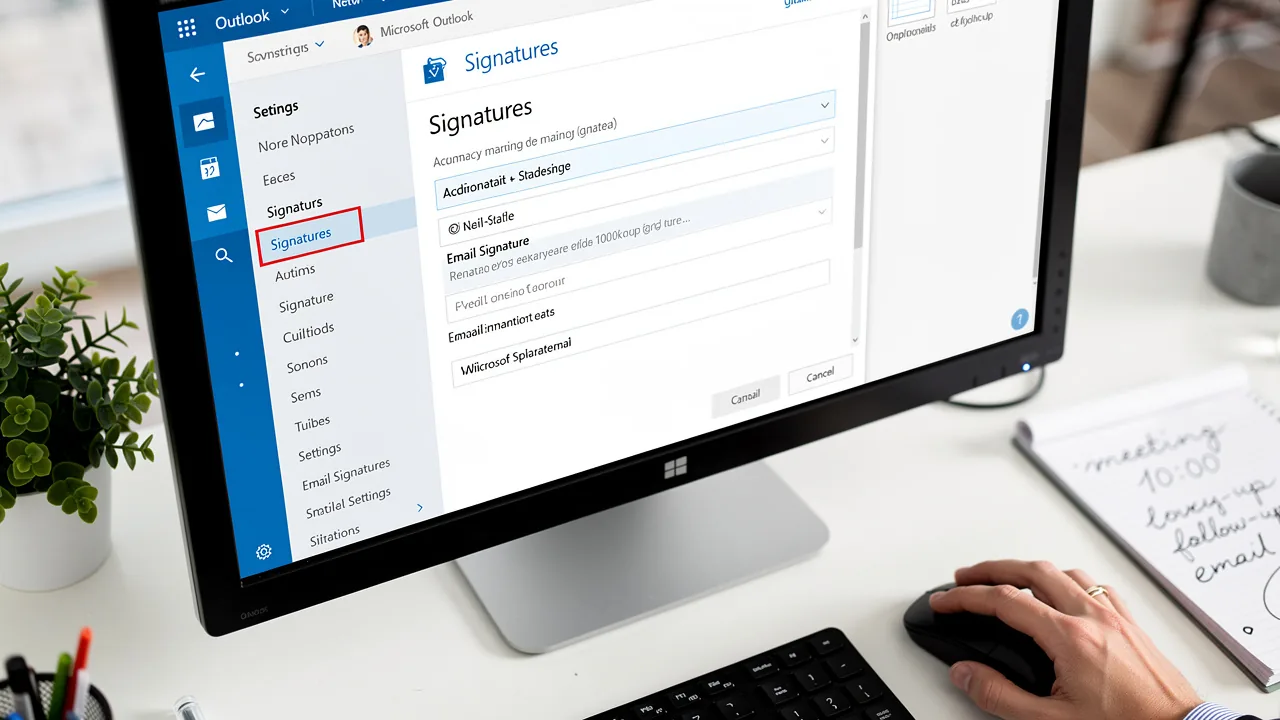
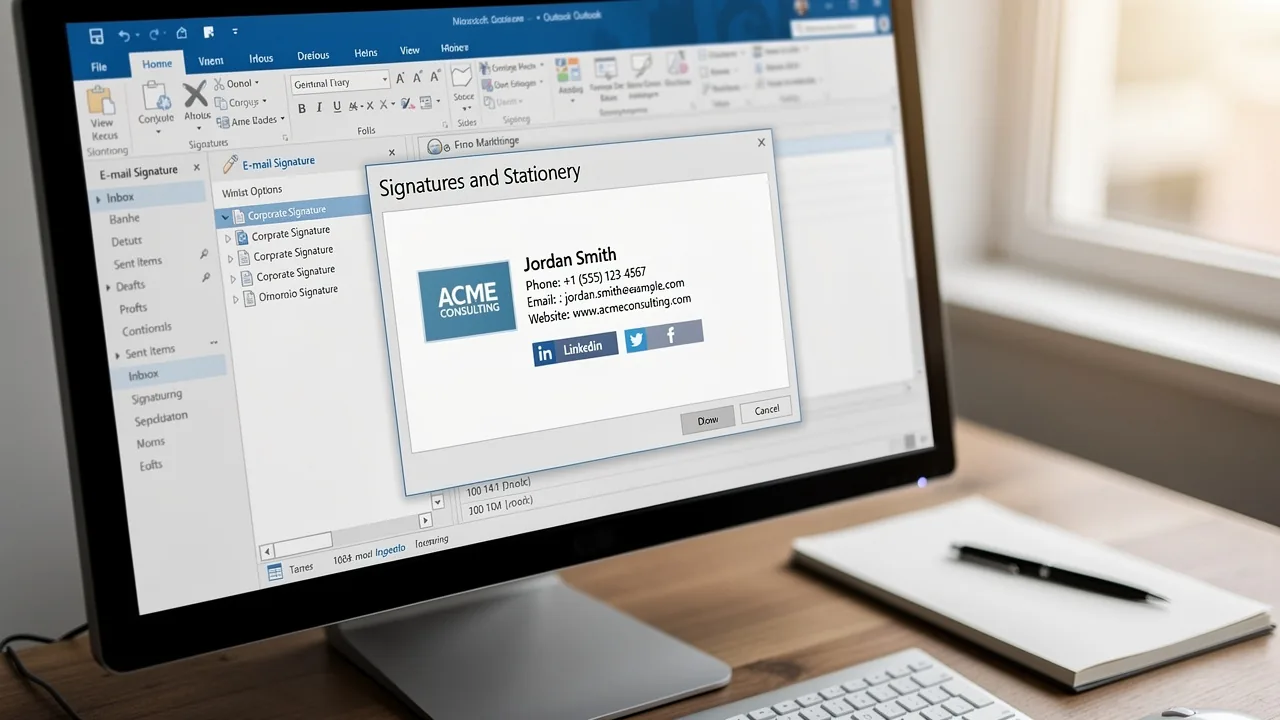
Why Does My Email Signature Keep Disappearing in Outlook?
The disappearance of email signatures in Outlook can lead to significant confusion and frustration, impacting the professionalism of communications. This
Sophie Grant
Email Signature Specialist, Scribe

On this page
- Introduction
- Identify Common Causes of Disappearing Email Signatures in Outlook
- Examine Technical Factors Affecting Email Signature Stability
- Implement Solutions to Prevent Email Signature Disappearances
- Leverage Automation for Consistent Email Signature Management
- Conclusion
- Frequently Asked Questions
- List of Sources
Introduction
The disappearance of email signatures in Outlook can lead to significant confusion and frustration, impacting the professionalism of communications. This discussion explores the reasons behind this issue and provides insights on troubleshooting and resolving signature-related challenges. By understanding the underlying issues and utilizing automated tools, users can enhance their email signature management and maintain consistent branding.
Identify Common Causes of Disappearing Email Signatures in Outlook
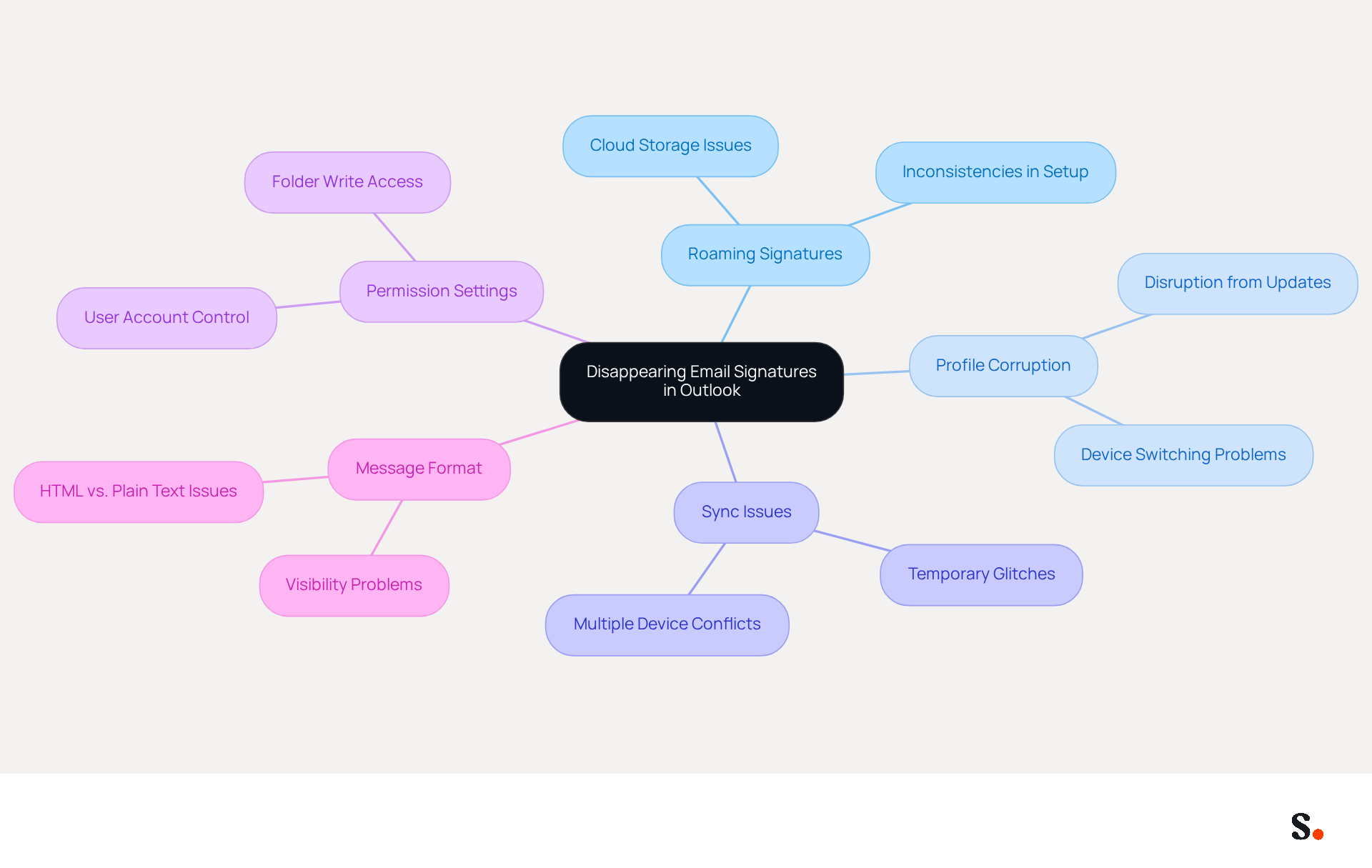
Confusion and a lack of professionalism in communications can arise from issues like why does my email signature keep disappearing in Outlook. Understanding these common causes, including why does my email signature keep disappearing in Outlook, is essential for effective troubleshooting and maintaining a professional appearance in email communications. Here are the primary reasons for disappearing signatures:
- Roaming Signatures: Introduced in recent versions of the email client, this feature stores personalized messages in the cloud. Though it offers flexibility, if not set up correctly, it can lead to inconsistencies, causing identifiers to disappear unexpectedly.
- Profile Corruption: A corrupted Outlook profile can disrupt the normal functioning of email templates. Users may notice their identifiers vanishing after system updates or when switching between devices, emphasizing the importance of maintaining a healthy profile.
- Sync Issues: Temporary sync glitches are common, especially when using multiple devices or accounts. These issues can prevent the marks from loading properly, resulting in their disappearance. Many users are asking why does my email signature keep disappearing in Outlook, particularly in the new app. Scribe's integration with Google Workspace helps mitigate these issues by ensuring changes are automatically reflected, keeping identifiers consistent and up-to-date.
- Permission Settings: In some instances, permission issues within the folder can hinder the saving or displaying of the signed documents. Ensuring that the email client has the necessary write access is crucial for proper functionality. Users facing problems with the folder should verify the permissions to ensure Outlook has full control.
- Message Format: The structure of the message (HTML vs. plain text) can also influence the visibility of the sign-off. Signatures created in HTML may not display correctly if the message is sent in a different format, leading to potential miscommunication.
Case studies indicate that organizations have encountered considerable difficulties due to these problems, with employees reporting unexpected disappearances of their identifiers in the new Outlook, despite their existence in sent messages. Keeping a detailed record of signing configurations can streamline the restoration process if issues arise, while regular backups are essential for ensuring consistency and security. By addressing these common causes and utilizing Scribe's automated synchronization features, including its SOC 2 Type II compliance and GDPR and CCPA adherence, users can improve their communication management and maintain their brand's professional image. Addressing these issues not only restores functionality but also reinforces a brand's credibility in communications.
Examine Technical Factors Affecting Email Signature Stability
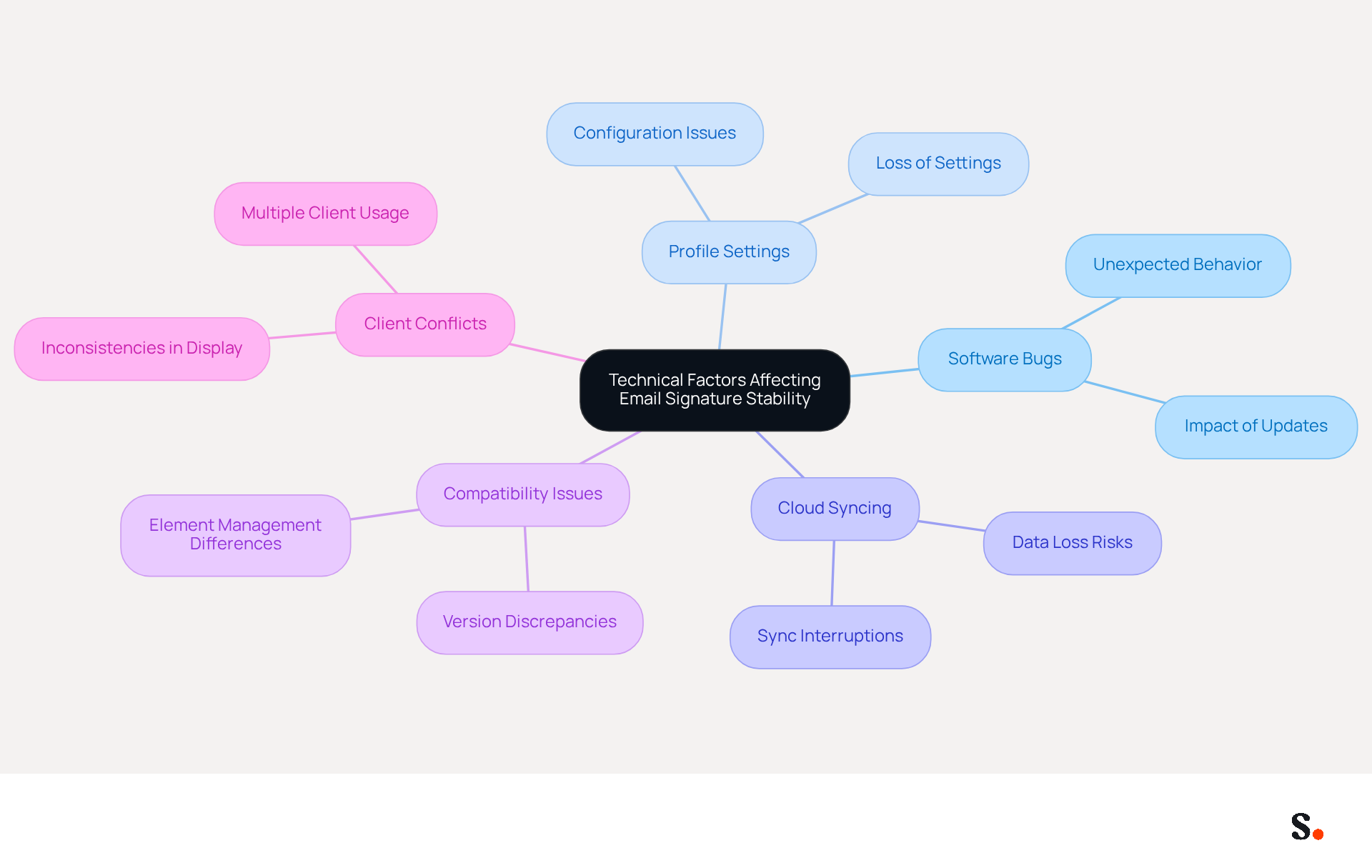
Understanding the technical factors affecting why does my email signature keep disappearing in Outlook is crucial for effective management. Several technical factors can significantly impact the stability of email signatures in Outlook:
- Software Bugs: Microsoft regularly updates Outlook to fix these issues, yet users may still face problems between updates. Bugs in the application, particularly in newer versions, can lead to unexpected behavior, including the disappearance of personal marks.
- Profile Settings: The configuration of user profiles can influence how personal identifiers are handled. Improperly configured profiles can lead to the loss of important settings, creating challenges for users.
- Cloud Syncing: While cloud syncing offers convenience, it can also introduce complexities. If the sync process is interrupted or fails, identifiers may not be updated or saved correctly, leading to their loss.
- Compatibility Issues: Different versions of Outlook (desktop vs. web) may manage email elements in various ways. Users may notice that a mark appears in one version but not in another, complicating the experience.
- Client Conflicts: Utilizing multiple clients can result in issues with managing personal identifiers. For example, if an individual accesses their correspondence through both Outlook and a web client, inconsistencies may occur in how identifiers are shown or stored.
By understanding these technical factors, users can enhance their email signature management and address the issue of why does my email signature keep disappearing in Outlook. For example, a company with 100 employees might generate around 60,000 to 80,000 branded impressions every month, emphasizing the significance of maintaining consistent branding across all communications. Moreover, 42% of consumers indicate feeling negatively toward a business when they receive a message lacking a branded closing, highlighting the necessity for dependable management solutions. Without effective management, businesses risk losing brand consistency and customer trust.
Implement Solutions to Prevent Email Signature Disappearances
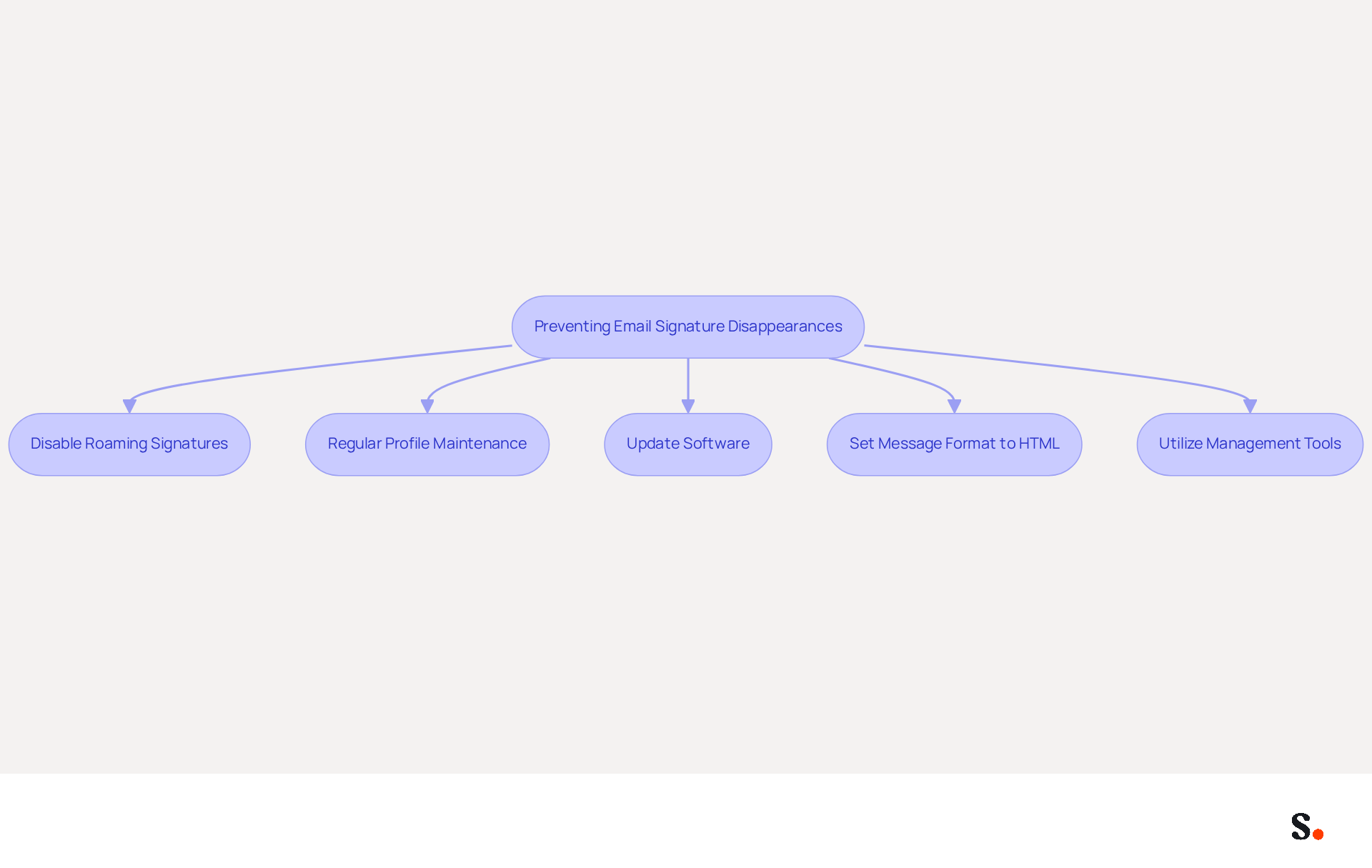
To ensure email signatures remain visible in Outlook, users must adopt proactive management strategies:
- Disable Roaming Signatures: If users are asking why does my email signature keep disappearing in Outlook, turning off the roaming signatures feature may help. Users can adjust their email application settings to store personal identifiers locally, which enhances stability.
- Regular Profile Maintenance: Users should regularly check and maintain their Outlook profiles. This involves creating backups and, if needed, recreating profiles to resolve corruption issues that may impact stability. Neglecting profile maintenance can lead to significant disruptions in email signature visibility, prompting the question of why does my email signature keep disappearing in Outlook, so regular upkeep is crucial.
- Update Software: Keeping the application updated is crucial for ensuring that individuals benefit from the latest bug fixes and enhancements. Regular updates often include critical bug fixes and enhancements that directly improve user experience. Recent updates to the email client have included enhanced spam filters and AI-powered tools for prioritizing important messages, which can also improve overall functionality.
- To address why does my email signature keep disappearing in Outlook, users should ensure that their message format is set to HTML, as this is the most compatible format for displaying signatures. This can be adjusted in the Outlook settings under the Mail category.
- Utilize Management Tools: Businesses can greatly simplify their email management by using automated tools like Scribe. Scribe's automated synchronization ensures that any changes in your connected source are automatically reflected in your branding, maintaining brand consistency effortlessly. With Scribe, marketing teams can manage their messaging signatures independently after the initial IT setup, allowing for flexible workspace management across multiple clients and brands. Furthermore, Scribe's SOC 2 Type II compliance guarantees the safety of your data, while its commitment to exceptional customer support ensures that individuals can talk to a human for assistance, not just robots.
By implementing these solutions, users can improve their communication management and maintain a professional appearance in their interactions. As the volume of daily emails continues to rise, the importance of effective signature management cannot be overstated. Regular backups and a systematic method for managing signatures are essential for maintaining brand integrity and ensuring current contact information.
Leverage Automation for Consistent Email Signature Management
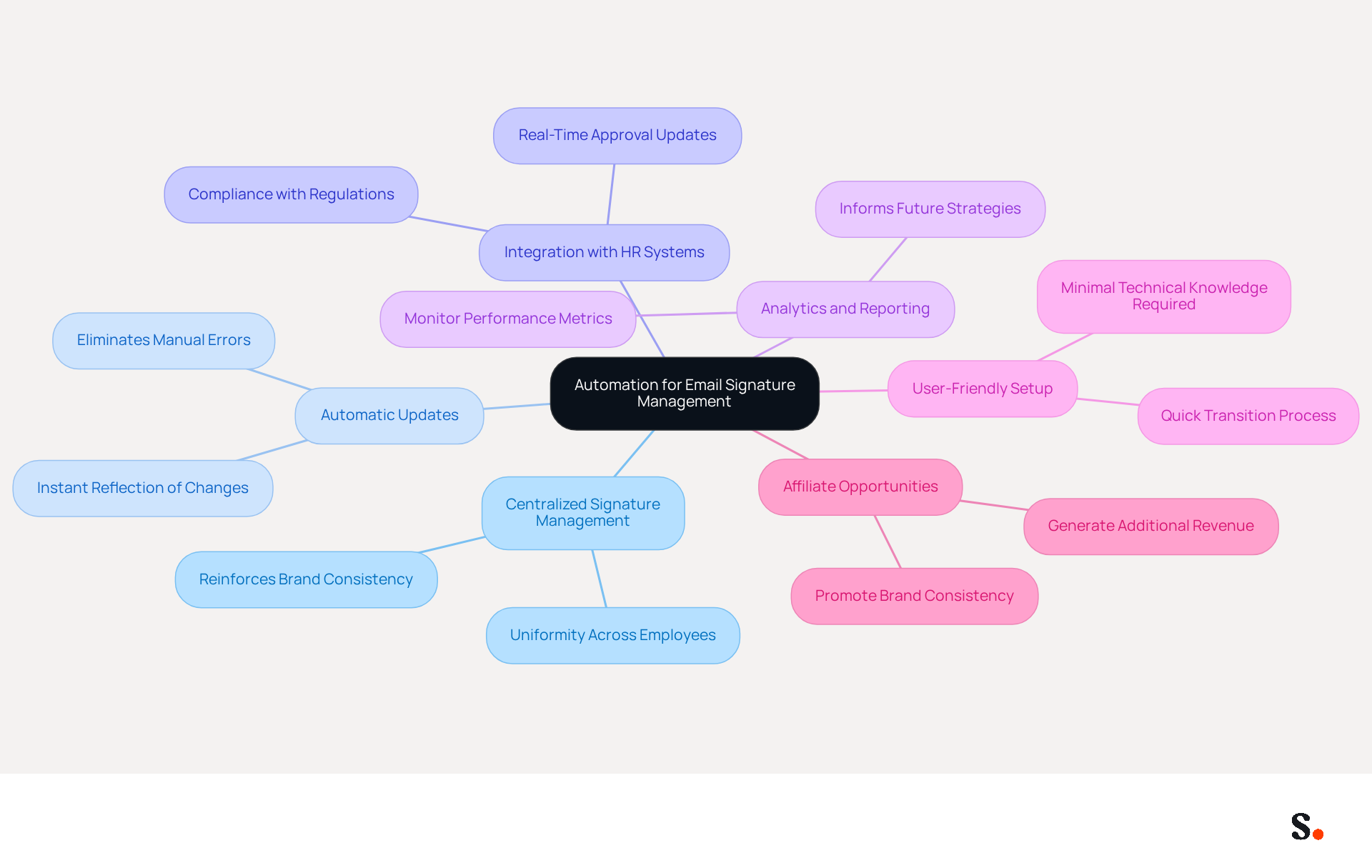
Effective management of business communication identifiers is crucial for maintaining professionalism and brand consistency. Automation plays a vital role in this process. Here are several effective ways to leverage automation:
- Centralized Signature Management: Platforms like Scribe enable organizations to create and manage email identifiers from a single interface. This centralization ensures that all employees use the same format for their names, reinforcing brand consistency across all communications.
- Automatic Updates: Automated systems can instantly refresh identifiers to reflect changes in branding, contact information, or marketing campaigns. This eliminates the need for manual updates, which often lead to inconsistencies, risking the professionalism of communications.
- Integration with HR Systems: By connecting with HR and identity management systems, automated tools ensure that approvals are updated whenever there are personnel changes. This integration improves consistency and ensures that all approvals are current and compliant with regulations such as GDPR and CCPA.
- Analytics and Reporting: Many automation tools include analytics features that enable businesses to monitor the performance of their messaging assets as marketing tools. This data can inform future marketing strategies and improve engagement rates, with messages featuring branded identifiers receiving a 22% higher response rate than those lacking them.
- User-Friendly Setup: Automated solutions typically require minimal technical knowledge, making it easy for businesses of all sizes to implement effective management of their electronic correspondence without overwhelming their teams. Transitioning to automated messaging typically takes less than an hour, making it a quick and effective solution for businesses.
- Affiliate Opportunities: Joining Scribe's Affiliate Program allows marketing managers to promote brand consistency in digital communications. Additionally, it provides a new revenue stream. Affiliates earn a 50% commission on subscriptions referred through their unique links, along with a $30 credit for new customers. This dual benefit enhances the marketing potential of every message sent.
By utilizing automation, businesses can optimize their signature management processes while ensuring compliance with industry standards. Ultimately, embracing automation not only streamlines processes but also elevates the impact of every email sent, reinforcing brand identity in every interaction.
Conclusion
The disappearance of email signatures in Outlook poses significant challenges for maintaining professionalism and brand consistency in communications. Various factors contribute to this issue, including:
- Roaming signatures
- Profile corruption
- Sync problems
- Permission settings
- Message format discrepancies
Users often struggle with maintaining their email signatures due to these technical issues. By addressing these common causes, users can effectively troubleshoot and restore their email signatures, ensuring a seamless communication experience.
Key insights discussed include the importance of:
- Regular profile maintenance
- Keeping software updated
- Utilizing automated tools like Scribe for efficient email signature management
Scribe not only simplifies the process but also ensures compliance with security standards such as SOC 2 Type II, GDPR, and CCPA. By leveraging automation, organizations can maintain brand consistency and enhance their marketing efforts, as evidenced by the significant impact of branded signatures on engagement rates.
In a world where effective communication is paramount, taking proactive steps to manage email signatures is crucial. Embracing automation and utilizing tools like Scribe can streamline the process, allowing marketing teams to maintain control over their branding while ensuring that every email sent reflects their professional image. Prioritizing email signature management not only enhances brand integrity but also strengthens relationships with clients and stakeholders.
Frequently Asked Questions
What are the common causes of disappearing email signatures in Outlook?
The common causes include Roaming Signatures, Profile Corruption, Sync Issues, Permission Settings, and Message Format.
What are Roaming Signatures in Outlook?
Roaming Signatures is a feature that stores personalized messages in the cloud, offering flexibility. However, if not set up correctly, it can lead to inconsistencies and cause signatures to disappear unexpectedly.
How can Profile Corruption affect email signatures?
A corrupted Outlook profile can disrupt the normal functioning of email templates, leading to signatures vanishing, especially after system updates or when switching between devices.
What are Sync Issues and how do they impact email signatures?
Sync Issues are temporary glitches that can occur when using multiple devices or accounts, preventing signatures from loading properly and resulting in their disappearance.
How do Permission Settings affect email signatures in Outlook?
Permission issues within the folder can hinder the saving or displaying of signatures. Ensuring that Outlook has the necessary write access is crucial for proper functionality.
How does Message Format influence the visibility of email signatures?
The structure of the message, whether HTML or plain text, can affect signature visibility. Signatures created in HTML may not display correctly if the message is sent in a different format.
What steps can be taken to restore disappearing email signatures?
Keeping a detailed record of signing configurations and performing regular backups can streamline the restoration process and ensure consistency and security.
How does Scribe help mitigate issues with disappearing email signatures?
Scribe's integration with Google Workspace helps ensure that changes are automatically reflected, keeping signatures consistent and up-to-date, while also adhering to compliance standards like SOC 2 Type II, GDPR, and CCPA.
List of Sources
- Identify Common Causes of Disappearing Email Signatures in Outlook
- Email Signatures vanishing - New Outlook | Microsoft Community Hub (https://techcommunity.microsoft.com/discussions/outlookgeneral/email-signatures-vanishing---new-outlook/4418809)
- Outlook Signature Disappears? 6 Common Problems + Fixes (https://conbool.com/blog/outlook-signature-disappears-fixes-problems)
- learn.microsoft.com (https://learn.microsoft.com/en-us/answers/questions/4755397/email-signatures-disappeared)
- Outlook Roaming Signatures Coming But Issues Exist (https://office365itpros.com/2022/07/21/outlook-roaming-signatures-issue)
- Fix Outlook Signature Disappears: 4 Steps to Restore Yours (https://scribe-mail.com/en-US/blog/fix-outlook-signature-disappears-4-steps-to-restore-yours)
- Examine Technical Factors Affecting Email Signature Stability
- 40+ Email Signature Statistics for 2026 (Data + Insights) (https://wavecnct.com/blogs/email-signature-statistics)
- Outlook Signature Disappears? 6 Common Problems + Fixes (https://conbool.com/blog/outlook-signature-disappears-fixes-problems)
- Is outlook planning on fixing the email signature issue yet? - Microsoft Q&A (https://learn.microsoft.com/en-us/answers/questions/4707534/is-outlook-planning-on-fixing-the-email-signature)
- techzine.eu (https://techzine.eu/news/applications/131859/outlook-removes-signatures-after-update-heres-the-solution)
- Email Signatures vanishing - New Outlook | Microsoft Community Hub (https://techcommunity.microsoft.com/discussions/outlookgeneral/email-signatures-vanishing---new-outlook/4418809)
- Implement Solutions to Prevent Email Signature Disappearances
- Email Signatures vanishing - New Outlook | Microsoft Community Hub (https://techcommunity.microsoft.com/discussions/outlookgeneral/email-signatures-vanishing---new-outlook/4418809)
- IT Admins Can Now Disable Roaming Signatures in Outlook on the Web (https://petri.com/microsoft-disable-roaming-signatures-outlook)
- Outlook Statistics 2026: Users, Market Share, Security & M365 Seats (https://sqmagazine.co.uk/outlook-statistics)
- Outlook Statistics For 2026: Key Trends Shaping the Future (https://clean.email/blog/email-providers/outlook-statistics)
- Fix Outlook Signature Disappears: 4 Steps to Restore Yours (https://scribe-mail.com/en-US/blog/fix-outlook-signature-disappears-4-steps-to-restore-yours)
- Leverage Automation for Consistent Email Signature Management
- Why you should be using an email signature manager (https://blinq.me/blog/why-you-should-be-using-an-email-signature-manager)
- MSP Guide to Choosing the Right Email Signature Management Solution (https://channelpronetwork.com/2025/09/21/email-signature-management-msp-guide)
- Automating Email Signatures: How IT Teams Streamline Processes & Reduce Risk (https://exclaimer.com/blog/streamlining-it-processes-automated-email-signatures)
- Master Automatic Email Signatures: Boost Branding and Efficiency (https://scribe-mail.com/en-US/blog/master-automatic-email-signatures-boost-branding-and-efficiency)
- Company-Wide Email Signature Management | CloudM (https://cloudm.io/blog/optimize-your-process-with-company-wide-email-signature-management)
Get started with Scribe
Create your signature in minutes
Free 14-day trial — no credit card.