Why Is My Email Signature Double Spaced? Common Causes Explained
Double spacing in email signatures can undermine professionalism, yet many individuals and organizations struggle with this formatting challenge. This
Sophie Grant
Email Signature Specialist, Scribe
On this page
Introduction
Double spacing in email signatures can undermine professionalism, yet many individuals and organizations struggle with this formatting challenge. This discussion will explore the common causes of double spacing in email signatures and provide practical solutions to help users achieve a polished and consistent appearance across various email clients. By addressing these formatting challenges, users can significantly enhance their professional image and communication effectiveness.
Identify Common Formatting Errors Causing Double Spacing
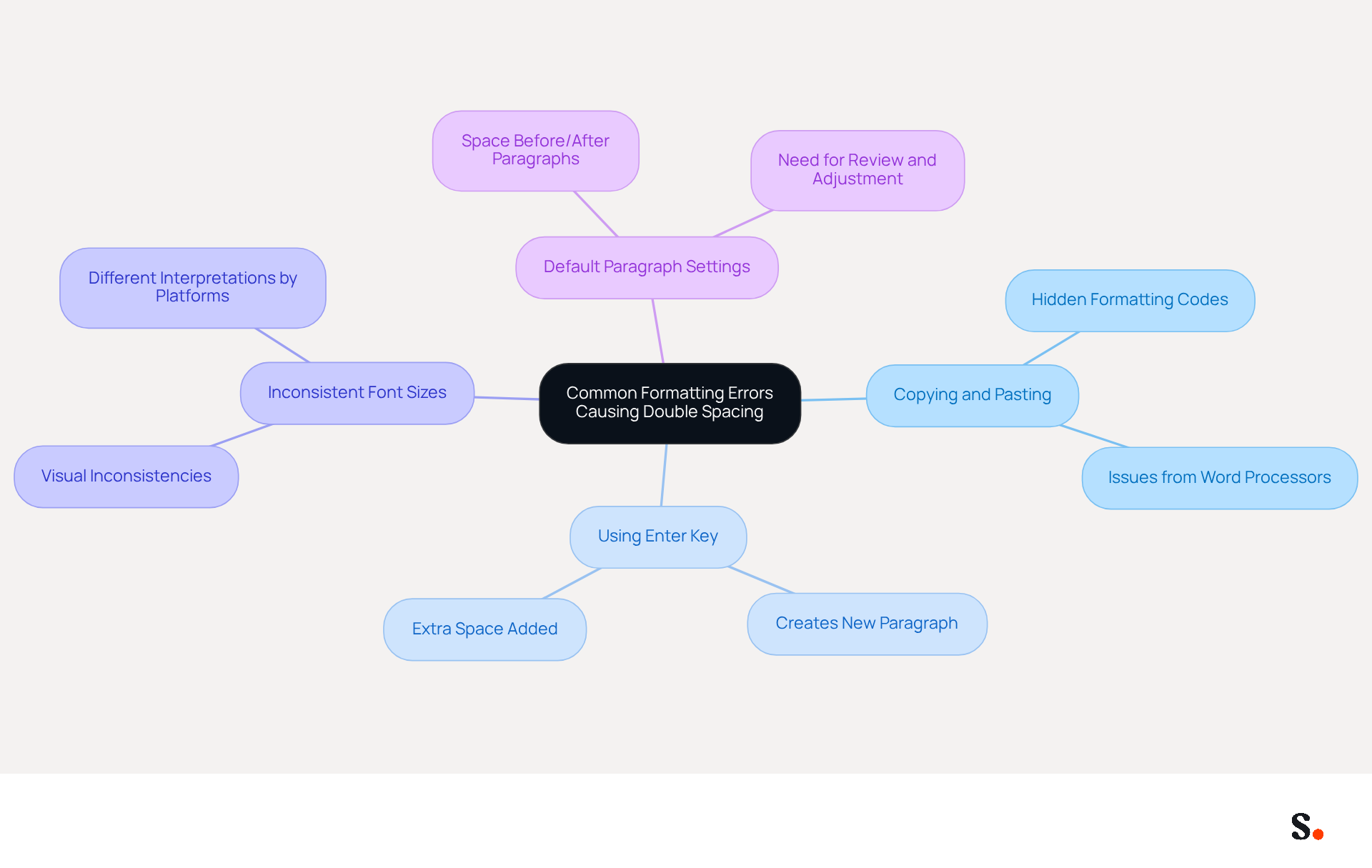
Common layout mistakes can lead to double line formatting in communications, prompting the question of why is my email signature double spaced, which undermines the professionalism of your messages. Key issues include:
- Copying and Pasting from Word Processors: Transferring text from applications like Microsoft Word can inadvertently carry hidden formatting codes, resulting in unexpected layout issues in signatures.
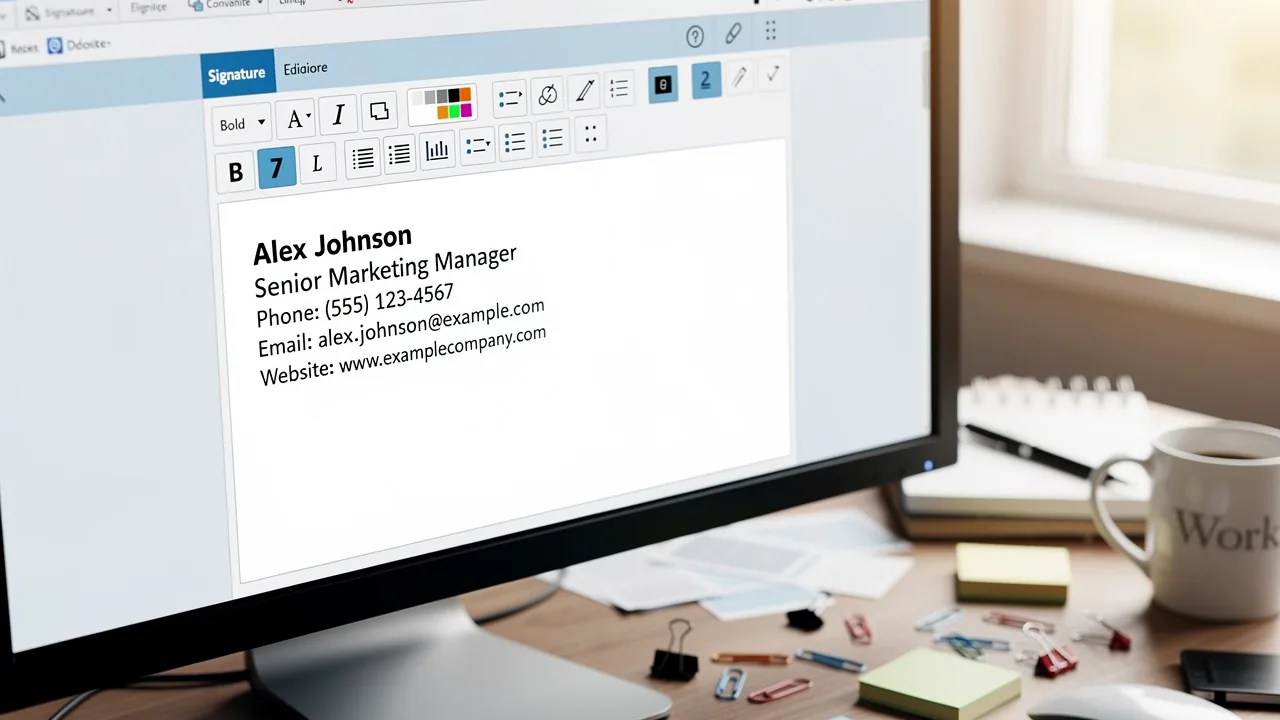
- Using the Enter Key Instead of Shift + Enter: Pressing the Enter key creates a new paragraph, adding extra space. To prevent this, using Shift + Enter enables a line break without extra gaps, maintaining a cleaner appearance.
- Inconsistent Font Sizes and Styles: Mixing various font sizes or styles can result in uneven spacing, as different platforms may interpret these discrepancies uniquely, leading to visual inconsistencies.
- Default Paragraph Settings: Many messaging clients come with default settings that add space before or after paragraphs. It is crucial for users to review and adjust these settings to maintain consistency in their email signatures.
Identifying these mistakes is essential for understanding why is my email signature double spaced. Statistics show that 42% of consumers have a negative perception of businesses without a branded identity, highlighting the significance of upholding a professional appearance. Moreover, a market research report indicates that 64-70% of participants believe a professional branded email footer enhances trust and credibility. By correcting these formatting errors and utilizing Scribe's features, businesses can significantly improve their email communication's professionalism. Syncing your Google Workspace with Scribe can greatly enhance management of messaging identifiers. By automatically refreshing your teammates' details, such as job roles or group modifications, you save time and ensure that your contact information is always up-to-date and professional. This integration enables auto-filling of identification details using Scribe's attribute feature, enhancing the overall effectiveness of your communications.
Examine Email Client Settings That Affect Signature Spacing
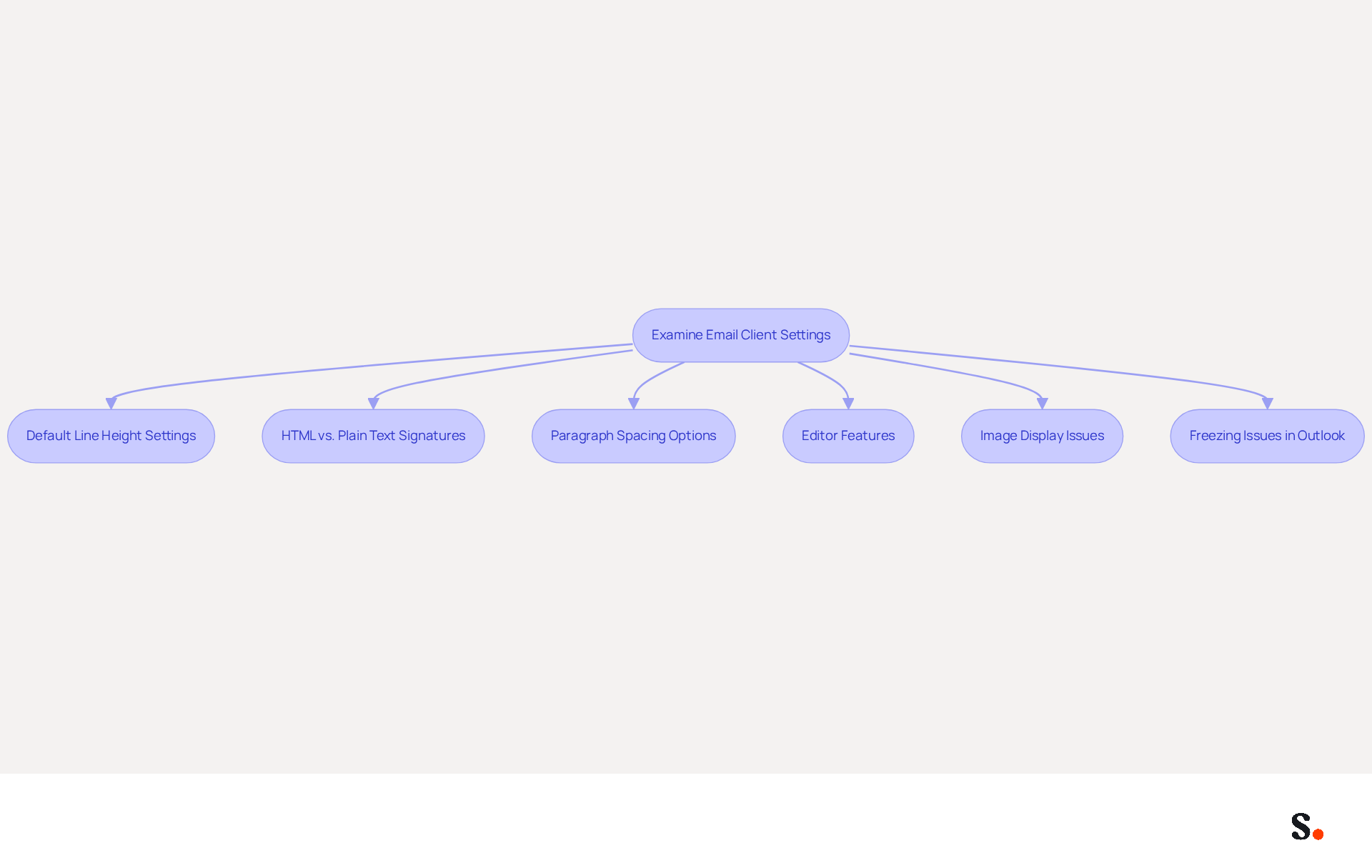
Email applications significantly influence the presentation of sign-offs, making it essential to understand key settings:
- Default Line Height Settings: Many email clients, such as Outlook and Gmail, have default line height configurations that may add extra space. Users need to access their settings to adjust these parameters. For instance, utilizing the Shift + Enter key combination can assist in achieving single line formatting, a technique that has proven effective for many users.
- HTML vs. Plain Text Signatures: Some users may remove HTML formatting, reverting signatures to plain text, which can result in unexpected gaps. Users should ensure they are utilizing the correct format for their messaging application.
- Paragraph Spacing Options: Check for options that specify spacing before and after paragraphs. Adjusting these settings can eliminate unwanted gaps.
- Editor Features: Some messaging clients provide tools for creating personalized identifiers with particular formatting options. Familiarizing oneself with these tools can assist users in creating more consistent marks.
- Image Display Issues: Users should be aware that images in email footers may not display correctly due to server settings or the use of linked images. It is advisable to use embedded graphics to ensure visibility.
- Freezing Issues in Outlook: This can disrupt workflow and lead to frustration when modifying email identifiers in Outlook. Being mindful of problematic markings or large images can help mitigate such issues.
Understanding these settings allows users to control their signature appearance and helps answer the question of why is my email signature double spaced. Furthermore, research has indicated that recreating identifiers from scratch can resolve ongoing formatting issues, ensuring that the desired appearance is preserved across various messaging platforms. Mastering these settings not only improves appearance but also enhances overall communication effectiveness.
Analyze Design Choices That Contribute to Inconsistent Spacing
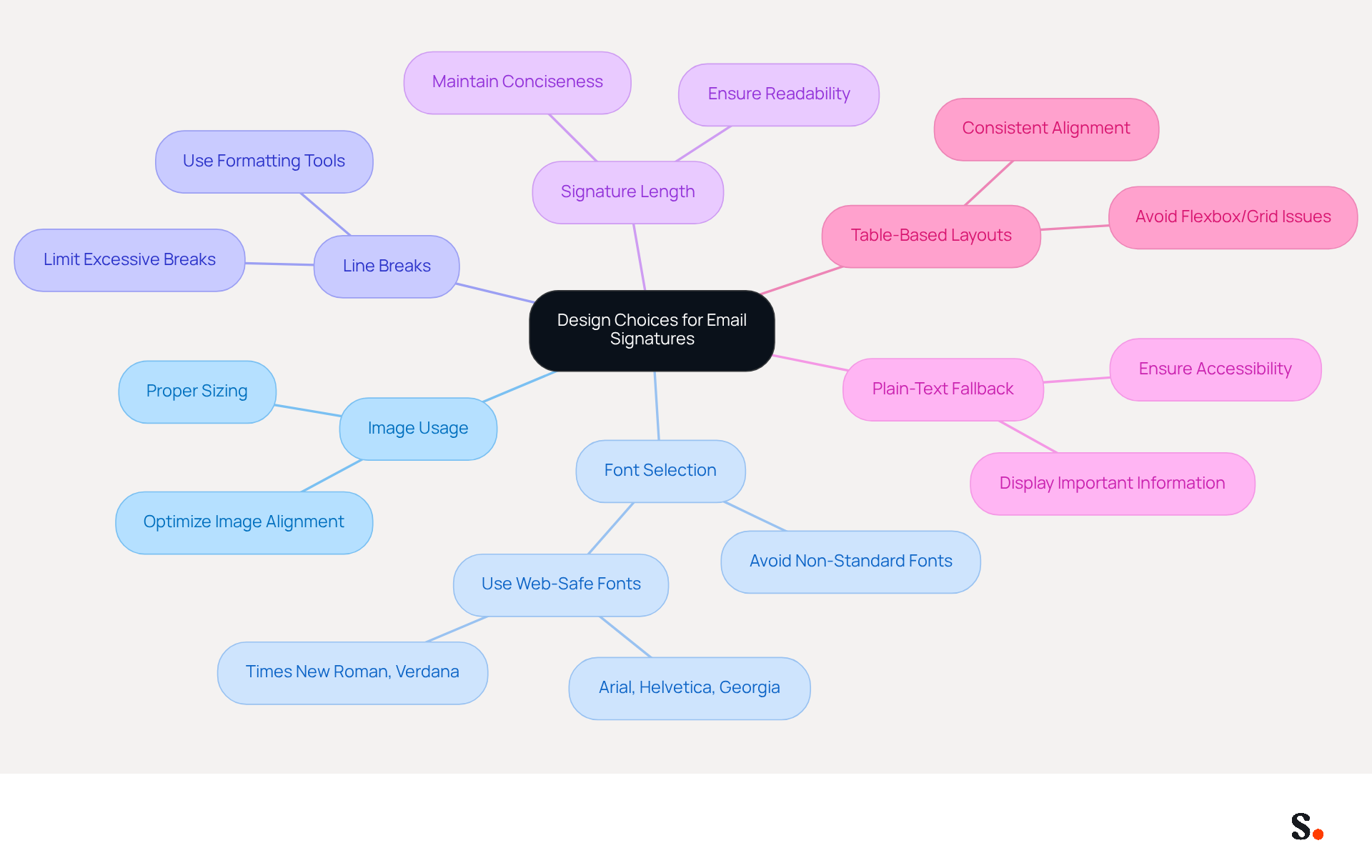
Design choices play a crucial role in how signatures are perceived and function in professional communication. Here are key factors that can contribute to double spacing issues:
- Image Usage: Images can disrupt text flow if not properly aligned or sized. Optimizing images for messages is essential to prevent formatting complications.
- Font Selection: Non-standard fonts may render inconsistently across various email clients. Utilizing web-safe fonts ensures a uniform appearance.
- Line Breaks: Excessive use of line breaks for separation can result in unintended gaps. Instead, leverage formatting tools for precise spacing adjustments.
- Signature Length: Longer signatures necessitate careful formatting. Maintaining conciseness and structure is vital for ensuring optimal readability.
- Plain-Text Fallback: Implementing a plain-text alternative for your correspondence ensures accessibility across all messaging platforms, allowing important information to be displayed even if HTML is not supported.
- Table-Based Layouts: Utilizing table-based layouts can yield more consistent outcomes than flexbox or grid, assisting in maintaining alignment across various messaging platforms.
By carefully considering these design aspects, users can create professional-looking signatures that function seamlessly across various messaging platforms. Thorough testing of signatures in real messages is crucial, especially in Outlook, where rendering issues can compromise professionalism. A well-crafted signature that accommodates slight variations can enhance user satisfaction and maintain brand consistency. Furthermore, to address additional line height problems that may arise when responding to messages, it is recommended to set a Line Height value that is 2pts greater than the Font Size. Ultimately, neglecting these design elements can undermine the effectiveness of your email communication.
Implement Solutions to Correct Double Spacing in Signatures
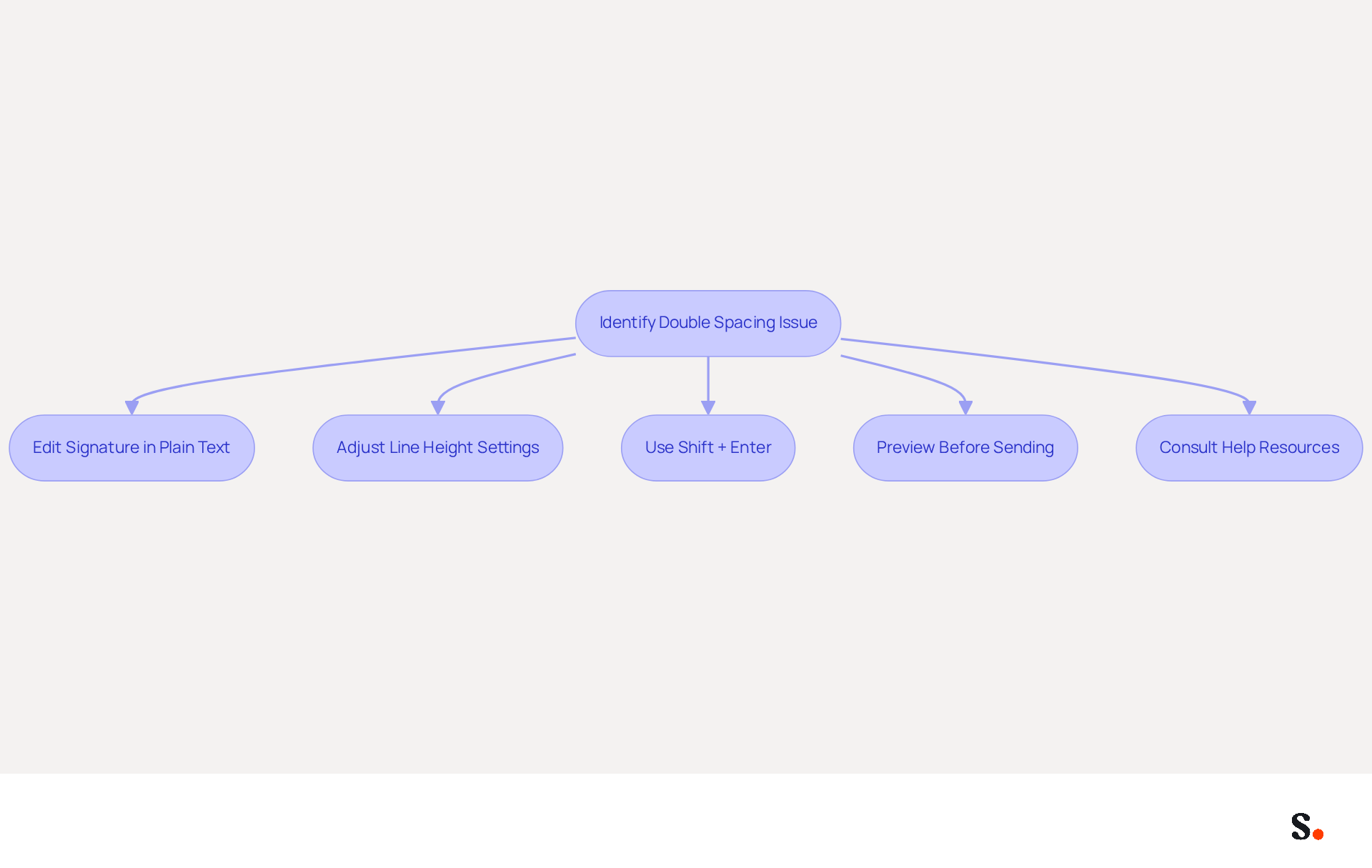
Double spacing in email signatures can undermine professionalism, but effective solutions exist to address this issue:
- Edit Signature in Plain Text: Independent advisor Jhun Buala recommends using TextEdit on Mac to make your signature plain text. Simply open TextEdit, select Format, and choose Make Plain Text. Then, retype or paste your signature there before copying it back into your email settings for a clean slate.
- Adjust Line Height Settings: Access your email client’s configuration options and confirm that line height is set to single. It’s also advisable to set a Line Height value that is 2pts larger than the Font size to maintain a compact appearance. Be sure to remove any additional spacing before or after paragraphs.
- Use Shift + Enter: When creating line breaks, utilize Shift + Enter instead of just Enter. This method prevents the addition of extra space between lines, resulting in a more streamlined appearance. Buala observes that using Shift + Enter leads to a more compact and professional look.
- Preview Before Sending: Always send a test message to yourself to check how the signature appears across different platforms. This practice helps identify any lingering formatting issues that may need correction. Case studies show that effectively managing double line formatting can significantly improve readability and professionalism in emails.
- Consult Help Resources: Users often encounter persistent formatting challenges that can hinder their email signature's effectiveness. In such cases, referring to help resources or forums specific to your messaging client can provide valuable troubleshooting tips.
By implementing these strategies, users can understand why is my email signature double spaced and eliminate it, leading to a polished presentation that boosts brand image. Ultimately, a well-formatted email signature not only reflects professionalism but also strengthens brand identity.
Conclusion
Double spacing in email signatures can undermine a professional image, making it essential to understand its causes. This article has explored various common causes, including improper formatting from word processors, incorrect use of line breaks, and inconsistent font settings. By addressing these issues, users can ensure their email signatures reflect the professionalism and brand consistency that are vital in today’s business environment.
Key insights discussed include the importance of adjusting email client settings, recognizing design choices that impact spacing, and implementing practical solutions to correct formatting errors. Utilizing tools like Scribe can streamline the management of email signatures, allowing marketing teams to maintain control over their branding while ensuring that signatures are consistently formatted across all communications.
A well-crafted email signature can truly elevate how messages are perceived and strengthen brand identity. By addressing double spacing and other formatting issues, organizations can significantly improve their communication effectiveness and foster trust with their audience. Embracing best practices in email signature design is not just about aesthetics; it is a strategic move that can lead to better engagement and a stronger professional presence.
Frequently Asked Questions
What common formatting errors can cause double spacing in email signatures?
Common formatting errors include copying and pasting from word processors, using the Enter key instead of Shift + Enter, inconsistent font sizes and styles, and default paragraph settings in messaging clients.
How does copying and pasting from word processors affect email signatures?
Copying and pasting text from applications like Microsoft Word can carry hidden formatting codes that lead to unexpected layout issues, including double spacing in email signatures.
What is the difference between using the Enter key and Shift + Enter?
Pressing the Enter key creates a new paragraph, which adds extra space, while using Shift + Enter allows for a line break without extra gaps, maintaining a cleaner appearance.
Why is it important to maintain consistent font sizes and styles in email signatures?
Mixing various font sizes or styles can result in uneven spacing, as different platforms may interpret these discrepancies uniquely, leading to visual inconsistencies in email signatures.
How can default paragraph settings in messaging clients affect email signatures?
Many messaging clients have default settings that add space before or after paragraphs, which can lead to double spacing. Users should review and adjust these settings for consistency.
Why is it significant to have a professional email signature?
Statistics show that 42% of consumers have a negative perception of businesses without a branded identity, and 64-70% believe a professional branded email footer enhances trust and credibility.
How can Scribe help improve email communication?
Scribe can enhance email communication by syncing with Google Workspace, automatically refreshing teammates' details, and enabling auto-filling of identification details, ensuring contact information is always up-to-date and professional.
List of Sources
- Identify Common Formatting Errors Causing Double Spacing
- How to solve problems with email signatures in Microsoft 365? (https://mail-signatures.com/articles/problems-email-signatures-office-365)
- 40+ Email Signature Statistics for 2026 (Data + Insights) (https://wavecnct.com/blogs/email-signature-statistics)
- Signature Double Spacing in Outlook 365 - Business Applications (https://bleepingcomputer.com/forums/t/775837/signature-double-spacing-in-outlook-365)
- How to Adjust Line Spacing in Your Simple Email Signature | Tern App (https://help.tern.travel/en/articles/9580424-how-to-adjust-line-spacing-in-your-simple-email-signature)
- Examine Email Client Settings That Affect Signature Spacing
- How to solve problems with email signatures in Microsoft 365? (https://mail-signatures.com/articles/problems-email-signatures-office-365)
- Signature Double Spacing in Outlook 365 - Business Applications (https://bleepingcomputer.com/forums/t/775837/signature-double-spacing-in-outlook-365)
- How to Adjust Line Spacing in Your Simple Email Signature | Tern App (https://help.tern.travel/en/articles/9580424-how-to-adjust-line-spacing-in-your-simple-email-signature)
- Outlook signature has changed spacing - Microsoft Q&A (https://learn.microsoft.com/en-us/answers/questions/5784324/outlook-signature-has-changed-spacing)
- Analyze Design Choices That Contribute to Inconsistent Spacing
- Why are extra line spaces appearing in my email signature? (https://support.exclaimer.com/hc/en-gb/articles/4527792081181-Why-are-extra-line-spaces-appearing-in-my-email-signature)
- Email signature alignment: How to fix it and get it right across clients — Stripo.email (https://stripo.email/blog/email-signature-alignment-how-to-fix-it-and-get-it-right-across-clients)
- Avoid These Two Insurmountable Email Signature Design Mistakes | Dynasend Docs (https://docs.dynasend.com/blog/2024/03/27/avoid-these-two-insurmountable-email-signature-design-mistakes)
- How to Adjust Line Spacing in Your Simple Email Signature | Tern App (https://help.tern.travel/en/articles/9580424-how-to-adjust-line-spacing-in-your-simple-email-signature)
- Implement Solutions to Correct Double Spacing in Signatures
- How to stop double spacing in emails and email signatures in Outlook on Mac? - Microsoft Q&A (https://learn.microsoft.com/en-us/answers/questions/5863764/how-to-stop-double-spacing-in-emails-and-email-sig)
- How Do I Remove Double Spacing From Signature In Email? (https://macmost.com/forum-how-do-i-remove-double-spacing-from-signature-in-email.html)
- How to Adjust Line Spacing in Your Simple Email Signature | Tern App (https://help.tern.travel/en/articles/9580424-how-to-adjust-line-spacing-in-your-simple-email-signature)
- Why are extra line spaces appearing in my email signature? (https://support.exclaimer.com/hc/en-gb/articles/4527792081181-Why-are-extra-line-spaces-appearing-in-my-email-signature)
Get started with Scribe
See why teams switch to Scribe
Free 14-day trial — no credit card.