Email Signatures for Financial Services: FINRA, SEC and NMLS Disclosure Requirements (2026)
Which FINRA, SEC, CFPB, FDIC and NCUA rules apply to email signatures at broker-dealers, RIAs, mortgage lenders, banks and credit unions, with templates per firm type, per-person license fields, archiving checks and a compliance workflow for banners.
Sophie Grant
Email Signature Specialist, Scribe
On this page
- Which rules apply to a financial services email signature?
- What should a compliant financial services signature contain?
- Signature and disclosure templates by firm type
- Broker-dealer registered representative
- Dually registered representative (broker-dealer and RIA)
- Registered investment adviser
- Mortgage loan originator
- Bank
- Credit union
- Institutional-only communications
- How do you fill license numbers for every person automatically?
- How do you enforce the signature on every device?
- Does the signature appear in the archived copy?
- How do you run signature banners that compliance can approve?
- How do you prove every advisor's signature is compliant?
- Where does Scribe fit for financial firms?
- Frequently asked questions
- Does FINRA require a specific email signature?
- Is a signature banner a retail communication under FINRA Rule 2210?
- Do loan officers have to put their NMLS ID in their email signature?
- Does a bank email signature need "Member FDIC"?
- Can an RIA's email signature be an advertisement under the SEC Marketing Rule?
- Does a server-side signature show up in our email archive?
- Does a signature tool solve off-channel communication risk?
- How do we show license numbers only for the people who hold them?
- Related Handbook guides
TL;DR: No US regulator publishes a single "email signature rule" for financial firms. The obligations come from rules about communications: FINRA Rule 2210 requires broker-dealers to name the member firm in all correspondence and retail communications, the SEC Marketing Rule can turn a promotional banner into an adviser advertisement, Regulation Z puts NMLS IDs on mortgage loan documents, and FDIC and NCUA rules require their official statements in advertisements. Put the fixed disclosures in a centrally managed template, fill each person's license numbers from a synced field, make sure the archived copy shows what the client received, and send every banner through the same review as any other marketing piece.
Last reviewed: October 2026. Covers broker-dealers, registered investment advisers, mortgage lenders and loan originators, banks and credit unions in the United States.
This is general information, not legal advice. Requirements depend on your registrations, your state licenses and the content of each message; confirm what applies to your firm with your chief compliance officer or counsel. Every requirement below links to the rule text it comes from.
This guide is for the IT, marketing operations and compliance teams who run email signatures at broker-dealers, RIAs, mortgage lenders, banks and credit unions. It covers which rules actually touch a signature, a template for each firm type, how to fill per-person license numbers without manual entry, how to enforce the signature on every device, what happens to the archived copy, and how to run banner campaigns that compliance can approve. For disclaimer wording across other industries and countries, see the Handbook guide to email disclaimers by country and industry.
Which rules apply to a financial services email signature?
A signature is part of the message, so it inherits whatever rules govern the message. In practice five sets of rules matter, and each one is narrower than firms often assume.
| Firm type | Rule | What it means for the signature |
|---|---|---|
| Broker-dealer (FINRA member) | FINRA Rule 2210(d)(3) | All retail communications and correspondence must prominently disclose the member firm's name, or the name on its Form BD. The signature is the natural place for it. |
| Broker-dealer | FINRA Rule 3110(b)(4) and SEC Rule 17a-4(b)(4) | Outgoing correspondence must be reviewed under the firm's supervisory procedures and retained for at least three years. The signature doesn't satisfy either, but your signature tool must not interfere with them. |
| Registered investment adviser | SEC Marketing Rule 206(4)-1 and Rule 204-2 | A communication to more than one person that offers advisory services is an advertisement. A banner promoting your services can qualify. Written communications about advice and copies of advertisements are kept for five years. |
| Mortgage lender or loan originator | Regulation Z, 12 CFR 1026.36(g) | The organization's and the individual originator's names and NMLSR IDs must appear on the credit application, the note and the security instrument. Email isn't on that list, but many state regulators extend NMLS display to advertising, so most lenders put the ID in every loan officer's signature. |
| FDIC-insured bank | 12 CFR 328.6 and 12 CFR 338.3 | Advertisements must carry the official advertising statement ("Member FDIC"). Stationery is exempt except when used for circular letters. Residential lending ads also need the Equal Housing Lender logotype or legend. |
| Federally insured credit union | 12 CFR 740.5 and 12 CFR 701.31(d) | All advertisements must include the official advertising statement, for example "Federally insured by NCUA". Residential lending ads need the Equal Housing Lender notice. |
Three distinctions decide how strict you need to be.
- Correspondence vs retail communication. FINRA defines correspondence as a written communication sent to 25 or fewer retail investors within any 30-calendar-day period, and a retail communication as one sent to more than 25 (Rule 2210(a)). A one-to-one email from a registered rep is correspondence. A banner that rides on every email the sales team sends reaches far more than 25 retail investors a month, which is why many firms treat signature banners as retail communications. That matters because each retail communication must be approved by a registered principal before use (Rule 2210(b)(1)(A)).
- Plain signature vs advertisement. For banks, FDIC rules exempt stationery from the "Member FDIC" requirement unless it is used for circular letters (328.6(d)(2)). A name, title and phone number is closer to stationery. A banner that promotes a deposit product is closer to an advertisement. Your compliance team makes that call, and the safe default is to add the statement to any signature that carries promotional content.
- Website vs email. FINRA's BrokerCheck reference and hyperlink requirement applies to member websites, specifically the initial page for retail investors and any page with a professional profile of registered persons (Rule 2210(d)(8)). It doesn't apply to email. A BrokerCheck link in the signature is a reasonable choice, not a requirement.
Two things are not signature problems at all. A confidentiality notice in the footer doesn't create a legal duty for the recipient, and it doesn't replace encryption for customer data. Record retention is satisfied by your archive, not by any wording in the email.
Get started with Scribe
Roll out signatures to your whole organization
Free 14-day trial — no credit card.
What should a compliant financial services signature contain?
Split the signature into three layers, because each layer has a different owner and changes at a different rate.
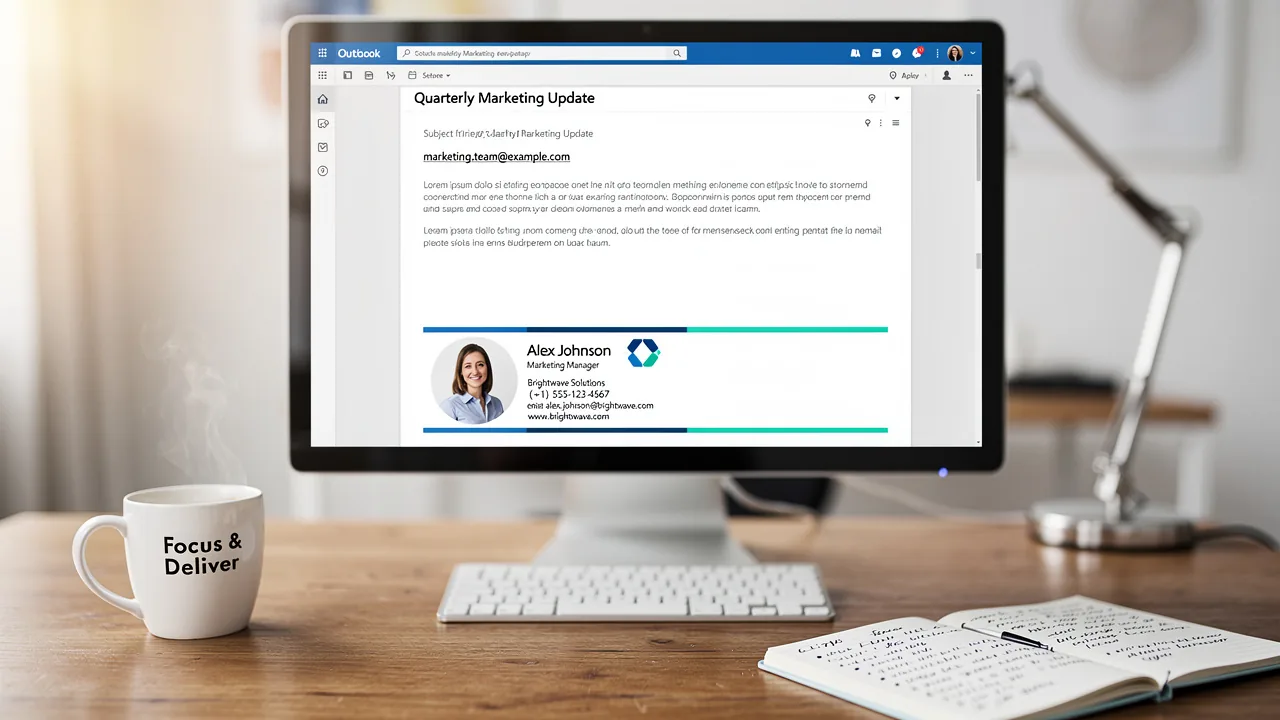
- Identity block, per person. Name, title, office address, direct phone. Filled from your directory so it's correct on day one and changes when HR or IT changes the record.
- Registration block, per person. CRD number if your firm shows it, the individual NMLS ID for loan originators, state insurance license numbers for agents, and any designation the person is permitted to use. These values belong to the individual, not the template.
- Firm disclosure block, per legal entity. The member firm name, "Member FINRA/SIPC" or "Member FDIC" where it applies, the dual-registrant statement, the company NMLS ID, Equal Housing Lender language for residential lenders, and a short confidentiality or "not an offer" notice. Compliance owns this block. Nobody else should be able to edit it.
Keep the firm disclosure block as live text, not an image. Text survives clients that block images, it can be read by screen readers, and an archive search for the firm name finds it. Keep it short: one or two sentences per obligation is enough, and a footer that runs longer than the message trains readers to ignore it.
Signature and disclosure templates by firm type
Replace everything in square brackets. Have compliance approve the final wording, because the right statement depends on your registrations and state licenses.
Broker-dealer registered representative
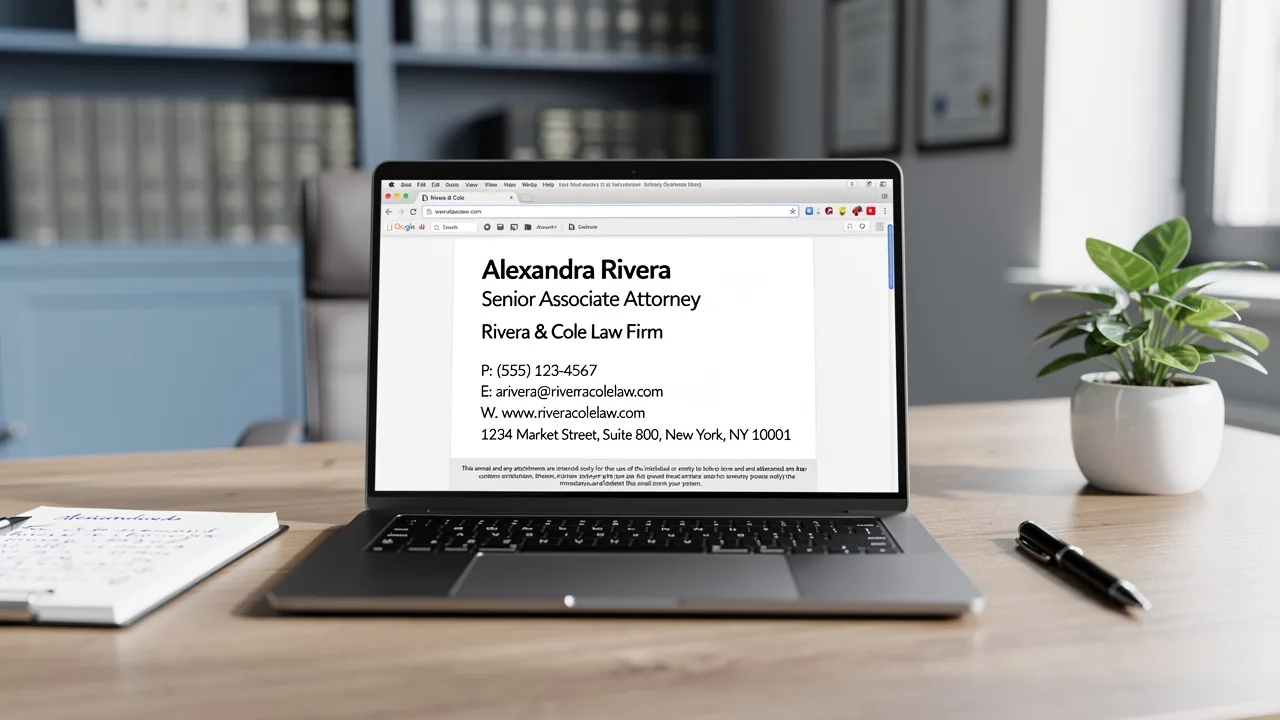
[First name] [Last name], [Title]
[Branch office address] | [Direct phone]
[Member firm name as on Form BD]

Securities offered through [Member firm name], Member FINRA/SIPC.
Check the background of this firm and our financial professionals on FINRA's BrokerCheck: https://brokercheck.finra.org
This message is for the named recipient. It is not an offer or solicitation to buy or sell any security.
Dually registered representative (broker-dealer and RIA)
[First name] [Last name], [Title]
[Office address] | [Direct phone]

Securities offered through [Broker-dealer name], Member FINRA/SIPC.
Advisory services offered through [RIA name], a registered investment adviser.
[Broker-dealer name] and [RIA name] are [affiliated / separate, unaffiliated entities].
Registered investment adviser
[First name] [Last name], [Title]
[Firm name] | [Office address] | [Direct phone]

[Firm name] is a registered investment adviser. Registration does not imply a certain level of skill or training.
This message is not a recommendation or an offer of advisory services in any jurisdiction where [Firm name] is not registered or exempt.
Mortgage loan originator
[First name] [Last name], [Title] | NMLS #[Individual NMLS ID]
[Company name] | NMLS #[Company NMLS ID] | [Branch address] | [Direct phone]

[Company name] is an Equal Housing Lender. [State license statements required by each state where the company is licensed]
Look up licensing at NMLS Consumer Access: https://www.nmlsconsumeraccess.org
Bank
[First name] [Last name], [Title]
[Bank name] | [Branch address] | [Direct phone]

Member FDIC. Equal Housing Lender.
[Bank name] will never ask for your password, PIN or one-time code by email.
Credit union
[First name] [Last name], [Title]
[Credit union name] | [Branch address] | [Direct phone]

Federally insured by NCUA. Equal Housing Lender.
Institutional-only communications
FINRA's advertising FAQ notes that firms can use legends warning institutional recipients that a communication is for institutional investor use only and should not be forwarded (FINRA advertising regulation FAQ). If an institutional desk sends research or product material, give that desk its own signature template carrying the legend, rather than adding it to everyone's signature.
For institutional investor use only. Not for distribution to retail investors.How do you fill license numbers for every person automatically?
Manual entry is where financial signatures break: a new loan officer emails a borrower before anyone adds their NMLS ID, or a rep moves to a new branch and the old address stays in the footer for months. Treat registration numbers as directory data.
- Store each number in one system. If your HRIS or Microsoft Entra ID already holds NMLS IDs or CRD numbers, map that field into the signature. Scribe Smart Fields sync from Entra ID, Google Workspace and HR platforms such as Workday, BambooHR, Rippling and HiBob, refreshing automatically and on demand (Scribe Smart Fields). For numbers that live nowhere else, create a manual Smart Field and fill it by CSV import or bulk edit. See the Handbook guides to Entra ID attributes and HRIS as the source of truth.
- Mark required fields as required. In Scribe, a Smart Field set to Required counts toward each teammate's completion, so people missing it show as incomplete (Scribe Smart Fields).
- Know what an empty field does. When a teammate has no value for a Smart Field, Scribe doesn't render the block connected to it and closes the layout around it (Scribe Smart Fields). That keeps signatures clean, but it also means a missing NMLS ID disappears silently instead of showing a blank. Put the NMLS line in a block of its own and audit for empty values weekly (see auditing below).
- Route state-specific disclosures with rules. Lenders and insurance agencies licensed in several states often need different statements per state. Create one template per disclosure set and assign it with a condition on a Smart Field, such as State equals CA. Scribe assigns signatures by Smart Field conditions, and can auto-assign a signature to every future teammate who matches, so a new hire licensed in California gets the California template without anyone touching it (Scribe signature assignment).
How do you enforce the signature on every device?
A disclosure that appears on desktop but not on the phone is a gap an examiner can find in minutes. There are two ways to close it, and regulated firms often run both.
- Client-side (add-in or API). The signature is inserted in the compose window in Outlook or Gmail, so the sender sees it and the copy in Sent Items contains it. Coverage depends on the app. Scribe's Microsoft 365 add-in covers Outlook on the web, desktop, iOS and Android. Its Google Workspace integration covers Gmail on the web and iOS, but not the Gmail Android app or Apple Mail (Scribe mobile support).
- Server-side (mail flow routing). Outbound mail passes through a signature relay that inserts the signature before delivery, so it appears whatever app or device sent the message. Scribe's finance documentation describes this as the way to apply disclaimers "even when an employee sends from an unsupported client or a personal device" (Scribe for finance). For the mechanics, connectors and DKIM re-signing, see client-side vs server-side signatures.
Be precise about what "personal device" means. Server-side routing covers a corporate mailbox used from a personal phone. It does not cover a personal Gmail account, WhatsApp or text messages. Those are off-channel communications, a records problem that no signature tool solves. Your policy and your archiving vendor handle that.
Does the signature appear in the archived copy?
This is the question compliance teams should ask before choosing a deployment model, because the answer differs.
- Client-side: the signature is part of the message before it's sent, so the Sent Items copy and any copy captured from the mailbox include it.
- Server-side: the signature is added after the message leaves the mailbox. Scribe documents that the copy saved in the sender's Sent Items folder is the version from before Scribe processed it, so it doesn't show the signature, while the recipient always receives the full signature (Scribe Microsoft 365 server-side, Google Workspace server-side).
Whether your archive holds the pre-signature or post-signature copy depends on where your archiving vendor captures mail (journaling, a mailbox connector, or an SMTP copy after the relay). Don't assume. Run this test before rollout:
- Send a test message from a pilot mailbox to an external address you control.
- Pull the same message from your archive (Smarsh, Global Relay, Mimecast, Microsoft Purview or similar).
- Compare the two. If the disclosures are in the delivered copy but not the archived one, either capture after the relay, or run the client-side add-in for the users whose archive must match what the client received.
Scribe's Microsoft 365 documentation notes that when both the add-in and server-side routing are connected, Scribe defaults to the add-in so people see their signature while writing, and server-side covers the clients the add-in can't reach (Scribe Microsoft 365 server-side). For most regulated firms that combination is the right default.
How do you run signature banners that compliance can approve?
Banners are the part of the signature most likely to be a regulated communication, because they promote something and they reach everyone. Build the review into the campaign process rather than relying on marketing to remember.
- Classify the banner. A webinar invite from a broker-dealer to retail clients is likely a retail communication needing principal approval before use. An RIA banner offering advisory services is likely an advertisement under the Marketing Rule. A bank banner promoting a deposit product is an advertisement that needs "Member FDIC". Decide this per campaign, with compliance.
- Review the exact artifact. Approve the banner as it will render, with the link destination. In Scribe, a campaign can be saved as a draft with a live preview of the banner in each targeted signature, then launched once approved (Scribe marketing campaigns).
- Limit who can launch. In Scribe, only Owners and Admins manage templates, campaigns and settings, and the Member role can only edit and install its own signature (Scribe members and roles). Keep the Admin list to the people compliance trusts.
- Schedule the window. Campaigns have a start and end date and time, and signatures revert automatically when they end, so an approved promotion can't outlive its approval (Scribe campaigns overview).
- Keep the record. Store the approved image, the link, the targeted teams and the dates with your advertising records. Scribe offers an audit log as a paid add-on, and its webhooks emit
campaign.started,campaign.endedandsignature.publishedevents you can write to append-only storage (Scribe plans, webhook events).
On Microsoft 365, Scribe supports reply and internal signature variants, and each variant has its own Activate Marketing Campaign toggle (Scribe signature variants). Many firms keep banners off replies so an ongoing client thread doesn't pick up promotional content. For the campaign mechanics, targeting and measurement, see the Handbook guide to signature banner campaigns.
How do you prove every advisor's signature is compliant?
An examiner, or your own annual review, will ask two things: does every in-scope person have the approved signature, and is their personal data in it correct. Answer both from data, not screenshots.
- Installation coverage. Scribe's API lists installation state for each email address and signature, with a status of installed, failed or uninstalled and an error code for failures (
GET /v1/signature_installations). Filter onstatus=failedfor the exceptions list. - Missing registration data. List teammates whose NMLS or CRD field is empty. From an AI assistant connected to Scribe's MCP server, that is one prompt: "List teammates who are missing an NMLS ID." Read actions run without changing anything (Scribe AI agents).
- Alerts instead of reviews. Subscribe to the
signature.installation.failedandintegration.access_lostwebhooks so a broken install or a revoked directory connection reaches IT the day it happens (Scribe webhook use cases).
Step-by-step workflows are in the Handbook guides to auditing signatures from Claude or ChatGPT and automating signatures with the API and webhooks. Write the audit cadence into your email signature policy.
Where does Scribe fit for financial firms?
Scribe's finance documentation covers the pieces above: per-person fields for NMLS numbers, SEC and FINRA registrations and state insurance licenses, firm-wide statements such as Equal Housing Lender and FDIC or NCUA membership, and server-side routing for enforcement across clients and devices (Scribe for finance). Scribe is SOC 2 Type II certified, and its server-side relay passes recipients, subject, attachments and body through unchanged (Scribe Microsoft 365 server-side). SSO/SAML is a paid add-on at $150 a month and the audit log at $100 a month, on any plan (Scribe plans). Enterprise pricing applies from 100 users (pricing). The overview for financial firms is at Scribe for financial services, and the earlier financial advisor signature article covers design for individual advisors.
Frequently asked questions
Does FINRA require a specific email signature?
No. FINRA has no signature rule, but Rule 2210(d)(3) requires all retail communications and correspondence to prominently disclose the member firm's name, or the name on its Form BD. Most firms meet that in the signature, along with "Member FINRA/SIPC" and any dual-registrant statement compliance requires.
Is a signature banner a retail communication under FINRA Rule 2210?
It often is. Rule 2210 treats a written communication sent to more than 25 retail investors within 30 calendar days as a retail communication, and a banner on every email a team sends usually crosses that line. Retail communications need approval by a registered principal before use, so many firms route every banner through principal review.
Do loan officers have to put their NMLS ID in their email signature?
Federal Regulation Z (12 CFR 1026.36(g)) requires the organization's and the individual originator's names and NMLSR IDs on the credit application, note and security instrument, not on email. Many state regulators require NMLS IDs in advertising and some correspondence, so most lenders add the individual and company NMLS IDs to every loan officer's signature.
Does a bank email signature need "Member FDIC"?
Only if the email is an advertisement. 12 CFR 328.6 requires the official advertising statement in advertisements and exempts stationery unless it is used for circular letters. A plain signature is closer to stationery; a banner promoting a deposit product is an advertisement. Many banks add "Member FDIC" to every signature to avoid making that call message by message.
Can an RIA's email signature be an advertisement under the SEC Marketing Rule?
Yes. Rule 206(4)-1 defines an advertisement as a communication to more than one person that offers the adviser's advisory services to prospective clients, or new services to current clients. A banner promoting a service or a performance figure can meet that definition. Copies of advertisements are kept under Rule 204-2.
Does a server-side signature show up in our email archive?
Not always. With server-side routing the signature is added after the message leaves the mailbox, so Scribe documents that the Sent Items copy doesn't show it. Whether your archive does depends on where your archiving vendor captures mail. Test by comparing a delivered message with its archived copy, or run the client-side add-in for users whose archive must match what the client received.
Does a signature tool solve off-channel communication risk?
No. Server-side routing covers a corporate mailbox used from any device, including a personal phone. It does not cover personal email accounts, text messages or messaging apps. Those are recordkeeping problems for your policy and your archiving vendor.
How do we show license numbers only for the people who hold them?
Store each number in a field (Entra ID, your HRIS, or a manual Smart Field) and place it in its own block. In Scribe, a block whose Smart Field is empty isn't rendered, so people without a license show no line. Because a missing value disappears silently, mark the field as required and audit for empty values.
Related Handbook guides
Get started with Scribe
Roll out signatures to your whole organization
Free 14-day trial — no credit card.