Law Firm Email Signatures and Disclaimers: An IT and Marketing Guide (2026)
For law firm IT, marketing and risk teams: what attorney signatures must include under the advertising rules, what privilege footers can and can't do, multi-office and SRA requirements, banners, and firm-wide Microsoft 365 deployment.
Sophie Grant
Email Signature Specialist, Scribe
On this page
- What must a law firm email signature include?
- Signatures are communications about legal services
- State variations: the "Attorney Advertising" label
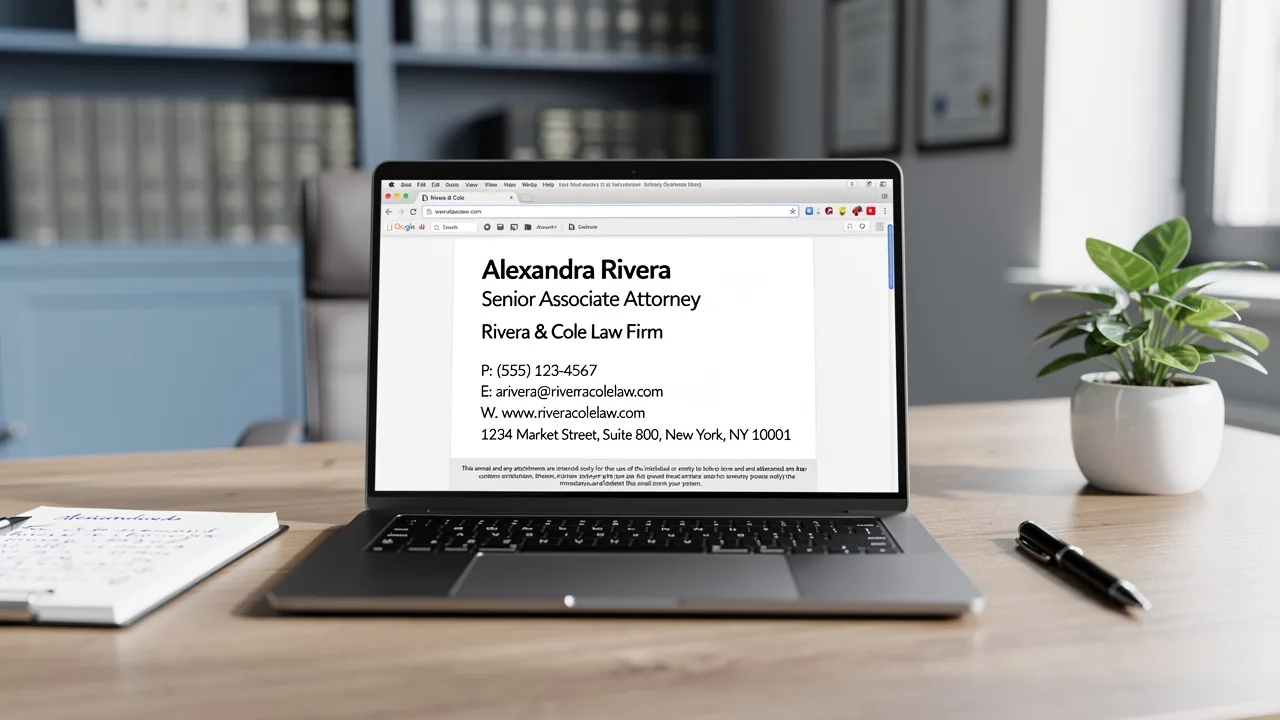
- Field checklist for a firm signature
- Privilege and confidentiality disclaimers: do they work?
- Multi-office, multi-jurisdiction and multi-entity firms
- Practice-area banners, awards and rankings
- Deploying firm-wide on Microsoft 365
- Who should approve signature content at a firm?
- Frequently asked questions
- What should an attorney email signature include?
- Is an attorney-client privilege disclaimer in an email legally binding?
- Does a lawyer's email signature count as advertising?
- What must a UK solicitors' firm put in its emails?
- Can law firms put awards and rankings in email signatures?
- Should law firms use server-side email signatures?
- How do I add bar admissions to each lawyer's signature automatically?
- Related Handbook guides
TL;DR: A law firm signature is a communication about the firm's services, so the lawyer advertising rules apply to it: it must not be false or misleading, specialist claims are restricted, and promotional content needs a responsible lawyer named. Some states add more; New York, for example, requires "ATTORNEY ADVERTISING" in the subject line of email that is an advertisement. Privilege and confidentiality footers don't create privilege, but a short one helps put a mistaken recipient on notice. UK firms regulated by the SRA must show their SRA number and "authorised and regulated by the Solicitors Regulation Authority" on emails. Manage all of it centrally: per-lawyer admissions from directory fields, per-office and per-entity templates, banners only after review, and a deployment that covers phones and keeps the filed copy in mind.
Last reviewed: October 2026.
This is general information, not legal advice. Professional conduct rules differ by state and country and change over time; confirm the rules for each jurisdiction where your lawyers are admitted and your offices are located. The ABA Model Rules are cited as the common baseline; your state's version controls.
This guide is for the IT directors, marketing and business development teams, and general counsel or risk partners who run email signatures at law firms with more than a handful of lawyers. It covers what a firm signature should contain under the professional rules, what privilege disclaimers can and can't do, how to handle multi-office and multi-entity firms, how to use banners without creating advertising problems, and how to deploy on Microsoft 365, which most firms use. For disclaimer rules outside legal practice, see the Handbook's email disclaimers guide.
What must a law firm email signature include?
Signatures are communications about legal services
Under ABA Model Rule 7.1, a lawyer must not make a false or misleading communication about the lawyer or the lawyer's services, and the comment states that firm names, letterhead and professional designations are communications concerning a lawyer's services (ABA Model Rule 7.1, comment [5]). An email signature is the modern letterhead, so the same reasoning applies. Rule 7.2 adds two rules that matter for signatures (ABA Model Rule 7.2):
- Specialist claims (7.2(c)). A lawyer may not state or imply certification as a specialist unless certified by an organization approved by a state authority or accredited by the ABA, and the certifying organization is clearly named in the communication. "Board Certified in Civil Trial Law, [certifying body]" is acceptable where true; "Personal injury specialist" on its own is the kind of line to remove.
- Responsible lawyer (7.2(d)). Any communication made under Rule 7.2 must include the name and contact information of at least one lawyer or law firm responsible for its content. A normal signature already identifies the sender; a promotional banner that links to a campaign page should keep that identification visible.
State variations: the "Attorney Advertising" label
States adopt their own versions of these rules, and some go further. New York's rules require email that is an attorney advertisement to carry "ATTORNEY ADVERTISING" in the subject line under Rule 7.1(f), and define an advertisement as a communication about the lawyer's or firm's services whose primary purpose is retention of the lawyer or firm, excluding communications to existing clients or other lawyers (NYSBA Ethics Opinion 1016). A signature on ordinary correspondence about a matter isn't an advertisement under that definition. A signature with a promotional banner, sent by a business development partner to prospective clients, may change the primary purpose of the message. Ask your ethics counsel where the line sits in each state you practice in, and design templates so that promotional elements appear only on the signatures and audiences you've cleared.
Field checklist for a firm signature
| Field | Why | Source |
|---|---|---|
| Full name and post-nominals | Identity; avoid unearned titles | Directory |
| Title (Partner, Associate, Of Counsel, Paralegal) | Rule 7.1: don't imply a role the person doesn't hold; non-lawyer staff must be clearly identified as such | Directory or HRIS |
| Firm name and legal form (LLP, PC, PLLC) | Identification; firm-name rules | Template per entity |
| Office address and phone | Contact; office of the sender, not head office, where offices differ | Directory (office field) |
| Bar admissions ("Admitted in NY and NJ") | Avoid implying admission where the lawyer isn't licensed | Custom field |
| Certification, with certifying body | Rule 7.2(c) | Custom field, filled only when verified |
| Confidentiality or privilege notice | Notice to mistaken recipients (see below) | Template, approved by risk or GC |
| Regulator statement (UK, other jurisdictions) | Mandatory where the regulator requires it | Template per entity |
Per-lawyer fields like admissions don't usually exist in Entra ID. In Scribe you can create custom Smart Fields (text, image or link) whose data comes either from a connected directory or HRIS, or is stored in Scribe and filled manually or by CSV; a block whose field is empty is left out of that person's signature (Scribe: Smart Fields). That lets the admissions line appear only for lawyers, and the certification line only where it's been verified.
Get started with Scribe
Roll out signatures to your whole organization
Free 14-day trial — no credit card.
Privilege and confidentiality disclaimers: do they work?
A footer cannot make a communication privileged. Attorney-client privilege depends on the content and circumstances of the communication, and a notice stapled to every email, including lunch orders and marketing, says little about any particular message. What footers can do:
- Put a mistaken recipient on notice. ABA Model Rule 4.4(b) requires a lawyer who receives a document or electronically stored information relating to the representation of the lawyer's client, and knows or reasonably should know it was inadvertently sent, to promptly notify the sender (ABA Model Rule 4.4). A clear notice makes "should have known" easier to establish.
- Support the "reasonable steps" story. In federal proceedings, an inadvertent disclosure doesn't waive privilege if the holder took reasonable steps to prevent it and promptly took reasonable steps to rectify it (Federal Rule of Evidence 502(b)). A footer is a minor part of that; how the firm handles email and responds to a misdirected message matter far more.
- Show the firm takes confidentiality seriously. Model Rule 1.6(c) requires reasonable efforts to prevent the inadvertent or unauthorized disclosure of client information (ABA Model Rule 1.6). ABA Formal Opinion 477R treats unencrypted email as generally acceptable for routine communication, with stronger measures such as encryption warranted for especially sensitive information (ABA Formal Opinion 477R). A footer is not one of those measures.
Practical rules for firm footers:
- Keep it short. Two sentences beat a paragraph. Readers and judges skim boilerplate.
- External only. Use an internal variant without the notice for mail between firm lawyers and staff.
- Don't put it on marketing. A privilege notice on a newsletter or event invitation undermines the notice on real advice.
- Label privileged content in the message, for example in the subject line or first line ("Privileged and confidential: attorney-client communication"), when the communication really is privileged.
Template (adapt with your risk partner or GC):
This email is from [Firm name] and may contain confidential or privileged information.
If you received it in error, please tell the sender and delete it without reading,
copying or forwarding it.
More wording options are in our confidentiality disclaimer samples.
Multi-office, multi-jurisdiction and multi-entity firms
- Office-specific signatures. Each lawyer's signature should show the office they work from. Pull the office from the directory rather than building one template per office by hand.
- Jurisdictional limitations. The ABA Model Rules say a firm with offices in more than one jurisdiction may use the same name in each (Rule 7.1, comment [6]). Several states still have rules or comments requiring a firm to show the jurisdictional limitations of lawyers who aren't licensed where their office is located, and lawyers often add lines such as "Admitted in California only" or "Not admitted in the District of Columbia" for that reason. Fill these from the admissions field so they're never forgotten.
- Remote lawyers. ABA Formal Opinion 495 addresses lawyers who work remotely from a jurisdiction where they aren't admitted, and cautions against holding out a presence there, for example by listing a local address (ABA Formal Opinion 495). Signatures for remote lawyers should show the firm office they're attached to, not their home city. Check your states' own rules and opinions on remote practice.
- International firms and separate entities. Many firms practice through several legal entities (a US LLP, a UK LLP, a European partnership). Each entity's employees need that entity's identification block, chosen by who employs the sender. In the UK, an SRA-authorised body's letterhead and emails must show its SRA authorisation number and the words "authorised and regulated by the Solicitors Regulation Authority" (SRA Transparency Rules, rule 4.2), and UK company and LLP disclosure rules also apply; see the disclaimers guide.
In Scribe, each template can be assigned by Smart Field condition (for example, office or company from Entra ID), by group or by administrative unit, with an option to auto-assign it to future hires, and signature priority settles which template wins when a lawyer matches more than one (Scribe: assign teammates; signature priority).
Practice-area banners, awards and rankings
Signature banners are attractive to business development teams and the part of the signature most likely to cause a professional-conduct question.
- Rankings and awards. The ABA comment warns that truthful reports of results can mislead if they create unjustified expectations, and that unsubstantiated comparisons with other lawyers can be misleading; appropriate disclaimers or qualifying language may prevent that (Rule 7.1, comment [3]). Some states require specific disclosures about the basis of an award or ranking. Show awards with the year and the awarding body, and only where your state's rules allow.
- Case results and testimonials. Keep them out of signatures. They're the content most likely to need state-specific disclaimers, and a signature has no room for them.
- Audience targeting. A thought-leadership banner (a new client alert, a webinar) is lower-risk than a "hire us" banner. Restrict promotional banners to business development staff and to external, non-client correspondence where possible, and never put them on mail to opposing counsel or courts.
- Review and retention. Treat signature banners as advertising for review purposes. Some states require advertising to be retained or filed; keep a copy of each banner with its dates of use. In Scribe, banners run as marketing campaigns with start and end dates, targeted by signature or by Smart Field such as department or location (Scribe: marketing campaigns); record the approval yourself, because an approval step isn't part of the documented workflow.
See banner campaigns for the mechanics.
Deploying firm-wide on Microsoft 365
Most firms run Exchange Online and Outlook, often with a document management system's Outlook add-in for filing email to matters. Signature deployment choices interact with both.
| Option | Covers | What it means for a firm |
|---|---|---|
| Client-side add-in | Outlook desktop, web, iOS and Android (supported builds) | Lawyers see the signature while writing; the Sent Items copy, and so the copy filed to the matter, matches what the recipient got; email doesn't pass through the vendor |
| Server-side relay | Every client and device, including Apple Mail and mail sent through the mailbox by other tools | Full coverage, but the signature is added after sending, so the Sent Items copy doesn't show it (Scribe: Microsoft 365 server-side); outbound client email transits the vendor |
| Both | Client-side where supported, server-side for the rest | Scribe documents that when both are connected it defaults to client-side so people see their signature, and the server side skips messages that already carry it |
Two firm-specific points follow:
- The filed record. If your DMS files the Sent Items copy, a server-side-only deployment means the filed email lacks the signature and notice the client saw. If the matter file must reflect exactly what was sent, use client-side for Outlook and keep server-side as the fallback for phones.
- Vendor due diligence. With server-side routing, client confidential email passes through the signature vendor. Scribe's documentation states that the connection is TLS-enforced in both directions, that its return connector accepts only Scribe's two fixed IP addresses, that message content is passed through unchanged, and that Scribe "cannot read or edit your emails" (same source); its Trust Center lists SOC 2 Type II (Scribe Trust Center). Your risk team will also want to know whether content is stored on the relay, where it's hosted, and the subprocessors involved, which the public documentation doesn't spell out. Rule 1.6(c) and Opinion 477R frame that review as part of the firm's reasonable efforts.
Mobile matters: client-side installation doesn't reach Gmail for Android or Apple Mail (Scribe: mobile), so either standardize lawyers on Outlook mobile through device management or add server-side coverage. Setup steps are in the Microsoft 365 guide, the trade-offs in client-side vs server-side signatures, and delegated, shared and assistant mailboxes in shared mailbox and alias signatures.
Who should approve signature content at a firm?
- General counsel or risk partner: confidentiality notice, regulator statements, the rules for admissions and certification lines, and which banners count as advertising.
- Marketing or business development: design, banners and campaign calendar, inside the rules above.
- IT: deployment, coverage of phones and other tools, directory fields, and the vendor security review.
- HR or lawyer onboarding: keeping admissions, titles and offices current in the source system when lawyers join, are promoted, are admitted in a new state or leave.
Write these into a firm signature policy; a template is in the email signature policy guide.
Frequently asked questions
What should an attorney email signature include?
Name, title, firm name and legal form, office address and phone, and where relevant bar admissions and any certification with the certifying body named. Add a short confidentiality notice on external email and any regulator statement your jurisdiction requires. This is general information, not legal advice.
Is an attorney-client privilege disclaimer in an email legally binding?
No. A footer can't make a communication privileged; privilege depends on the communication itself. A short notice helps put a mistaken recipient on notice, which supports ABA Model Rule 4.4(b) and the reasonable-steps analysis under Federal Rule of Evidence 502(b).
Does a lawyer's email signature count as advertising?
Signatures are communications about a lawyer's services, so the truthfulness rules apply. Whether an email is an advertisement depends on state rules; New York, for example, treats communications whose primary purpose is retention as advertisements and requires ATTORNEY ADVERTISING in the subject line. Promotional banners can change that analysis.
What must a UK solicitors' firm put in its emails?
Under SRA Transparency Rules rule 4.2, an authorised body's letterhead and emails must show its SRA authorisation number and the words "authorised and regulated by the Solicitors Regulation Authority". Company or LLP registration details under the UK disclosure regulations also apply.
Can law firms put awards and rankings in email signatures?
Carefully. The ABA comment to Rule 7.1 warns that unsubstantiated comparisons can mislead, and some states require specific disclosures about rankings. Show the year and awarding body, have the risk partner approve each banner, and keep a copy with its dates of use.
Should law firms use server-side email signatures?
Server-side covers every device, but the Sent Items copy lacks the signature, so a DMS that files from Sent Items stores a different version than the client received, and client email transits the vendor. Many firms use client-side Outlook signatures with server-side only as a fallback for phones, after a vendor security review.
How do I add bar admissions to each lawyer's signature automatically?
Store admissions in a directory, HRIS or signature-tool field and bind the template to it. In Scribe, a custom Smart Field can come from a connected source or be filled in Scribe or by CSV, and the line is left out for anyone whose field is empty.
Related Handbook guides
Get started with Scribe
Roll out signatures to your whole organization
Free 14-day trial — no credit card.