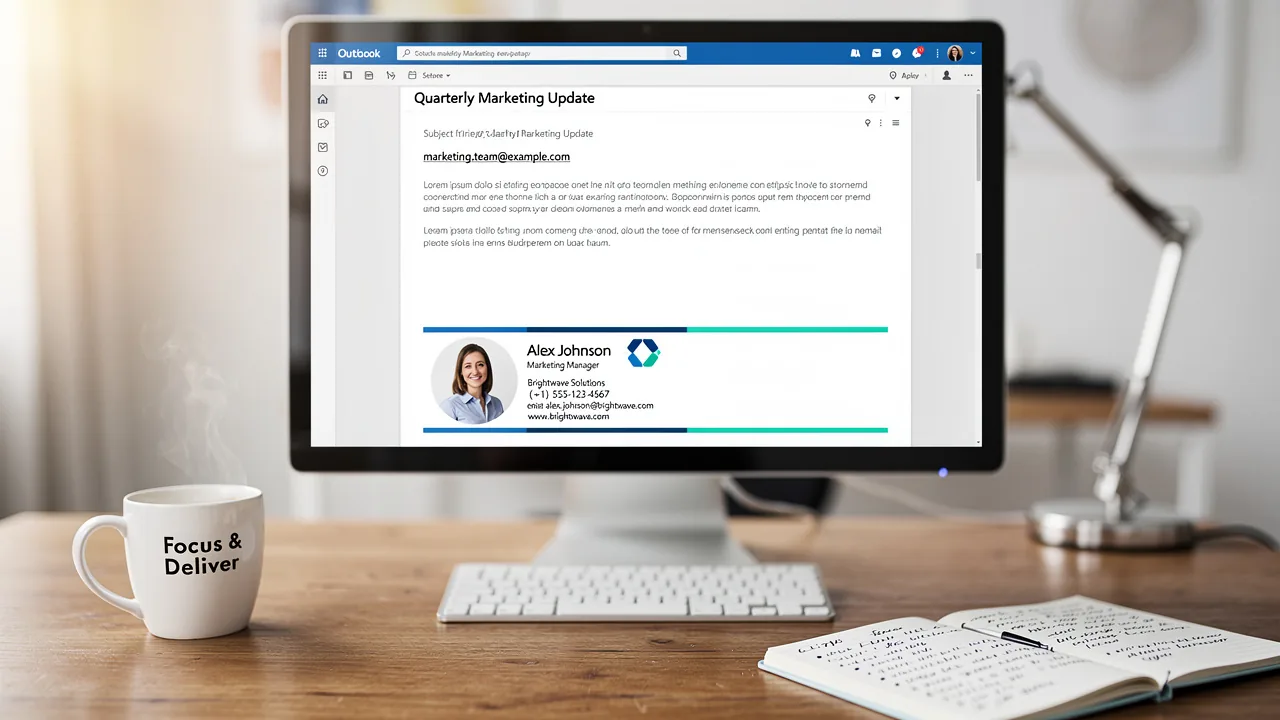
Gmail "Signature Is Too Long" Error: Why It Happens and How IT Fixes It for Everyone (2026)
What Gmail's 10,000-character signature limit counts, why signatures from generators, Word and HubSpot hit it, how to measure and shrink a signature, and how IT fixes the error for the whole company with centrally deployed signatures.
Sophie Grant
Email Signature Specialist, Scribe
On this page
- What does Gmail's 10,000-character limit count?
- Why do generator-made signatures hit the limit?
- How do you measure a signature before pasting it?
- How do you shrink a signature under 10,000 characters?
- How do you fix it company-wide instead of one user at a time?
- What about Zoho Mail, Outlook and other clients?
- How do you keep templates under the limit over time?
- What is the quick checklist for a Gmail "signature too long" error?
- Where does Scribe fit?
- Frequently asked questions
- What is the Gmail signature character limit?
- Why does Gmail say my signature is too long when it looks short?
- How do I fix the Gmail signature too long error?
- Why do HubSpot-generated signatures fail in Gmail?
- Does the 10,000-character limit apply to signatures set by an admin tool?
- Do image file sizes count toward Gmail's signature limit?
- Can server-side signatures avoid Gmail's limit?
- Related Handbook guides
TL;DR: Gmail accepts signatures of up to 10,000 characters, and that count covers the signature's underlying HTML, not just the text you see. Google also says images count toward the limit. Signatures built in generators or pasted from Word, web pages and design tools hit it because they carry inline CSS on every element, nested tables, long tracking links and sometimes images embedded as data. The fix is to host images and link them, strip repeated styles and wrappers, shorten links and move long legal text out of the signature. Company-wide, deploy signatures centrally so the HTML is generated lean once and a size problem shows up as an install error for IT, not as a pasted signature that silently fails for one user.
Last reviewed: October 2026.
Gmail's "signature is too long" error is one of the most common Gmail signature problems, and it tends to land on IT just when a new company template is being rolled out. This guide explains what Gmail is counting, why signatures that look small fail, how to measure and shrink a signature, and how to fix the problem for the whole company rather than one mailbox at a time. If you only need to add a signature to your own Gmail account, Scribe's step-by-step posts on adding an HTML signature to Gmail and adding an image cover that.
What does Gmail's 10,000-character limit count?
Google's help states: "You can put up to 10,000 characters in your signature." It adds that images count toward that limit and that if you get an error you should resize the image (Gmail Help: create a signature). Three points follow from how Gmail stores signatures:
- Markup counts. The signature is stored as HTML. Every tag, attribute, inline
style, link URL and image address uses characters, even though none of it is visible. A signature with 300 visible characters can easily carry several thousand characters of markup. - Embedded images count heavily. An image pasted into the editor can end up embedded as encoded data rather than referenced by URL, and encoded image data runs to thousands of characters for even a small logo. That's why Google's advice for the error is to resize the image.
- The limit is per signature, per send-as address. Gmail keeps a signature on each address a user can send from, and the Gmail API sets them the same way (Google for Developers: alias and signature settings). Every signature on every alias has to fit.
The limit also applies when signatures are set centrally. Scribe, which writes each teammate's signature into their Gmail settings, reports a failed installation with the message that "the signature is over Gmail's 10,000 character limit" when a template is too large (Scribe: installation statuses and errors). Central deployment doesn't bypass the limit; it surfaces it to the admin.
Get started with Scribe
Roll out signatures to your whole organization
Free 14-day trial — no credit card.
Why do generator-made signatures hit the limit?
Free signature generators, marketing tools and design apps optimize for looking right everywhere, not for size. The usual causes, roughly in order of how much they add:
- Images embedded instead of hosted. A headshot or logo copied from a document or a desktop app is often pasted as image data. One embedded image can use more of the budget than the rest of the signature combined.
- Inline styles on every element. Email HTML has to inline its CSS, and generators repeat the full font, color, size, line-height and margin declarations on every cell, span and link, often with fallbacks for several clients.
- Nested layout tables. Two columns, a divider and a row of icons can produce tables nested three or four levels deep, each with its own attributes.
- Long links. Tracking redirects, UTM parameters and signed image URLs can run to 200 or 300 characters each. A signature with eight social icons has sixteen URLs: one for each link and one for each icon image.
- Pasting from Word or a web page. Copying a signature out of Word, a browser tab or another email client brings along class names, conditional comments and wrapper elements that Gmail keeps.
- Long legal text. A disclaimer of a few hundred words, styled inline, is a large share of the budget on its own.
HubSpot's free generator is a frequent example in the wild; its community forum has threads titled "Signature too long with Gmail - using Hubspot free signature tool" (HubSpot Community). The same causes apply to any generator. A note for HubSpot users: Scribe has no native HubSpot integration. Emails sent from HubSpot through a connected Gmail or Outlook inbox pick up the Scribe signature only with server-side routing, and HubSpot marketing emails, which HubSpot sends from its own servers, get no signature (Scribe: HubSpot server side).
How do you measure a signature before pasting it?
Measure the HTML, not the text. Gmail sanitizes and rewrites what you paste, so its count won't match your file exactly, but the raw size tells you how close you are.
- Get the HTML. From a generator, use its "copy HTML" or "view source" option. From an existing Gmail signature, open the signature in a message you've sent, right-click and choose Inspect, then copy the outer HTML of the signature block.
- Save it to a file and count characters, for example
wc -m signature.htmlon macOS or Linux, or(Get-Content signature.html -Raw).Lengthin PowerShell. - Search the file for
data:image. Any match is an embedded image and the first thing to remove. - Count the
style=attributes and the<tabletags. Dozens of each mean the layout can be simplified.
Our working rule, not a Google figure: keep a template under about 8,000 characters of HTML so personal data such as long names, titles or extra phone numbers doesn't push individual users over 10,000.
How do you shrink a signature under 10,000 characters?
- Host every image and link to it. Upload logos, headshots, icons and banners to a server or service you control and reference them with a normal
<img src="https://…">. In Gmail's own editor, insert images by web address or from Drive rather than pasting them. Google notes that Drive images must be shared publicly to work in a signature, and on work accounts the admin may need to allow it (Gmail Help: troubleshoot signatures). - Resize images to their display size class. Google recommends signature images 70 to 100 pixels high and 300 to 400 pixels wide, with a maximum of 100 by 1,000 pixels (same troubleshooting article). Oversized images are also a common cause of signatures that "don't display correctly".
- Cut repeated styles. Set font family, size and color once on the outer table cell and let child elements inherit where Gmail allows it. Remove declarations that repeat a default.
- Flatten the layout. One table with two or three rows usually does what four nested tables do.
- Shorten links. Drop tracking parameters you don't report on, and replace a row of eight social icons with the two or three your audience uses.
- Move long disclaimers out. Link to a hosted legal notice, or add the disclaimer in transit with a footer rule instead of inside the signature. The disclaimers guide covers both options and the wording requirements by country.
- Paste clean. Paste into Gmail from a browser rather than from Word, and if odd characters or formatting appear, use Remove formatting in the signature editor, as Google suggests.
- Use a reply variant where the platform supports it. A lighter reply signature doesn't help the 10,000-character check for the main signature, but it keeps threads short. Note that Gmail's signature setting holds one signature per address, so reply and internal variants need an Outlook add-in or server-side routing (Scribe: signature variants).
Image file size and image count behave differently once images are hosted. A linked image costs the same few dozen characters whether it's 5 KB or 500 KB, so file size stops mattering for the limit while the number of images and links still does. Scribe says this directly in its troubleshooting for the equivalent Zoho Mail error: "Images are stored by Scribe and linked from the signature, so their file size doesn't count: their number does" (Scribe: signature too long for Zoho Mail). Keep file sizes reasonable anyway for load time; the image size guide has the numbers.
How do you fix it company-wide instead of one user at a time?
When each employee pastes a signature from a generator, every failure becomes a separate ticket, and the people who give up end up sending without a signature. The structural fix is to stop pasting:
- Generate one lean template with personal fields filled from the directory, so you size-check it once. The Google Workspace guide covers deploying signatures to every mailbox through the Gmail API or a signature app.
- Watch install results, not tickets. A central tool that writes signatures through the API gets Gmail's answer for each mailbox. In Scribe, an oversized signature shows Failed with the 10,000-character reason on that teammate; you shorten the template in the editor and reinstall, and the status flips to Installed (Scribe: installation statuses).
- Test the longest real data. Preview the template with the teammate who has the longest name, title and number of phone lines. Scribe's preview shows every assigned teammate's signature with their real data before installation (Scribe: preview signatures).
- Don't let users re-paste. With centrally installed signatures, the approved version is re-applied when people compose, so a user's pasted generator signature doesn't stay (Scribe: manual edits).
- Consider server-side for heavy templates. Server-side routing adds the signature in transit instead of writing it into Gmail's signature setting, which is how it reaches Gmail for Android and Apple Mail (Scribe: Google Workspace server side). Because it doesn't use the settings field, the 10,000-character settings check doesn't apply in the same way, but Scribe doesn't publish a size limit for server-side signatures, so keep templates lean regardless and confirm with the vendor before relying on it.
What about Zoho Mail, Outlook and other clients?
- Zoho Mail also rejects large signatures but "doesn't publish a size limit for signatures". The same fixes apply: fewer blocks, shorter disclaimers, fewer images and links (Scribe: Zoho Mail).
- Outlook doesn't give a "too long" error in normal use, but heavy signatures still cost you: classic Outlook renders HTML with Word, which ignores much modern CSS, so bloated generator code often looks worse there. The Outlook guide covers client differences.
- Mobile apps keep their own signature fields, and Apple Mail on iPhone only accepts text. See the mobile guide.
How do you keep templates under the limit over time?
Signatures rarely start too long. They grow: marketing adds a banner for a launch, legal extends the disclaimer, someone adds a booking link and two more social networks. Treat the 10,000 characters as a budget with an owner.
- Set a size budget per template and record the current size when you approve a design. Re-measure whenever an element is added, not only when someone reports an error.
- Remember that campaigns add to the signature. A scheduled banner is extra HTML and another hosted image with a link on every installed signature while the campaign runs. In Scribe, campaigns can be switched on or off separately for the primary signature and the reply and internal variants (Scribe: variants), so a heavy template can keep banners off replies.
- Test new data fields against the longest values. Adding a pronouns line, a second phone number or a long legal entity name affects every teammate differently. Preview the teammates with the longest values before publishing.
- Check aliases. Gmail stores a signature per send-as address, and Scribe supports a separate signature per alias (Scribe: aliases). An alias template built for a different team can be the one that fails.
- Monitor failures, not just the first rollout. After the initial install, design changes are pushed automatically (Scribe: install signatures), so a change that pushes a template over the limit shows up as new Failed statuses. Review statuses after every publish, or pull them from the per-email installation state in the Scribe API.
What is the quick checklist for a Gmail "signature too long" error?
| Check | Why | Fix |
|---|---|---|
Any data:image in the HTML? | Embedded images are the biggest single cost | Host the image and link it |
| Images larger than 100 px high? | Google's recommended size is 70–100 px high, 300–400 px wide | Resize, or choose Small or Medium in the editor |
| More than three social icons? | Each one is two URLs plus markup | Keep the two or three that matter |
| Long tracking URLs? | 200+ characters per link add up | Trim parameters or use a short redirect you control |
| Disclaimer inside the signature? | Hundreds of styled words | Link to it or add it in transit |
| Pasted from Word or a web page? | Hidden wrappers and classes | Paste from a browser; use Remove formatting |
| Fails only for some users? | Their personal data is longer | Leave headroom in the template; test the longest case |
Where does Scribe fit?
Scribe's Google Workspace app is installed once by a super admin and writes each teammate's signature into Gmail, with personal fields filled from the Google Workspace directory and HR systems. Signatures are generated as inline-styled, table-based HTML, and images are stored by Scribe and linked rather than embedded (Scribe: compatibility, Zoho troubleshooting). If a template does go over Gmail's limit for someone, the install status names the reason so you can fix the template once. Server-side routing (Business and Enterprise plans) covers Gmail for Android, Apple Mail and tools that send through the mailbox. Pricing is per user, with a free plan for up to two users and a 14-day trial (pricing).
Frequently asked questions
What is the Gmail signature character limit?
10,000 characters. Google's help says you can put up to 10,000 characters in a signature and that images count toward the limit. The count covers the signature's HTML, including tags, inline styles and link URLs, not only the visible text.
Why does Gmail say my signature is too long when it looks short?
Because Gmail counts the underlying HTML. Generator-made signatures repeat inline styles on every element, nest several tables and include long tracking links, and pasted images can be embedded as encoded data that runs to thousands of characters. A signature with a few hundred visible characters can exceed 10,000 characters of markup.
How do I fix the Gmail signature too long error?
Host images and insert them by URL instead of pasting them, resize them to Google's recommended 70 to 100 pixels high, remove repeated inline styles and nested tables, cut social icons and tracking parameters you don't need, move long disclaimers out of the signature, and paste from a browser rather than from Word.
Why do HubSpot-generated signatures fail in Gmail?
Generator output, including HubSpot's free signature tool, tends to carry heavy inline CSS, nested layout tables, multiple icon images and long links, which together can exceed Gmail's 10,000-character limit. HubSpot's community has threads reporting exactly this. Simplifying the HTML and hosting images usually brings it under the limit.
Does the 10,000-character limit apply to signatures set by an admin tool?
Yes. Tools that write signatures into Gmail settings are subject to the same limit. Scribe reports a failed installation with the reason that the signature is over Gmail's 10,000 character limit, so the admin can shorten the template once and reinstall.
Do image file sizes count toward Gmail's signature limit?
Not once images are hosted and linked: a linked image costs only the characters of its tag and URL, whatever its file size. Embedded images do count, which is why Google suggests resizing the image when you get the error. The number of images and links still counts either way.
Can server-side signatures avoid Gmail's limit?
Server-side routing adds the signature in transit instead of writing it into Gmail's signature setting, so the settings check doesn't apply in the same way. Scribe doesn't publish a size limit for server-side signatures, so keep templates lean and confirm with your vendor.
Related Handbook guides
Get started with Scribe
Roll out signatures to your whole organization
Free 14-day trial — no credit card.