10 Essential Email Signature Tips for PhD Students
Many PhD students underestimate the significance of a well-crafted email signature in academic communication. A well-designed signature boosts credibility and
Sophie Grant
Email Signature Specialist, Scribe
On this page
- Introduction
- Maintain a Professional Appearance
- Include Essential Contact Information
- Utilize Branding for Professional Identity
- Keep Signatures Concise and Clear
- Incorporate Relevant Social Media Links
- Add a Confidentiality Disclaimer
- Personalize with Pronouns and Titles
- Test Compatibility Across Email Clients
- Incorporate Call-to-Action Buttons
- Regularly Update Your Email Signature
- Conclusion
- Frequently Asked Questions
- List of Sources
Introduction
Many PhD students underestimate the significance of a well-crafted email signature in academic communication. A well-designed signature boosts credibility and acts as a digital business card, showcasing professionalism and personal branding. In a competitive academic landscape, how can students create email signatures that stand out while remaining clear and compliant? Here are ten essential tips to help PhD students craft impactful email signatures that promote effective communication and elevate their professional image.
Get started with Scribe
See why teams switch to Scribe
Free 14-day trial — no credit card.
Maintain a Professional Appearance
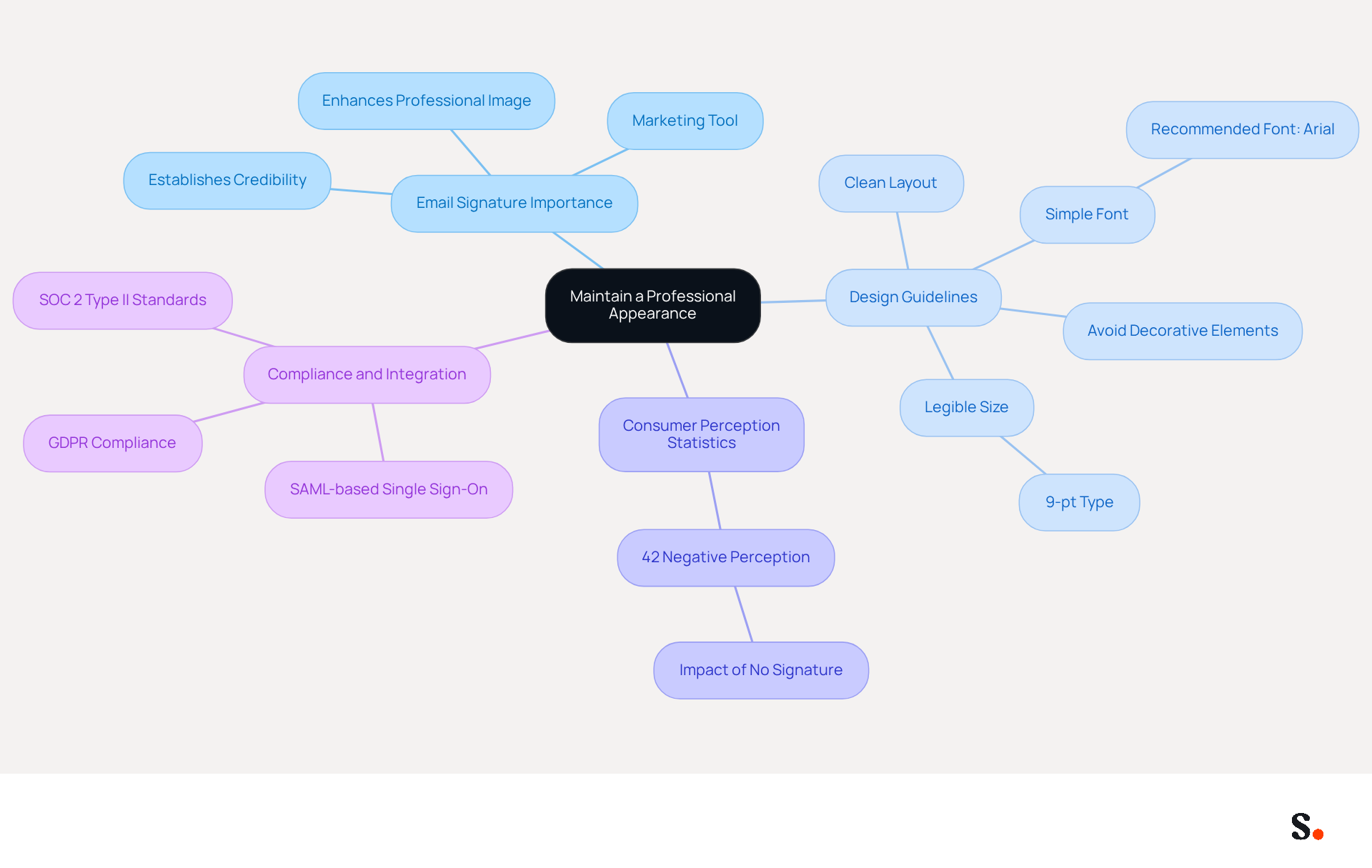
An email signature for a PhD student is essential for establishing credibility in academic communication. Use a clean layout with a simple font that is easy to read, such as Arial, and avoid overly decorative elements or distracting colors. Statistics indicate that 42% of consumers have a negative perception of businesses without a distinct mark, underscoring the importance of a professional image in all interactions.
Scribe's automated management makes it easy to keep your identifiers up to date while staying compliant with GDPR and SOC 2 Type II standards. This integration not only secures your data but also allows for seamless updates through SAML-based single sign-on, ensuring that your communications are not only compliant but also consistently reflect your brand.
Include Essential Contact Information
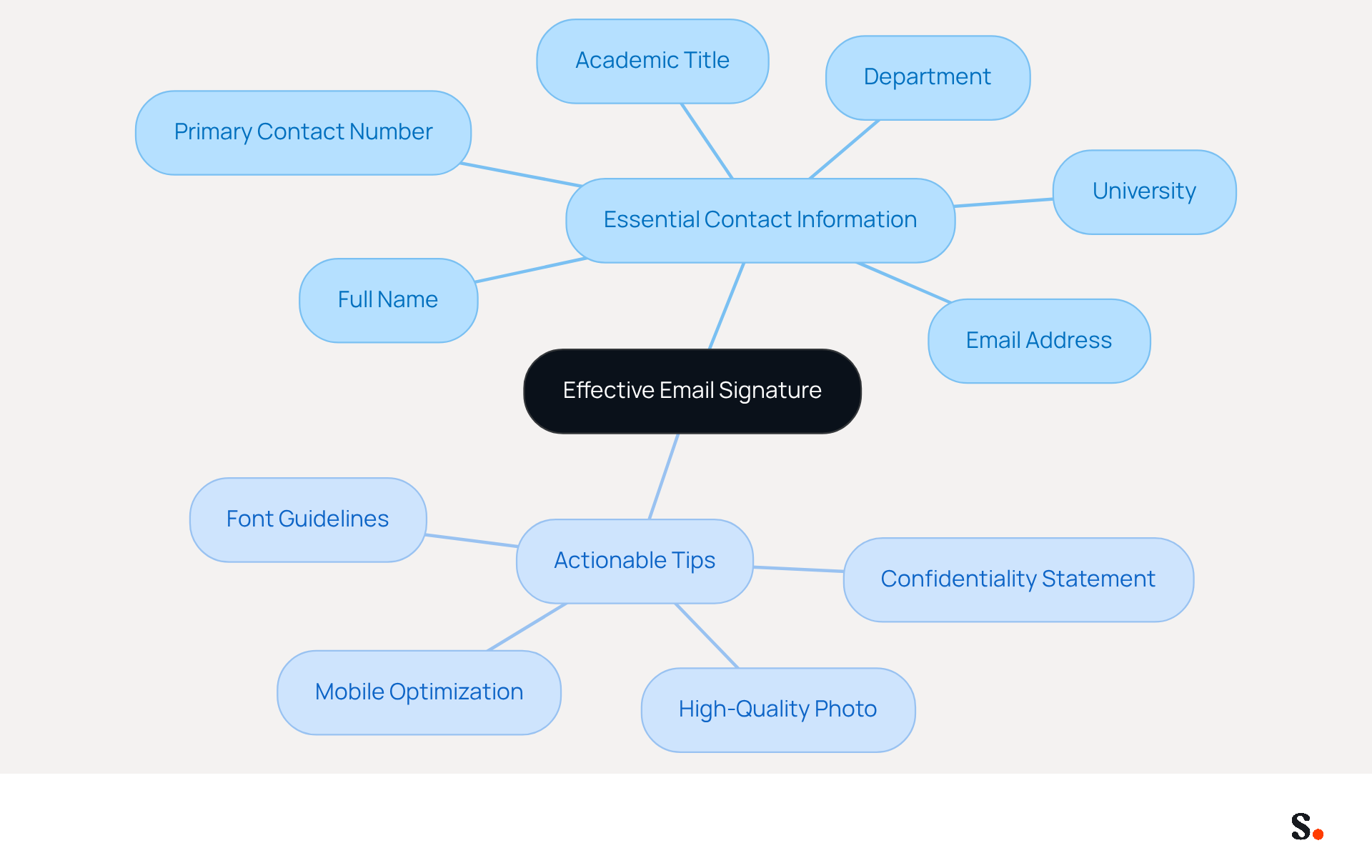
In the competitive academic landscape, a well-crafted email signature is essential for effective communication. Your electronic correspondence should prominently display your full name, academic title, department, university, and primary contact number. This essential information enables recipients to quickly identify you and facilitates easy communication. Including your email address, preferably using your university domain, enhances professionalism and credibility. Studies indicate that including key details like contact information and institutional affiliation can boost response rates by 22%, highlighting the importance of a well-organized closing. Furthermore, maintaining visual consistency with a uniform font and layout strengthens your identity, making it easier for recipients to recognize and remember you.
To enhance your email signature further, consider the following actionable tips:
- Incorporate a confidentiality statement in emails containing sensitive information to reinforce your professionalism.
- Add a high-quality photo to your personal branding for a personal touch and improved professional image.
- Ensure that your message footer is optimized for mobile devices, as mobile usage continues to rise.
- For optimal results, use Aptos font at size 11 for clarity and consistency.
With Scribe's automated synchronization, you can easily keep your information up to date, ensuring that your details are always accurate and compliant with SOC 2 Type II standards. This feature not only saves you time but also ensures brand consistency across all communications. By neglecting these elements, you may inadvertently diminish your professional presence and hinder effective communication.
Utilize Branding for Professional Identity
Integrating your university's logo and colors into correspondence is vital for enhancing professional identity and institutional promotion. This practice fosters belonging among students and faculty while also conveying professionalism to recipients. These branding elements should be integrated subtly, avoiding overwhelming visuals that could detract from the content.
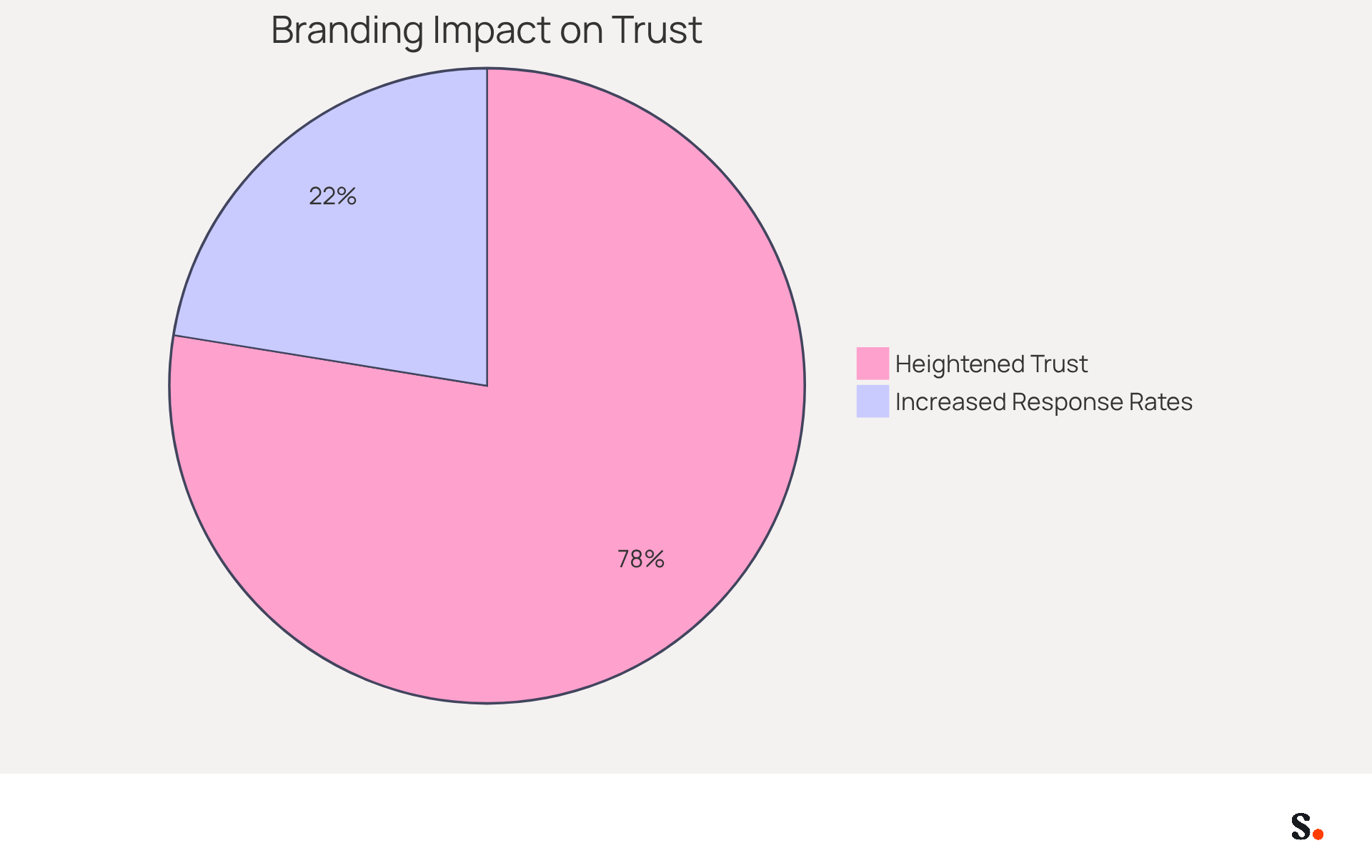
Research shows that 76% of recipients report heightened trust when receiving emails with branded identifiers, making it a crucial element of effective communication. Furthermore, a well-crafted sign-off can really boost engagement rates, with branded sign-offs leading to a 22% increase in response rates.
With Scribe's automated management of digital signatures, you can effortlessly update your identifiers while ensuring compliance with GDPR and SOC 2 Type II standards. Additionally, Scribe's SAML single sign-on features offer a secure and efficient solution for managing your professional identity.
By aligning your correspondence footer with your university's branding guidelines and adhering to ethical communication practices, you can effectively convey your institution's values and mission, creating a cohesive and memorable impression. Ultimately, effective branding in communication can significantly strengthen your institution's reputation and stakeholder trust.
Keep Signatures Concise and Clear
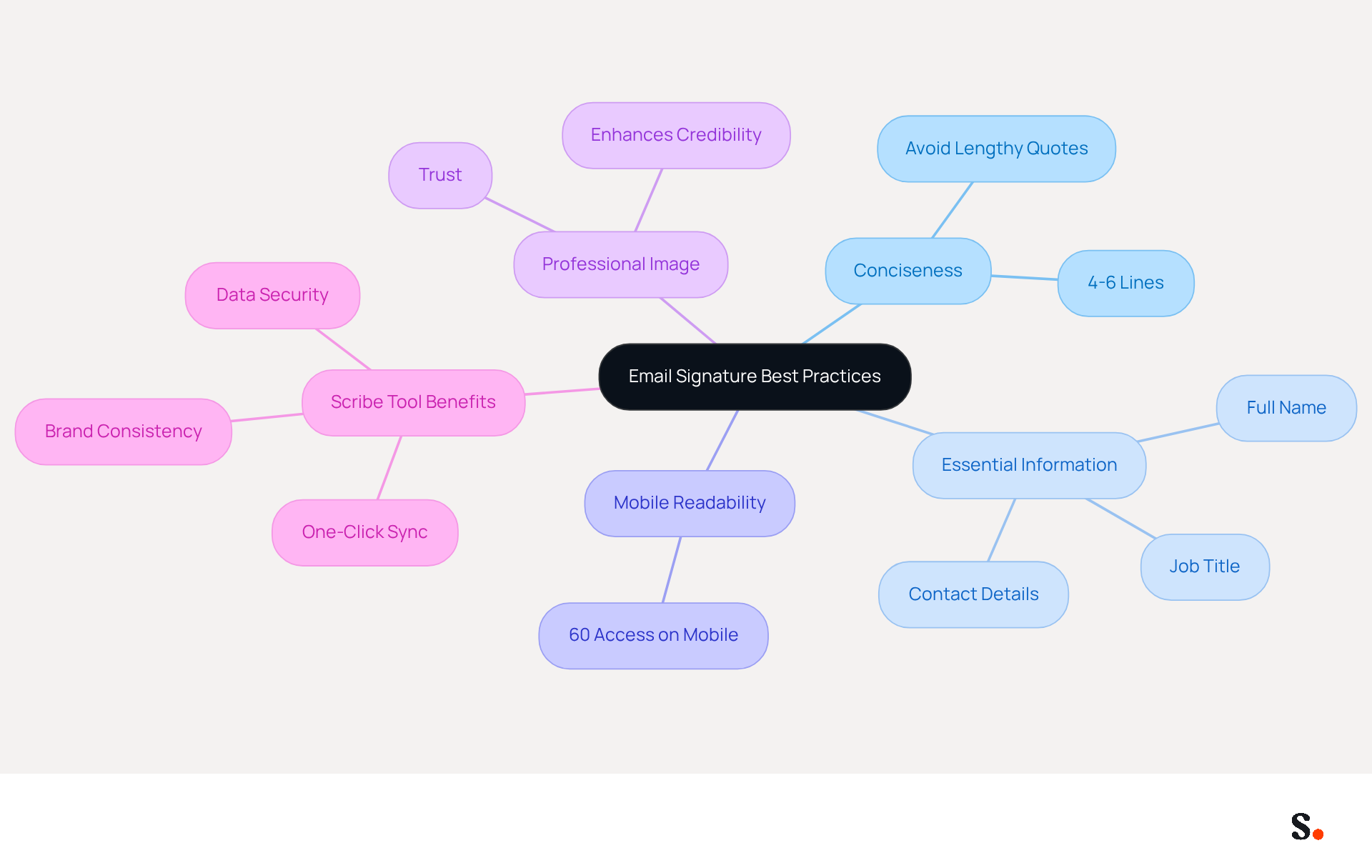
In a world where clarity is paramount, limiting your email signature to 4-6 lines is crucial. Focus on the most relevant information, such as your full name, job title, and direct contact details. This concise format improves clarity and aligns with best practices, as over 60% of business communications are accessed on mobile devices, making readability essential. Avoid lengthy quotes or excessive graphics that can divert attention from the essential content of your messages. This is significant because branded digital identifiers can increase response rates by 22%, greatly influencing engagement. For PhD students, maintaining a professional image is essential; therefore, an email signature for PhD students that includes clear and concise contact information enhances credibility and trust.
If you're looking to simplify how you manage your identifiers, Scribe is a great option. It provides one-click synchronization with your provider, enabling you to automatically sync teammate data daily. This ensures that your email identifiers are always current and compliant with evolving regulations. Scribe's SOC 2 Type II certification guarantees the security of your data, boosting stakeholder confidence and further enhancing your communication. Regularly reviewing your branding is essential for maintaining a strong professional image, and with Scribe, you can easily manage these updates while ensuring brand consistency.
Incorporate Relevant Social Media Links
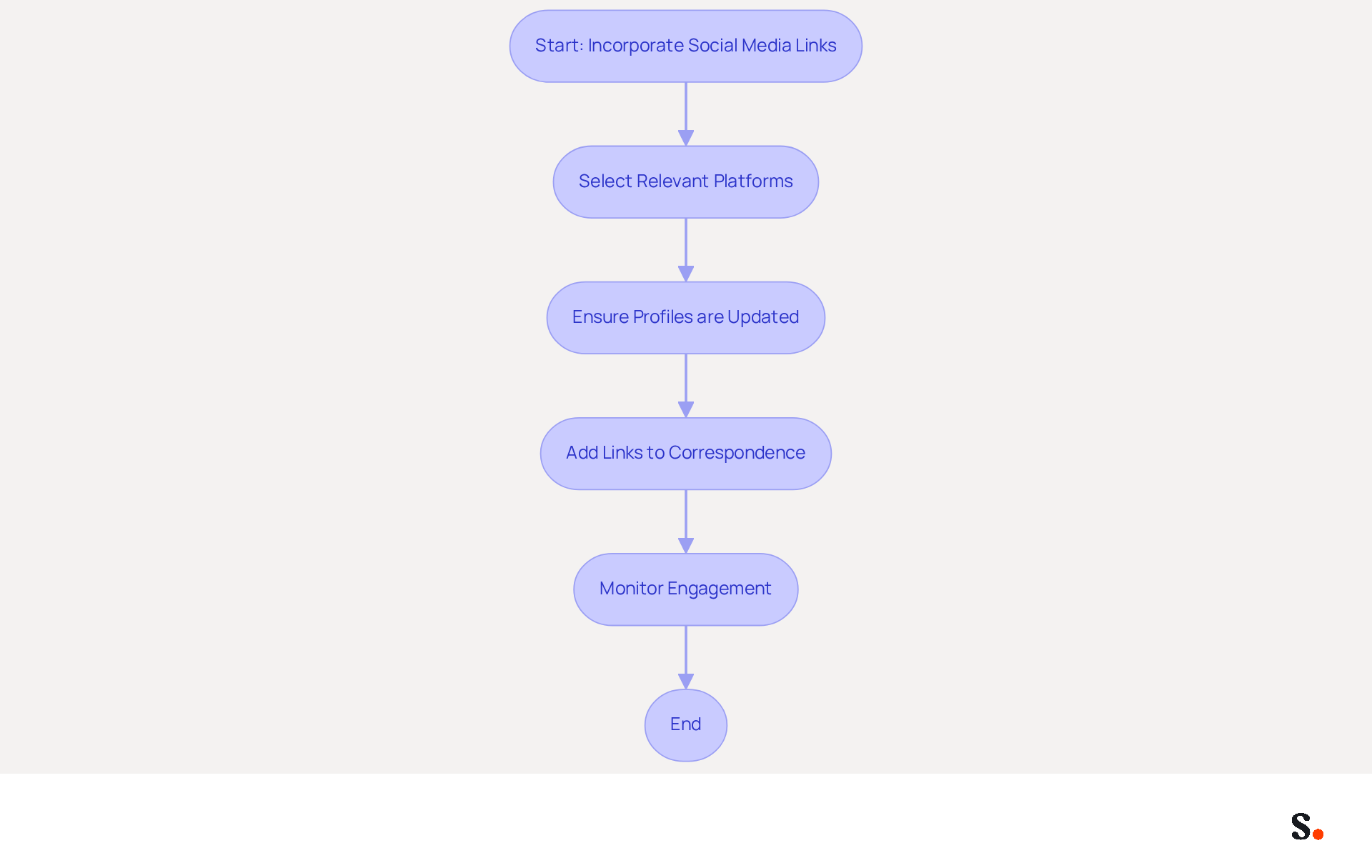
Incorporating social media links in your correspondence is essential for enhancing academic visibility. Ensure these links are relevant to your field of study and that your profiles are consistently updated, as maintaining current information reflects professionalism in academic communications. This practice not only allows recipients to connect with you across various platforms but also provides them with easy access to your career achievements and contributions.
Research indicates that adding social media links to your digital identifiers can significantly boost engagement, with studies showing a 22% increase in response rates from a consistent visual identity. Moreover, case studies indicate that academic professionals who incorporate social media links in their contact information experience enhanced networking opportunities and visibility within their fields.
This tool allows your Calendly updates to sync automatically with your email signatures, making it easy to maintain brand consistency. Scribe ensures secure data handling by adhering to SOC 2 Type II compliance and GDPR/CCPA regulations.
For optimal impact, it is advised to include 2-4 social media icons, sized between 20 and 25 pixels square, to maintain a clean and polished appearance. By strategically choosing platforms that align with your academic objectives, you can transform your contact information into a powerful networking tool.
Add a Confidentiality Disclaimer
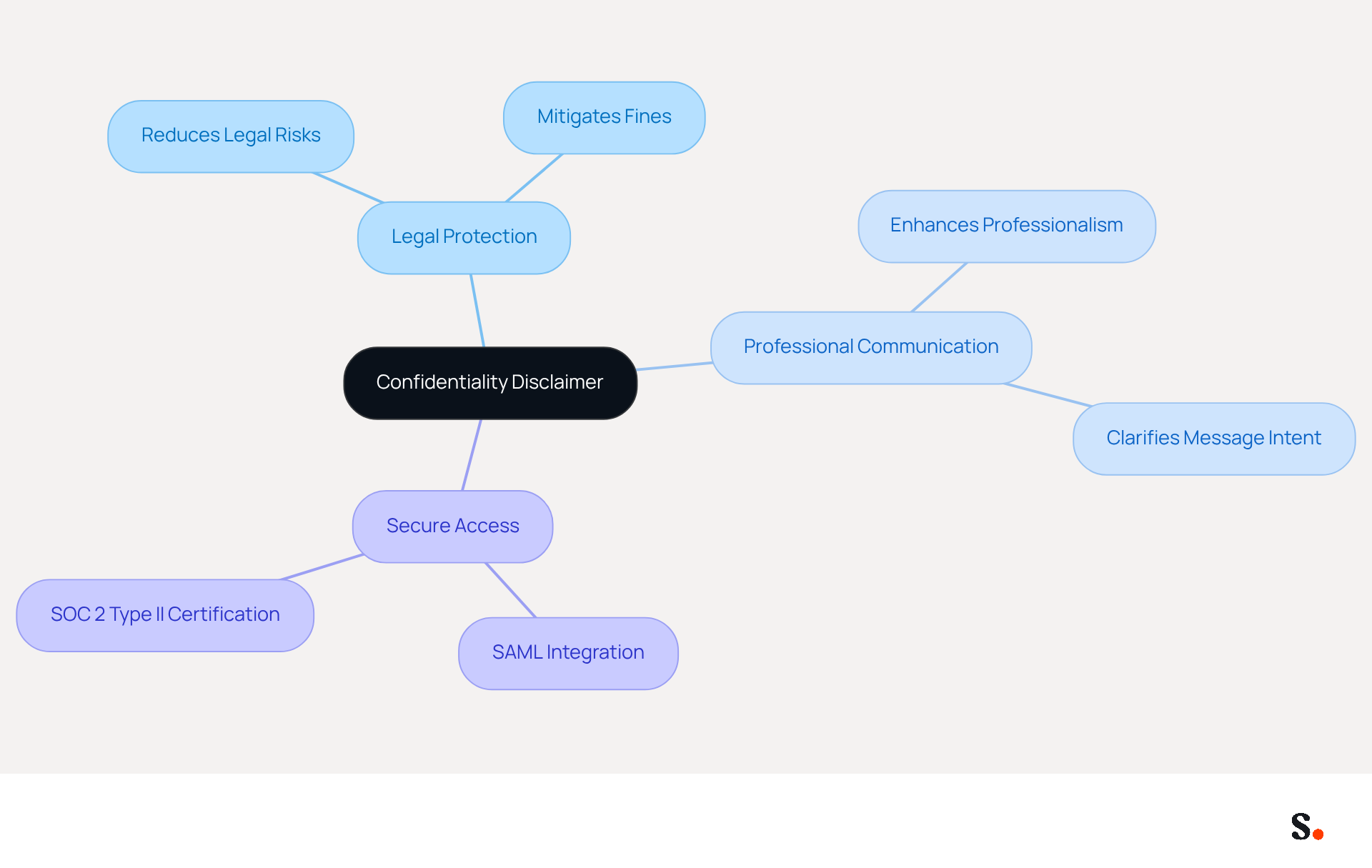
Incorporating a confidentiality disclaimer in your email signature is crucial for safeguarding sensitive information and enhancing professional communication. This statement clarifies that the message's contents are intended solely for the recipient and may contain confidential information. These disclaimers safeguard sensitive information and elevate the professionalism of your communications.
Research indicates that organizations implementing confidentiality disclaimers can significantly reduce the risk of incurring substantial fines and legal fees. Expert advice suggests that these disclaimers help mitigate legal risks and assert the confidentiality of sensitive information.
Moreover, with Scribe's SAML single sign-on integration and SOC 2 Type II certification, organizations can ensure secure access to digital identifiers, reinforcing the importance of confidentiality in communications.
Ultimately, a confidentiality disclaimer is not just a formality; it is a vital component of responsible communication that protects both the sender and the recipient. See confidentiality disclaimer examples you can adapt.
Personalize with Pronouns and Titles
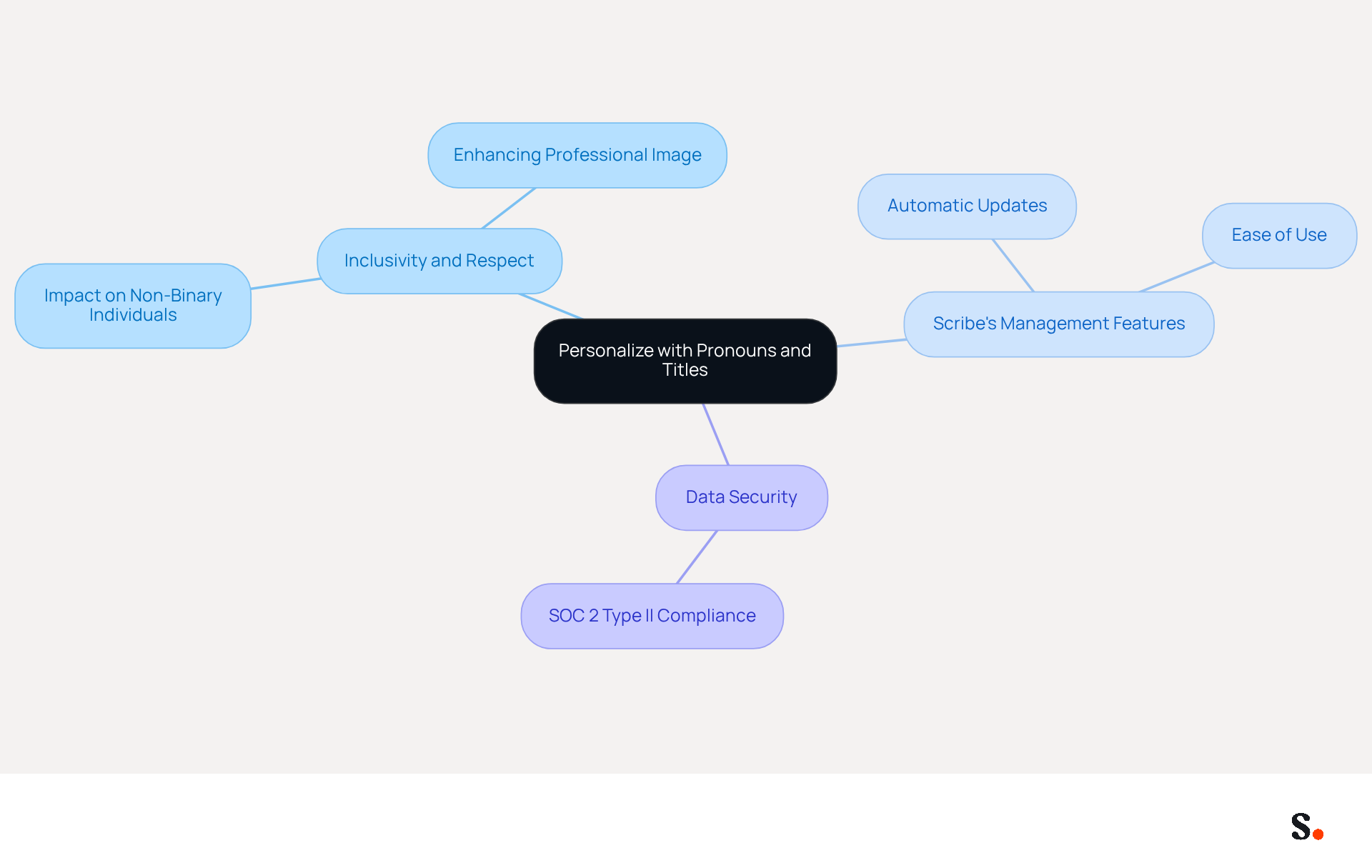
Including your preferred pronouns in your email footer fosters inclusivity and respect in academic communications. Studies show that normalizing pronoun usage helps lessen the pressure on non-binary individuals to repeatedly disclose their gender identity. Scribe simplifies the process of managing these updates, ensuring that your teammates won’t need to take any extra steps, as any changes in your HRIS will automatically reflect in the application. Additionally, with Scribe's SOC 2 Type II compliance, you can trust that your data is handled securely. By embracing this practice, you not only enhance your professional image but also play a vital role in promoting inclusivity in your workplace.
Test Compatibility Across Email Clients
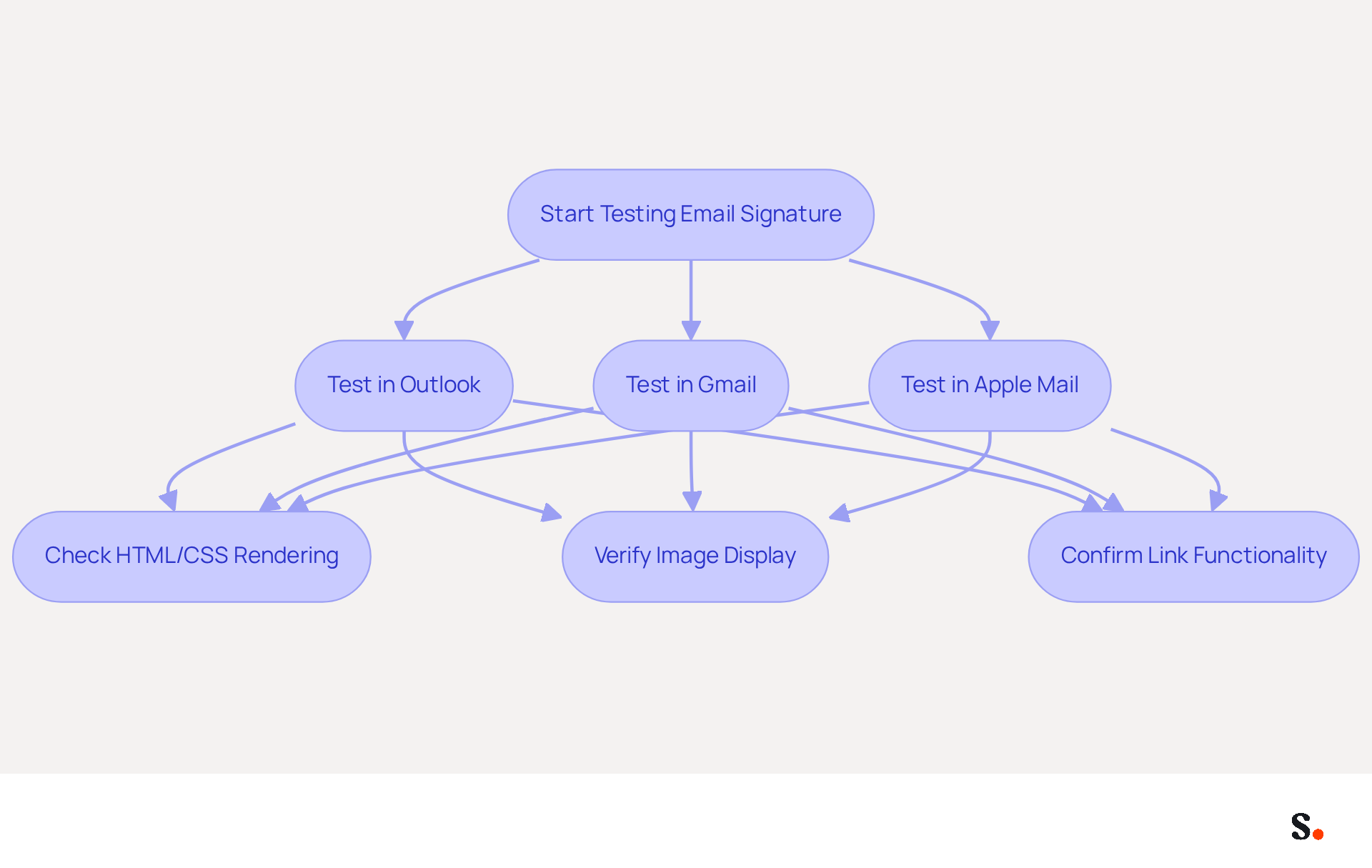
As a PhD student, testing your email signature is essential across various clients to avoid potential display issues that could undermine your professionalism. Before finalizing your signature, ensure it displays correctly in Outlook, Gmail, and Apple Mail. Each messaging client has unique quirks in rendering HTML and CSS, which can lead to inconsistencies in formatting, images, and links. For example, older versions of Outlook may not support certain CSS properties, resulting in layout issues.
To streamline this process, simply allow Scribe to connect with your provider and choose the teammates you want to sync. This ensures that all modifications made in your contact directory are automatically updated in Scribe, saving time and enhancing branding consistency across your organization.
With nearly 4.6 billion email users globally in 2025, ensuring your signature looks consistent is crucial for effective communication. Furthermore, testing message identifiers can assist in identifying compatibility problems, as numerous clients block images by default, necessitating user action to reveal them.
By following best practices and performing comprehensive testing, you can create a professional-looking identifier that operates reliably across various messaging platforms, all while ensuring adherence to SOC 2 Type II standards for data security. Ultimately, a well-tested signature not only enhances your brand's image but also fosters trust and clarity in your communications.
Incorporate Call-to-Action Buttons
Incorporating a call-to-action button in your message footer is essential for maximizing engagement. Options like 'View My Research' or 'Schedule a Meeting' serve as clickable elements that direct recipients to your academic profile or recent publications. This not only encourages further interaction but also positions you as proactive in your communication.
The effectiveness of CTAs in electronic communications is underscored by statistics showing that messages with a well-placed CTA can boost click-through rates by up to 371% and sales by 1617%. Moreover, buttons in message footers can enhance conversion rates by 28% compared to conventional hyperlinks, making them a crucial element of your communication strategy.
Case studies reveal that organizations effectively utilize CTAs to drive engagement. For example, adding a 'Book a Demo' button in message footers led to a 20% response rate from recipients. This shows that even a small change can turn ordinary emails into effective marketing tools.
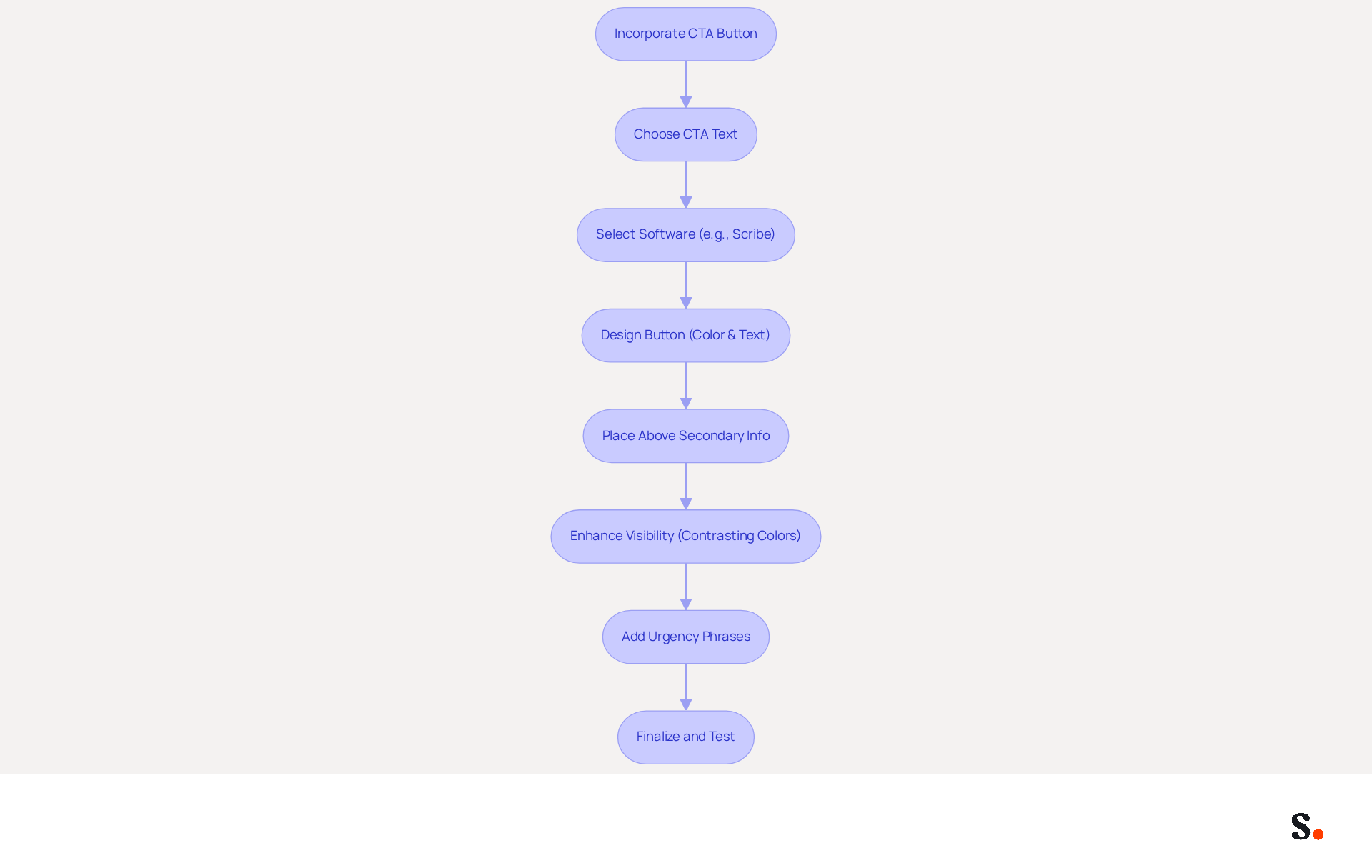
To include a CTA button in your message footer, leverage advanced software such as Scribe, which streamlines the process and enables easy incorporation of urgency-inducing phrases like 'This Week Only' or '5 Spots Left.' Using phrases like 'Limited Time Offer' can create a sense of urgency that encourages immediate action. Furthermore, every modification made in your Aircall configuration will automatically be reflected in your Scribe branding, ensuring consistency across all communications. Ensure that the button stands out through contrasting colors and clear, action-oriented text. By strategically placing your primary CTA above secondary information, you can maximize its visibility and effectiveness.
Ultimately, a well-placed CTA button can significantly enhance your communication strategy and open doors to new opportunities.
Regularly Update Your Email Signature
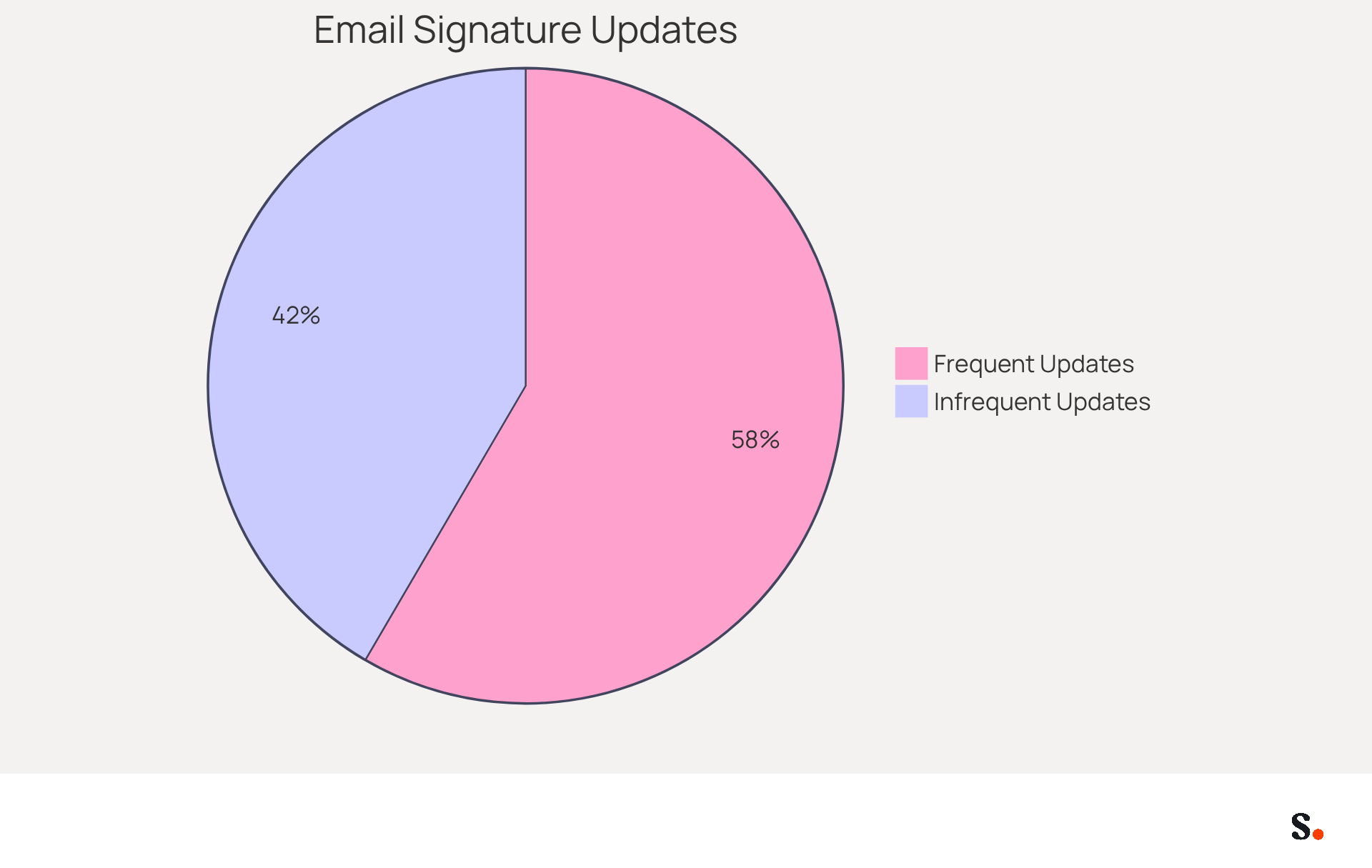
Regularly reviewing and updating your contact details is crucial for maintaining professionalism and effective communication. Set a reminder to do this at least once a year or whenever there are significant changes in your academic status or personal information. This practice is essential, as 44.4% of users refresh their contact details 2-4 times annually, while 31.6% update them only once every few years, highlighting the necessity for regular upkeep.
Updating your contact details not only shows your current role but also maintains professionalism in your communications. Scribe makes it easy; any changes you make in your Aircall settings will automatically update your digital identifiers, keeping your brand consistent without the need for manual adjustments.
Research indicates that a well-optimized email footer should include key identity elements like your full name, job title, company name, and at least one direct contact method. Additionally, incorporating strategic marketing elements, such as calls to action or links to landing pages, can enhance your visibility and credibility.
Regular updates ensure that your email signature as a PhD student serves as an effective digital business card, reinforcing your professional image and fostering trust among recipients.
Conclusion
For PhD students, an effective email signature is not just a formality; it is a crucial element of professional communication that can significantly influence academic interactions. By focusing on clarity, key contact details, and personal branding, students can build credibility and create meaningful connections. The integration of social media links, confidentiality disclaimers, and personalized elements like pronouns further enriches the signature, making it a powerful tool for networking and engagement.
Throughout the article, key strategies have been highlighted, including the importance of maintaining a concise format, testing compatibility across various email clients, and regularly updating contact details. Using tools like Scribe helps simplify these tasks, making it easier to manage digital identifiers while keeping security standards in check. Statistics show that well-crafted signatures can significantly boost response rates and engagement, reinforcing the necessity of investing time in this often-overlooked aspect of professional communication.
A polished email signature acts as both a digital business card and a reflection of a student's academic identity and professionalism. By implementing these best practices, PhD students can significantly enhance their visibility and credibility in the academic landscape. Prioritizing a polished email signature can transform how students are perceived in their academic journeys, ultimately shaping their future opportunities.
Frequently Asked Questions
Why is an email signature important for a PhD student?
An email signature is essential for establishing credibility in academic communication, helping to create a professional image that enhances the recipient's perception.
What elements should be included in a PhD student's email signature?
A well-crafted email signature should include your full name, academic title, department, university, primary contact number, and email address, preferably using your university domain.
How can a professional email signature impact communication?
Including key details like contact information and institutional affiliation can boost response rates by 22%, making it easier for recipients to identify and communicate with you.
What are some tips for enhancing an email signature?
Consider incorporating a confidentiality statement, adding a high-quality photo, optimizing for mobile devices, and using Aptos font at size 11 for clarity and consistency.
How does Scribe assist with managing email signatures?
Scribe's automated management allows you to keep your identifiers up to date while ensuring compliance with GDPR and SOC 2 Type II standards, saving time and maintaining brand consistency.
Why is branding important in email communication?
Integrating your university's logo and colors enhances professional identity, fosters belonging, and conveys professionalism, which can increase trust among recipients.
What effect does branding have on response rates?
Research indicates that branded sign-offs can lead to a 22% increase in response rates, highlighting the importance of effective branding in communication.
How can Scribe help with branding in email signatures?
Scribe's automated management of digital signatures allows for easy updates of branding elements while ensuring compliance with relevant standards, enhancing your professional identity.
What should be avoided when designing an email signature?
Avoid overly decorative elements, distracting colors, and overwhelming visuals that could detract from the content and professionalism of your email signature.
List of Sources
- Maintain a Professional Appearance
- Email Signature Etiquette: The Good, the Bad and the Unnecessary (https://roberthalf.com/us/en/insights/career-development/email-signature-etiquette-the-good-the-bad-and-the-unnecessary)
- Signatures: Brand Tools - Northwestern University (https://northwestern.edu/brand/applying-the-brand/email/signatures)
- Best Practices for a Master's Student Email Signature That Engages (https://scribe-mail.com/en-US/blog/best-practices-for-a-master-s-student-email-signature-that-engages)
- Four Reasons to Have a Professional Email Signature - PEAKUP TEKNOLOJİ A.Ş. (https://peakup.org/blog/four-reasons-to-have-a-professional-email-signature)
- Best Practices for a Professional Formal Email Signature (https://scribe-mail.com/en-US/blog/best-practices-for-a-professional-formal-email-signature)
- Include Essential Contact Information
- Best Practices for a Master's Student Email Signature That Engages (https://scribe-mail.com/en-US/blog/best-practices-for-a-master-s-student-email-signature-that-engages)
- How to create a professional PhD student email signature | Researcher.Life (https://researcher.life/blog/article/how-to-create-a-professional-phd-student-email-signature)
- Email Signatures | Office of Communications (https://communications.dartmouth.edu/guides-and-tools/email-signatures)
- Email signatures | University Marketing and Communications | Illinois State (https://universitymarketing.illinoisstate.edu/identity/editorial/email-signatures)
- Academic Email Signature that Makes an Impression (https://wisestamp.com/examples/educational-institution-email-signature)
- Utilize Branding for Professional Identity
- University Branding: How to Triumph the Enrolment Race and Differ From Other Educational Institutions - NEWOLDSTAMP (https://newoldstamp.com/blog/university-branding-how-to-triumph-the-enrolment-race-and-differ-from-other-educational-institutions)
- Why do university email signatures go rogue? | Rod B. McNaughton (https://linkedin.com/posts/rmcnaughton_universities-marketing-highereducation-activity-7357592452288991232-MKSu)
- Email Signatures: The Power of Professional Branding | Crossware365 (https://crossware365.com/blog/email-signatures-power-of-professional-branding)
- The impact of email signatures on your branding (https://signitic.com/en/resources/the-impact-of-email-signatures-on-your-branding)
- 40+ Email Signature Statistics for 2026 (Data + Insights) (https://wavecnct.com/blogs/email-signature-statistics)
- Keep Signatures Concise and Clear
- 40+ Email Signature Statistics for 2026 (Data + Insights) (https://wavecnct.com/blogs/email-signature-statistics)
- Email signature statistics: Why every business should optimize their email signatures — Stripo.email (https://stripo.email/blog/email-signature-statistics-why-every-business-should-optimize-their-email-signatures)
- Best Practices for Email Signatures for Business Owners (https://scribe-mail.com/en-US/blog/best-practices-for-email-signatures-for-business-owners)
- Email Signature Format: Best Practices & Examples | Exclaimer (https://exclaimer.com/email-signature-handbook/email-signature-format)
- Incorporate Relevant Social Media Links
- Best Practices for Using Social Icons in Email Signatures - Gimmio (https://blog.gimm.io/best-practices-for-using-social-icons-in-email-signatures)
- How to Use Social Media Icons in Your Email Signature? (https://letsignit.com/blog/social-media-icons-in-email-signature)
- Best Practices for Social Media Icon Email Signature Integration (https://scribe-mail.com/en-US/blog/best-practices-for-social-media-icon-email-signature-integration)
- How to add social media icons to your email signature and email footer — Stripo.email (https://stripo.email/blog/add-social-media-icons-email-signature)
- Add a Confidentiality Disclaimer
- Email Disclaimer - Skills Inc. (https://skillsinc.com/about/email-disclaimer)
- The Importance of Email Disclaimers for Businesses - Tyler Law LLP (https://tylerlawllp.com/blog-posts/the-importance-of-email-disclaimers-for-businesses)
- 20 good email disclaimer examples - get your own email disclaimer (https://mail-signatures.com/articles/email-disclaimer-examples)
- Email Disclaimer Guide With 12 Templates & Examples - Termly (https://termly.io/resources/articles/email-disclaimers)
- Personalize with Pronouns and Titles
- Pronouns in email signatures: workplace inclusion guide (https://inclusiveemployers.co.uk/blog/why-we-use-pronouns-in-signatures)
- Organizations embrace equity by sharing gender pronouns in email signatures (https://internationalwomensday.com/Missions/19523/Organizations-embrace-equity-by-sharing-gender-pronouns-in-email-signatures)
- Gender pronouns in email signatures - how to use them and why (https://codetwo.com/blog/using-gender-pronouns-in-email-signatures)
- Should your email say if you're he, she or they? (https://bbc.com/news/business-51331571)
- Impact of Adding Pronouns to E-Signature (https://lgbtqbar.org/bar-news/impact-of-adding-pronouns-to-esignature)
- Test Compatibility Across Email Clients
- What are the restrictions in email signature coding | Email Signature Rescue Blog (https://emailsignaturerescue.com/blog/what-are-the-restrictions-in-email-signature-coding)
- Email Client Market Share: Trends & Statistics 2026 (https://litmus.com/email-client-market-share)
- Email Marketing Statistics | Ultimate List | CodeCrew (https://codecrew.us/blog/email-marketing-stats-you-need-to-know-the-ultimate-list)
- How to Standardize Email Signatures Across Different Email Clients and Devices | Email Signature Rescue Blog (https://emailsignaturerescue.com/blog/how-to-standardize-email-signatures-across-different-email-clients-and-devices)
- Incorporate Call-to-Action Buttons
- Create Effective CTA Email Signatures (Examples & Templates) (https://wisestamp.com/examples/cta-email-signature)
- Why and how to add an effective CTA to your email signature? (https://signitic.com/en/resources/why-and-how-to-add-an-effective-cta-to-your-email-signature)
- The Ultimate Guide to Email Signature Call-to-Action - NEWOLDSTAMP (https://newoldstamp.com/blog/the-ultimate-guide-to-email-signature-call-to-action)
- Using Email Signatures as a Marketing Tool: Ideas for Generating Leads and Promoting Business (https://blog.ringostat.com/en/using-email-signatures-as-a-marketing-tool-ideas-for-generating-leads-and-promoting-business)
- Email Calls to Action (CTAs) to Make Your Messaging Thrive | iContact (https://icontact.com/blog/email-calls-to-action-ctas-to-make-your-messaging-thrive)
- Regularly Update Your Email Signature
- 40+ Email Signature Statistics for 2026 (Data + Insights) (https://wavecnct.com/blogs/email-signature-statistics)
- Why Team Email Signatures Matter More Than You Think: The Hidden Impact on Brand Trust and Customer Experience (https://getmailbird.com/why-team-email-signatures-matter-brand-trust)
- The impact of email signatures on your branding (https://signitic.com/en/resources/the-impact-of-email-signatures-on-your-branding)
- 5 Reasons to Regularly Update Your Email Signature (https://gsignature.com/blog-post/5-reasons-why-you-should-update-your-email-signature-regularly)
Get started with Scribe
See why teams switch to Scribe
Free 14-day trial — no credit card.